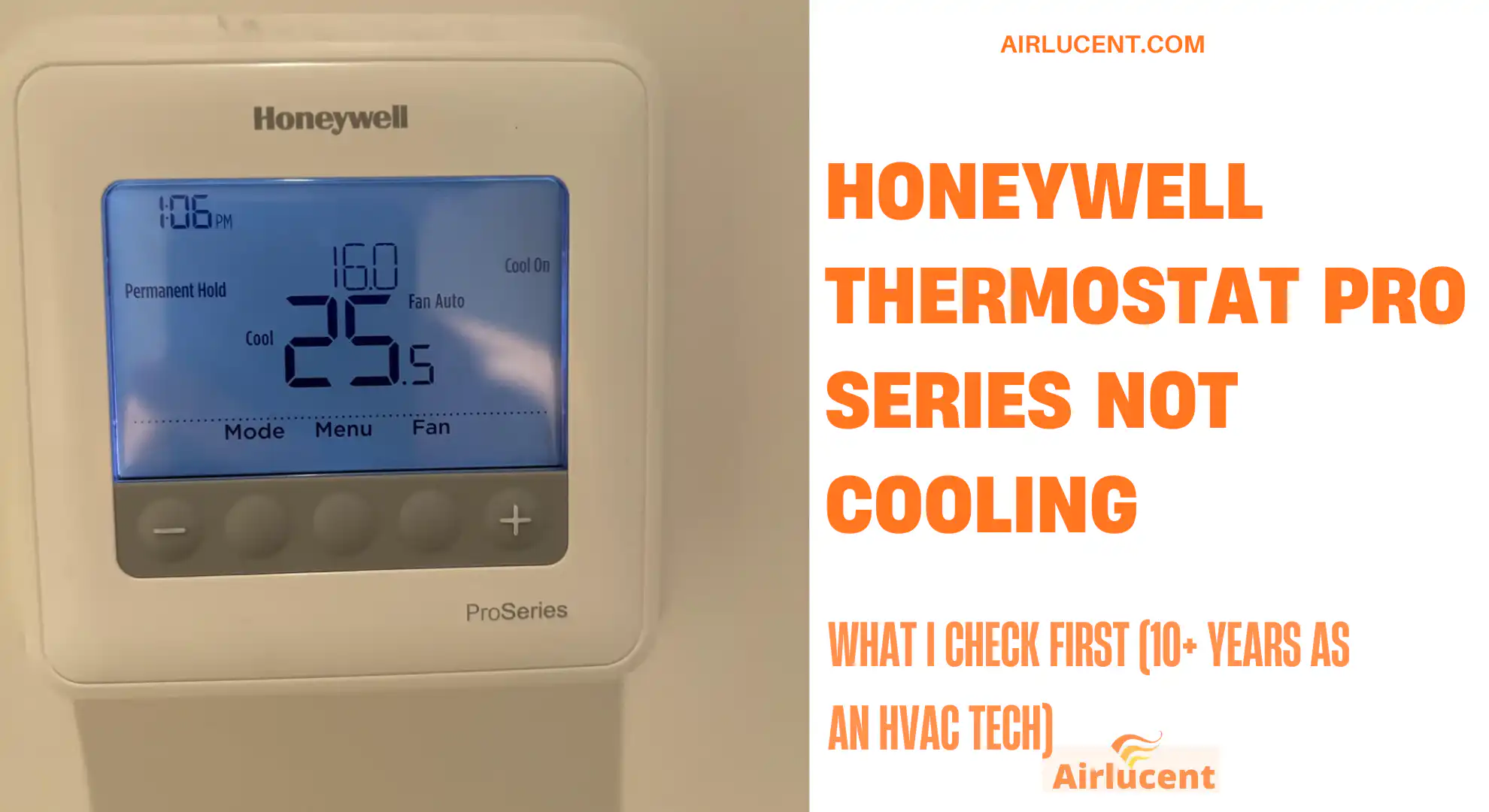
Hi, I’m Nathan. I’ve worked as an HVAC technician for over 10 years, and I can tell you something that surprises a lot of homeowners:
In most “Honeywell Pro Series not cooling” calls, the thermostat is doing its job. The cooling problem is usually somewhere else in the system like airflow, power to the outdoor unit, a clogged drain safety switch, or a component outside.
That said, the thermostat is still the control center, so a wrong setting or a misconfiguration can absolutely stop cooling. Below is the exact troubleshooting path I’d walk you through if I were standing in your hallway looking at your Pro Series thermostat.
This guide applies to many Honeywell Home Pro Series models, including common ones like the T4 Pro, T6 Pro, T10 Pro, and similar Pro thermostats.
- Quick 60-second checklist (fixes a lot of “not cooling” calls)
- Step 1: Confirm the thermostat is actually calling for cooling
- Step 2: Fix the most common thermostat setting problems
- Step 3: Power problems (thermostat and equipment)
- Step 4: Don’t ignore airflow (filter, vents, coil freeze)
- Step 5: Check the condensate drain and float switch (a sneaky shutdown)
- Step 6: Go outside and watch the condenser (this tells you a lot fast)
- Symptom-to-fix table (the same logic I use on service calls)
- Step 7: Check installer setup (ISU) if you have a heat pump
- Step 8: Clean condenser coil and clear airflow around outdoor unit
- Step 9: Check refrigerant symptoms (not a DIY repair, but you can spot clues)
- Step 10: Reset the system the right way
- When the thermostat itself is actually bad
- Maintenance tips that prevent “not cooling” problems
- When you should call an HVAC professional
- FAQs
- Final thoughts from Nathan
Quick 60-second checklist (fixes a lot of “not cooling” calls)
Before we go deeper, do these quick checks:
- Mode: Set thermostat to Cool
- Set temperature: Set it at least 3 to 5 degrees lower than the room temperature
- Fan setting: Set Fan = Auto
- Screen message: If you see Cool On flashing or Wait, give it 5 minutes
- Breaker: Check HVAC breakers. Many homes have:
- an indoor unit breaker (furnace/air handler)
- an outdoor unit breaker (condenser)
- Air filter: If it’s visibly dirty, replace it
- Drain pan: If you have a condensate pan and it’s full, your system may be shut off by a safety switch
If you do those and still don’t get cold air, keep going.
Step 1: Confirm the thermostat is actually calling for cooling
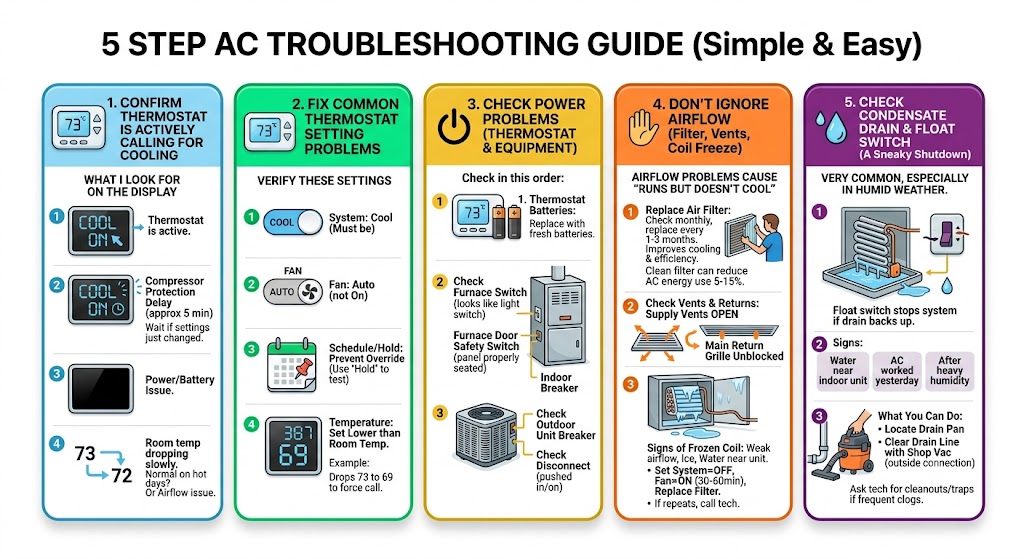
A thermostat can be “set to cool” but still not actively calling.
What I look for on the display
- Cool On (solid): thermostat is calling for cooling
- Cool On (flashing) or Wait: compressor protection delay is active
- Blank screen: power/battery issue
- Room temp is dropping slowly: could be normal on extreme heat days, or a system capacity/airflow issue
Why “Cool On” might flash
Many Honeywell Pro thermostats have a built-in compressor short-cycle delay to protect the outdoor unit. Typically it’s about 5 minutes.
So if you just changed settings or the power blinked, you may need to wait.
Step 2: Fix the most common thermostat setting problems
Verify these settings
- System: Cool
- Fan: Auto (not On)
- Schedule/Hold: Make sure a schedule isn’t overriding you (try using Hold temporarily)
- Temperature: Set it lower than room temp
A real-world example I see
Someone sets the thermostat to 72, but the room is 73 and the thermostat swing/differential or internal logic isn’t calling yet. Dropping it to 69 forces a call and helps confirm operation.
Step 3: Power problems (thermostat and equipment)
Even if the thermostat looks fine, your indoor or outdoor equipment may not have power.
Check these power issues in this order
1. Thermostat batteries (if your model uses them)
Some Pro Series thermostats use batteries as primary or backup power.
- Replace with fresh batteries (don’t mix old/new)
- Make sure battery contacts are clean and tight
2. Indoor unit power (furnace or air handler)
If the indoor blower won’t run, you won’t get cooling even if the outdoor unit runs.
- Check the furnace switch (looks like a light switch near the unit)
- Check the furnace door safety switch (if the panel isn’t seated right, it cuts power)
- Check the breaker for the indoor unit
3. Outdoor unit power (condenser)
If the thermostat calls for cooling but the outdoor unit is silent:
- Check the outdoor unit breaker
- Check the disconnect (near the condenser) is pushed in/on
Step 4: Don’t ignore airflow (filter, vents, coil freeze)
Airflow problems are one of the biggest reasons a system “runs but doesn’t cool.”
Replace the air filter
A clogged filter restricts airflow, which can lead to:
- weak cooling
- evaporator coil icing
- longer run times
- higher energy use
Common guidance (varies by home and filter type): check filters monthly and replace about every 1 to 3 months.
Energy Star also commonly notes that a clean filter can reduce AC energy use by around 5 to 15 percent in some situations.
Check vents and returns
- Make sure supply vents are open and not buried under rugs/furniture
- Make sure the main return grille isn’t blocked
Watch for signs of a frozen evaporator coil
If you notice:
- very weak airflow
- ice on the copper line or indoor coil cabinet
- water around the furnace/air handler when it melts
Do this:
- Set System = Off
- Set Fan = On for 30 to 60 minutes to thaw
- Replace the filter
- Then try cooling again
If it freezes again, you likely have an airflow issue (dirty coil, blower problem) or low refrigerant.
Step 5: Check the condensate drain and float switch (a sneaky shutdown)
This one is extremely common, especially in humid weather.
Many systems have a float switch wired to shut the system down if the drain backs up, preventing water damage.
Signs this might be your issue
- Thermostat looks normal, but cooling won’t run
- You recently noticed water near the indoor unit
- AC worked yesterday, not today, especially after heavy humidity
What you can do
- Locate the drain pan (near indoor coil)
- If full, clear the drain line:
- a wet/dry shop vac on the outside drain termination often works
- or compressed air carefully
If you keep getting clogs, ask a tech about adding a cleanout, trap, or treatment plan.
Step 6: Go outside and watch the condenser (this tells you a lot fast)

Set the thermostat to Cool and lower the set temp. Wait 5 minutes. Then check the outdoor unit:
What should be happening
- The fan on top is spinning
- You can hear the compressor running (steady hum)
- Warm air is exhausting from the top
If the outdoor fan runs but it’s not cooling
This often points to:
- weak/bad capacitor (compressor side failed)
- compressor not starting (hard start kit sometimes helps temporarily)
- refrigerant issue
If nothing runs outside at all
Possible causes:
- tripped breaker
- failed contactor
- failed capacitor
- low voltage control issue from indoor unit
- thermostat not actually sending a Y call (less common, but possible)
Symptom-to-fix table (the same logic I use on service calls)
| Cool On is flashing or screen says Wait | Compressor delay | Wait 5 minutes | If it never starts after 10 minutes |
| Thermostat is set to Cool but air is warm | Outdoor unit not running or misconfiguration | Check breakers, check outdoor disconnect | If breaker trips again or outdoor unit won’t start |
| Weak airflow, not cooling well | Dirty filter, blocked vents, coil starting to freeze | Replace filter, open vents | If coil freezes repeatedly |
| Indoor blower runs, outdoor unit silent | Outdoor power issue, capacitor, contactor | Check outdoor breaker/disconnect | If still dead or breaker trips |
| Outdoor fan runs, compressor doesn’t | Bad capacitor, failing compressor | Turn system off to prevent damage | Yes, capacitor/compressor diagnosis |
| Water in drain pan, cooling stopped | Clogged drain line, float switch tripped | Vacuum drain line, clear blockage | If clogs keep returning or pan overflows |
| System cools at night but struggles midday | Extreme outdoor heat, dirty condenser, undersized unit | Shade isn’t the fix, but clean around condenser | If it can’t maintain reasonable temps at normal conditions |
| Thermostat shows wrong temp or acts erratic | Bad sensor, poor location, thermostat failing | Move heat sources, replace batteries | If calibration is off consistently |
| Blowing hot when set to cool (heat pump) | O/B reversing valve setting wrong in ISU | Check installer setup | If you’re not comfortable with ISU programming |
Step 7: Check installer setup (ISU) if you have a heat pump
If you have a heat pump and your thermostat was recently replaced, reset, or reconfigured, it may be set up wrong.
One of the biggest mistakes is the O/B reversing valve setting. If it’s wrong, you can get heat when you want cool.
When I suspect an ISU issue
- You recently installed the thermostat
- The thermostat was factory reset
- Cooling worked before and now it behaves backwards
- Outdoor unit runs but air is hot in cooling mode
Because Pro Series models vary, I recommend using the exact model manual to confirm the correct ISU values for:
- System type (conventional vs heat pump)
- O/B reversing valve behavior
- Stages (1H/1C, 2H/2C, etc.)
If you want, tell me your thermostat model number and your equipment type (gas furnace with AC or heat pump), and I can point you to the specific settings to verify.
Step 8: Clean condenser coil and clear airflow around outdoor unit
Your outdoor unit needs to reject heat. If the coil is packed with cottonwood, grass, or dirt, you lose capacity fast.
What you can do
- Power off at disconnect
- Gently rinse the coil with a garden hose (no pressure washer)
- Clear leaves and debris around the unit
If the coil is impacted from the inside out, a deeper cleaning may be needed.
Step 9: Check refrigerant symptoms (not a DIY repair, but you can spot clues)
Refrigerant is not something you “top off” routinely. If it’s low, there’s usually a leak.
Clues I look for
- Ice on the larger insulated copper line (suction line)
- Suction line is room temperature and dry while running (can indicate low load or low refrigerant)
- Coil freezing
- Poor cooling with normal airflow
Quick performance check: temperature split (Delta T)
If your system is running for 10 to 15 minutes steadily, measure:
- Return air temperature (at the return grille or near filter)
- Supply air temperature (closest supply vent to the air handler)
| Around 15 to 20°F (typical range) | Often normal (depends on humidity and system design) |
| Under 14°F | Possible low refrigerant, airflow issues, compressor issues, duct leakage |
| Over 22°F | Possible low airflow (dirty filter, blower problem, coil restriction) |
This is not a perfect test, but it’s a helpful clue.
Step 10: Reset the system the right way
A simple reset clears a surprising number of lockouts.
Safe power reset
- Set thermostat to Off
- Turn off breakers for:
- indoor unit (furnace/air handler)
- outdoor unit (condenser) if separate
- Wait 1 to 2 minutes
- Turn breakers back on
- Set thermostat to Cool and lower temperature
- Wait 5 minutes
If the thermostat is battery-powered, you can also remove batteries for 30 seconds and reinstall.
When the thermostat itself is actually bad
In my experience, thermostats fail less often than people think, but it does happen.
Signs your Pro Series thermostat may be failing
- Screen randomly blanks or reboots (and power is stable)
- Wrong room temperature readings that don’t match reality
- It won’t call for cooling even though settings are correct
- Buttons are unresponsive
A technician can confirm thermostat output, but as a homeowner you can often narrow it down by confirming:
- The thermostat is powered
- It displays Cool On
- The system still doesn’t respond
If everything else checks out, replacement may be the cleanest solution.
Maintenance tips that prevent “not cooling” problems
| Replace air filter | Every 1 to 3 months | Prevents freeze-ups, improves airflow |
| Rinse outdoor condenser coil | 1 to 2 times per cooling season | Helps unit reject heat efficiently |
| Flush/inspect condensate drain | At least once per season | Prevents float switch shutdowns |
| Professional tune-up | Yearly | Catches capacitors, contactors, refrigerant issues early |
When you should call an HVAC professional
Call a licensed tech if:
- Breakers trip repeatedly
- Outdoor unit won’t start and you’ve confirmed power
- You suspect a capacitor, compressor, or refrigerant issue
- The evaporator coil freezes more than once
- You cleared the drain but the float switch keeps tripping
- You’re not comfortable checking electrical or ISU settings
This is especially important for compressor and refrigerant problems. Waiting too long can turn a smaller repair into a major one.
FAQs
Why is my Honeywell Pro Series showing Cool On but it’s not cooling?
Cool On means the thermostat is calling for cooling. If you’re not getting cold air, I’d check the outdoor unit operation, air filter, drain float switch, and breakers next.
What does it mean when Cool On is flashing or it says Wait?
That’s usually a compressor protection delay. Wait about 5 minutes. If it never starts after 10 minutes, troubleshoot power, safety switches, or control issues.
How often should I replace my air filter?
Most homes land around every 1 to 3 months depending on filter thickness, pets, dust, and allergies. If you’re not sure, check monthly until you learn your home’s pattern.
My thermostat is set correctly. Could it still be the thermostat?
Yes, but it’s less common. Most “not cooling” problems are outdoor unit power/components, airflow, drain safety, or refrigerant-related.
Why does my AC struggle more during extreme heat?
Even a perfectly working system can struggle when outdoor temps are very high, especially if you let the house heat up and then try to pull it down fast. Keeping a steadier setpoint during heat waves often helps.
Final thoughts from Nathan
When your Honeywell Pro Series thermostat isn’t cooling, don’t assume the thermostat is broken. Start with what the thermostat is telling you (Cool On, flashing delay, power), then move to the biggest real-world culprits I see on service calls: filters, drain float switches, outdoor unit power, capacitors, and airflow restrictions.