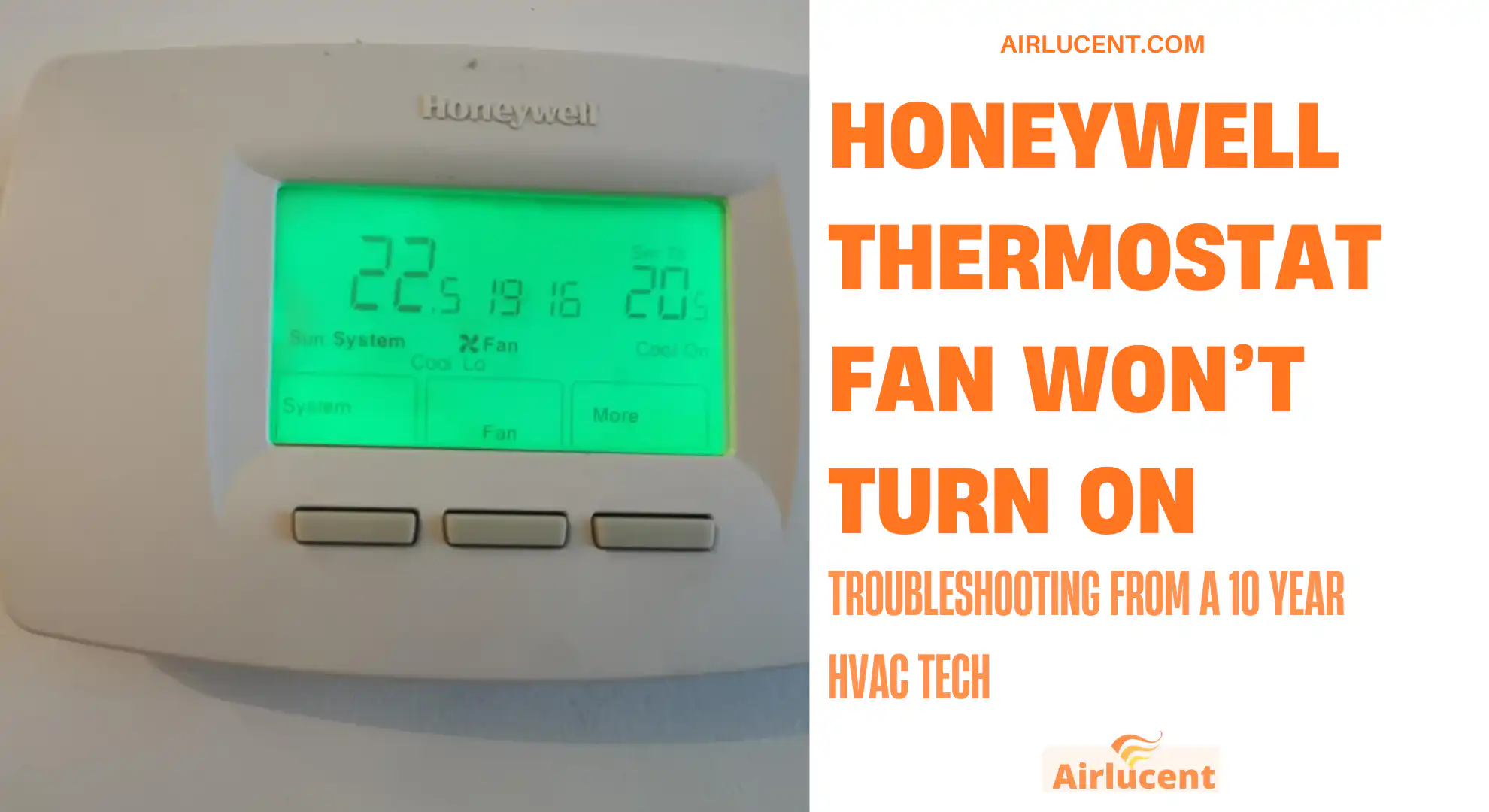
Hi, I’m Nathan. I’ve worked as an HVAC technician for over 10 years, and I’ve walked into a lot of homes where the complaint is some version of “the Honeywell thermostat is on, but the fan won’t run.”
This is an issue that is not hard to fix. In this guide i will tell you all you need to know and how to fix
- Common reasons a Honeywell thermostat fan won’t turn on (and the best fix)
- Step 1: Make sure you’re not expecting “Auto” to do something it doesn’t do
- Step 2: Confirm the thermostat is actually calling for heating or cooling (if that’s your goal)
- Step 3: Replace the thermostat batteries (even if the screen is on)
- Step 4: Check power the right way (breaker, furnace switch, and a simple reset)
- Step 5: Check the blower door safety switch (this is very common)
- Step 6: Check the thermostat wiring (especially the G wire)
- Step 7: If thermostat looks fine, the problem is often at the air handler or furnace
- My simple “is it the thermostat or the furnace” test (conceptually)
- When you should stop and call a pro
- Troubleshooting checklist you can screenshot
- FAQ
- References I used (and recommend)
Common reasons a Honeywell thermostat fan won’t turn on (and the best fix)
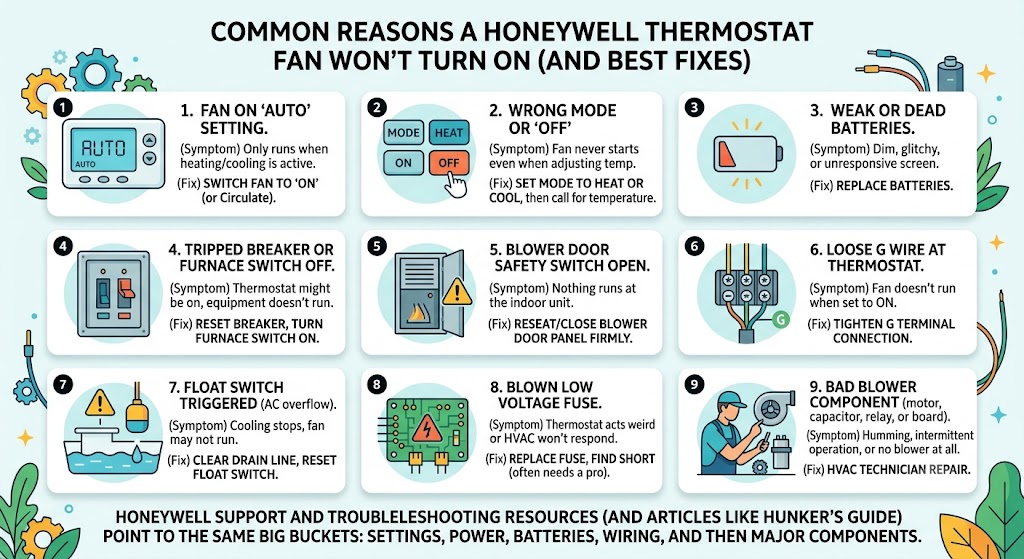
| Fan setting is on Auto (normal behavior) | Fan won’t run unless heating/cooling is actively running | Switch fan to ON (or Circulate if available) |
| Thermostat mode is OFF or wrong mode | Fan never starts even when you adjust temp | Set mode to HEAT or COOL, then call for temp |
| Weak/dead batteries | Screen may be dim, glitchy, or normal but unresponsive | Replace batteries |
| Tripped breaker or furnace switch off | Thermostat might be on, but equipment doesn’t run | Reset breaker, turn furnace switch on |
| Blower door safety switch open | Nothing runs at the indoor unit | Reseat/close blower door panel firmly |
| Loose G wire at thermostat | Fan doesn’t run even when set to ON | Tighten G terminal connection |
| Float switch triggered (AC condensate overflow) | Cooling may stop, fan may not run depending on wiring | Clear drain line, reset float switch |
| Blown low voltage fuse on control board | Thermostat acts weird or HVAC won’t respond | Replace fuse, find short (often needs a pro) |
| Bad blower capacitor, motor, relay, or control board | Humming, intermittent operation, or no blower at all | HVAC technician repair |
Honeywell support and troubleshooting resources (and articles like Hunker’s fan troubleshooting guide) also point to the same big buckets: settings, power, batteries, wiring, and then the air handler itself.
Step 1: Make sure you’re not expecting “Auto” to do something it doesn’t do
This is the easiest misunderstanding to clear up.
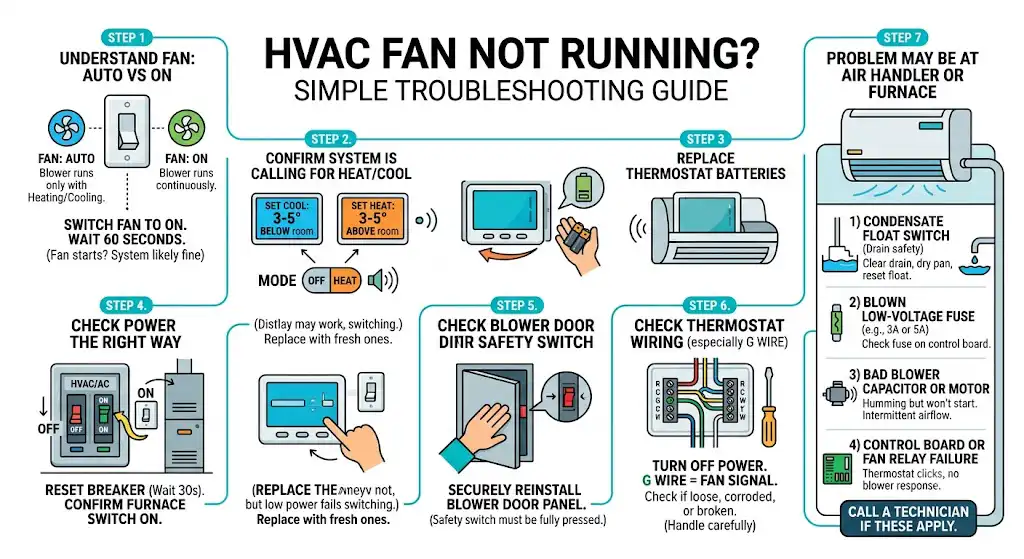
Fan Auto vs Fan On
- Auto means the blower runs only when the system is actively heating or cooling.
- On means the blower runs continuously (fan-only operation).
So if you set the thermostat to FAN: Auto and the system isn’t calling for heating or cooling, the fan may correctly stay off.
What I want you to do
- On the thermostat, find Fan.
- Switch it from Auto to On.
- Wait up to 60 seconds (some systems have a built-in delay).
If the fan starts now, your system is likely fine.
Step 2: Confirm the thermostat is actually calling for heating or cooling (if that’s your goal)
If your goal isn’t “fan-only” but instead “my AC or heat is running and I have no airflow,” do this:
- Set mode to COOL (or HEAT in winter).
- Adjust the temperature so it clearly calls:
- Cooling: set it 3 to 5 degrees below room temp
- Heating: set it 3 to 5 degrees above room temp
- Set Fan to Auto (that’s normal for testing).
- Listen for the indoor unit after a minute or two.
If the outdoor AC is running but the indoor blower isn’t, that’s usually not a thermostat settings problem anymore. That’s an equipment-side issue (blower, capacitor, control board, float switch, door switch).
Step 3: Replace the thermostat batteries (even if the screen is on)
I’ve seen weak batteries cause partial operation: display works, backlight works, but the thermostat fails to reliably energize internal switching.
Battery reality check
Most thermostat batteries last roughly 6 to 12 months depending on model, backlight usage, and how stable your 24V power is (if your thermostat uses batteries as primary or backup).
What to do
- Pop the thermostat faceplate off (most Honeywell models pull straight out).
- Replace batteries with fresh, matching type.
- Reattach and retest FAN: ON.
Step 4: Check power the right way (breaker, furnace switch, and a simple reset)
Even if your thermostat screen is lit, your indoor unit can still be without power.
Do a proper reset
- Go to your electrical panel.
- Find the breaker labeled Furnace, Air Handler, HVAC, or AC.
- Flip it fully OFF, wait 30 seconds, then flip ON.
Also check the furnace switch
Near the furnace/air handler there’s often a regular wall switch controlling power to the unit. Make sure it’s ON. I can’t tell you how many “no fan” calls end right there.
Step 5: Check the blower door safety switch (this is very common)
Most furnaces/air handlers have a safety switch that cuts power if the front panel isn’t seated correctly.
What you’ll notice
- You might hear nothing at the unit.
- The system may act dead even though the thermostat looks normal.
What to do
- Turn off power at the breaker first.
- Remove and reinstall the blower door panel, making sure it sits flush and tight.
- Restore power and test again.
Step 6: Check the thermostat wiring (especially the G wire)
The G terminal is the fan signal. If the thermostat sends power to G, the control board should start the indoor blower (or at least start the blower sequence).
Typical thermostat terminals (quick reference)
| R or Rh/Rc | 24V power | Red |
| C | 24V common | Blue or Black |
| G | Fan control | Green |
| Y | Cooling call | Yellow |
| W | Heat call | White |
What I recommend (safe homeowner check)
- Turn off power to the HVAC system.
- Remove thermostat from the wall plate.
- Look for the G wire:
- Is it fully inserted?
- Is the screw/terminal clamp tight?
- Is there corrosion or a broken conductor?
- Re-seat it, tighten gently, reinstall, restore power, test fan.
If you’re not comfortable doing this, don’t force it. Stray strands can short and blow a fuse on the control board.
Step 7: If thermostat looks fine, the problem is often at the air handler or furnace
This is where a lot of “thermostat fan won’t turn on” problems end up.
1) Condensate float switch (AC drain safety)
Many AC systems have a float switch that shuts things down if the drain backs up. Depending on how it’s wired, it can stop cooling and sometimes affect blower operation.
Clues
- You’ve had high humidity, lots of AC use, or past drain clogs
- Water around the indoor unit
- AC suddenly stopped working
Fix
- Clear the drain line (often a shop vac on the drain outlet works)
- Dry the pan and reset the float switch if applicable
2) Blown low-voltage fuse on the control board
Many furnaces have a small automotive-style blade fuse (often 3A or 5A). A shorted thermostat wire can pop it.
Clues
- System doesn’t respond correctly after you adjusted wiring
- Thermostat may reboot or go blank (depending on model/power)
This one often needs a technician because the fuse blowing is usually a symptom, not the root cause.
3) Bad blower capacitor or blower motor
If you hear a hum but the blower won’t spin, or it runs only sometimes, that often points to a capacitor or motor issue.
Clues
- Humming sound
- Fan blade spins freely by hand (power off), but won’t start on its own
- Intermittent airflow
Capacitors and motors are very common repairs, but diagnosis and safe replacement is typically a pro job.
4) Control board or fan relay failure
Sometimes the thermostat is correctly sending the signal, but the board/relay that powers the blower doesn’t respond.
Clues
- Thermostat clicks, but nothing happens at the furnace
- No blower even during heating (when it should definitely run)
This is another situation where an HVAC tech is usually the right move.
My simple “is it the thermostat or the furnace” test (conceptually)
Here’s the way I think about it on a call:
- If FAN: ON does nothing, but the thermostat is powered and settings are correct, then either:
- the G signal isn’t getting to the furnace (wiring/connection problem), or
- the furnace/air handler isn’t responding (control board, safety, power, blower parts)
A technician can verify this quickly with a meter by checking for 24VAC between G and C when you command the fan on.
When you should stop and call a pro
Call an HVAC technician if:
- The breaker trips again after reset
- You suspect a control board, capacitor, motor, or transformer problem
- You smell burning, see scorching, or hear loud buzzing/humming
- You’ve reseated wiring but still have no response
I’m all for homeowner troubleshooting, but once you get into live electrical diagnosis, it’s easy to turn a small issue into a bigger one.
Troubleshooting checklist you can screenshot
- Fan set to ON (not Auto)
- Mode set correctly (Heat or Cool), temp adjusted to call
- Replace thermostat batteries
- Reset HVAC breaker (Off 30 seconds, then On)
- Furnace/air handler switch On
- Blower door panel fully seated
- Check thermostat G wire is secure
- Check for clogged condensate drain or float switch trip
- If still dead, likely blower capacitor, motor, relay, control board, or low-voltage fuse
FAQ
Why does my Honeywell thermostat show the fan icon but the fan doesn’t run?
The thermostat can display a call for fan, but if the indoor unit has a safety open (door switch, float switch), no power, a blown fuse, or a failed control board, the blower still won’t start.
If I set the fan to Auto, should it always run?
No. Auto typically means it only runs during an active heating or cooling cycle.
Can a Honeywell thermostat fail in a way that only stops the fan?
Yes. I’ve seen failed internal switching and loose G terminal connections cause fan-only issues. But in my experience, many “thermostat fan problems” are actually equipment-side problems.
References I used (and recommend)
- Honeywell Home support articles on cooling and airflow troubleshooting
- Hunker: troubleshooting steps for a Honeywell thermostat fan not coming on, including checking settings, batteries, breaker, wiring, door safety switch, and blower components