I’m Nathan. I’ve worked as an HVAC technician for over 10 years, and I’ve set up and serviced a lot of Honeywell and Resideo thermostats in real homes with real comfort issues. The biggest confusion I see from homeowners is this:
You buy a Honeywell thermostat, download an app… and suddenly you’re stuck choosing between Honeywell Home, Resideo, Total Connect Comfort, or even Total Connect 2.0.
So let me break it down clearly, in plain homeowner language, and help you choose the right platform for your thermostat and your lifestyle.
- Quick answer (if you’re in a hurry)
- Important clarification: Total Connect Comfort vs Total Connect 2.0 (people mix these up)
- What is Honeywell Home (Resideo)?
- What is Total Connect Comfort (TCC)?
- Honeywell Home vs TCC: Feature comparison (real-world homeowner view)
- Compatibility: which app does your thermostat actually need?
- The real-life difference you’ll feel at home
- Smart home integration: what works better?
- Reliability and longevity (what I see as a technician)
- Cost considerations (thermostat cost, subscriptions, and hidden expenses)
- My recommendation (based on how you actually live)
- What to do if you’re not sure which one you have
- Common problems I see (and the quick fixes)
- Final verdict: which one is better?
- FAQs
Quick answer (if you’re in a hurry)
Honeywell Home (Resideo app) is the modern platform for newer Wi‑Fi smart thermostats and smart home devices. It has a better app experience and modern features like geofencing and smart home integrations.
Total Connect Comfort (TCC) is the older, “legacy” platform built mainly for remote thermostat control and scheduling on certain older Wi‑Fi and RedLINK thermostats. It’s reliable, but it feels dated and doesn’t have the newer smart-home style features.
If your thermostat model “wants” TCC, you generally can’t force it into the Resideo app. The platform you use is mostly determined by your thermostat model.
Important clarification: Total Connect Comfort vs Total Connect 2.0 (people mix these up)
Before we go deeper, this matters:
- Total Connect Comfort (TCC): thermostat-only platform for certain Honeywell Wi‑Fi thermostats (and some RedLINK internet gateway setups). Focus is HVAC control.
- Total Connect 2.0 (TC2): broader alarm and automation platform tied to security systems and monitoring plans. Some TCC thermostats can be linked into TC2, but thermostats usually have limited automation features inside TC2 compared to Z‑Wave thermostats.
What is Honeywell Home (Resideo)?
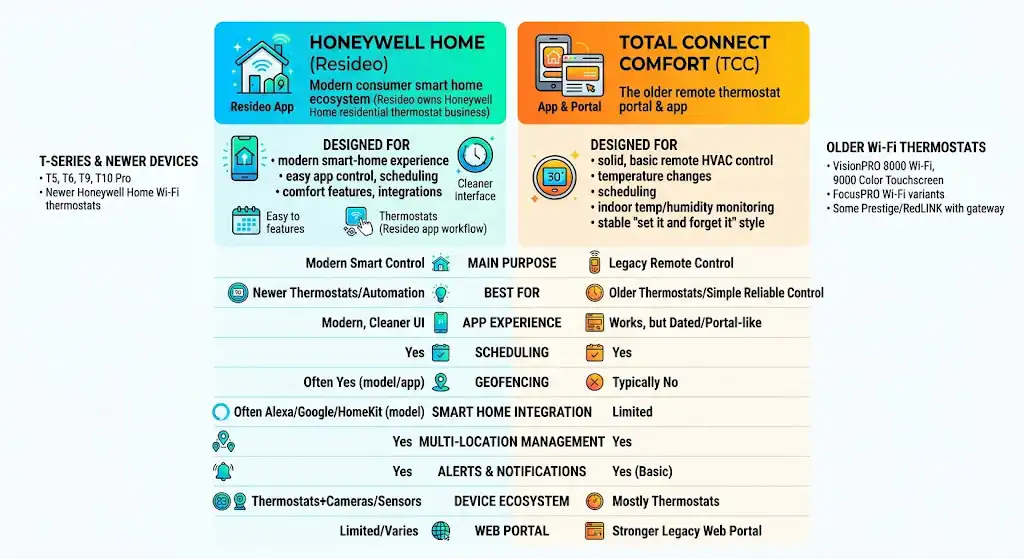
Honeywell Home is the consumer smart home ecosystem that is now commonly run through the Resideo app (Resideo owns the Honeywell Home residential thermostat business).
What it’s designed for
A modern smart-home experience with:
- Easy app control
- Modern scheduling and comfort features
- Smart home integrations (depending on model)
- A cleaner, more updated interface
What it typically supports
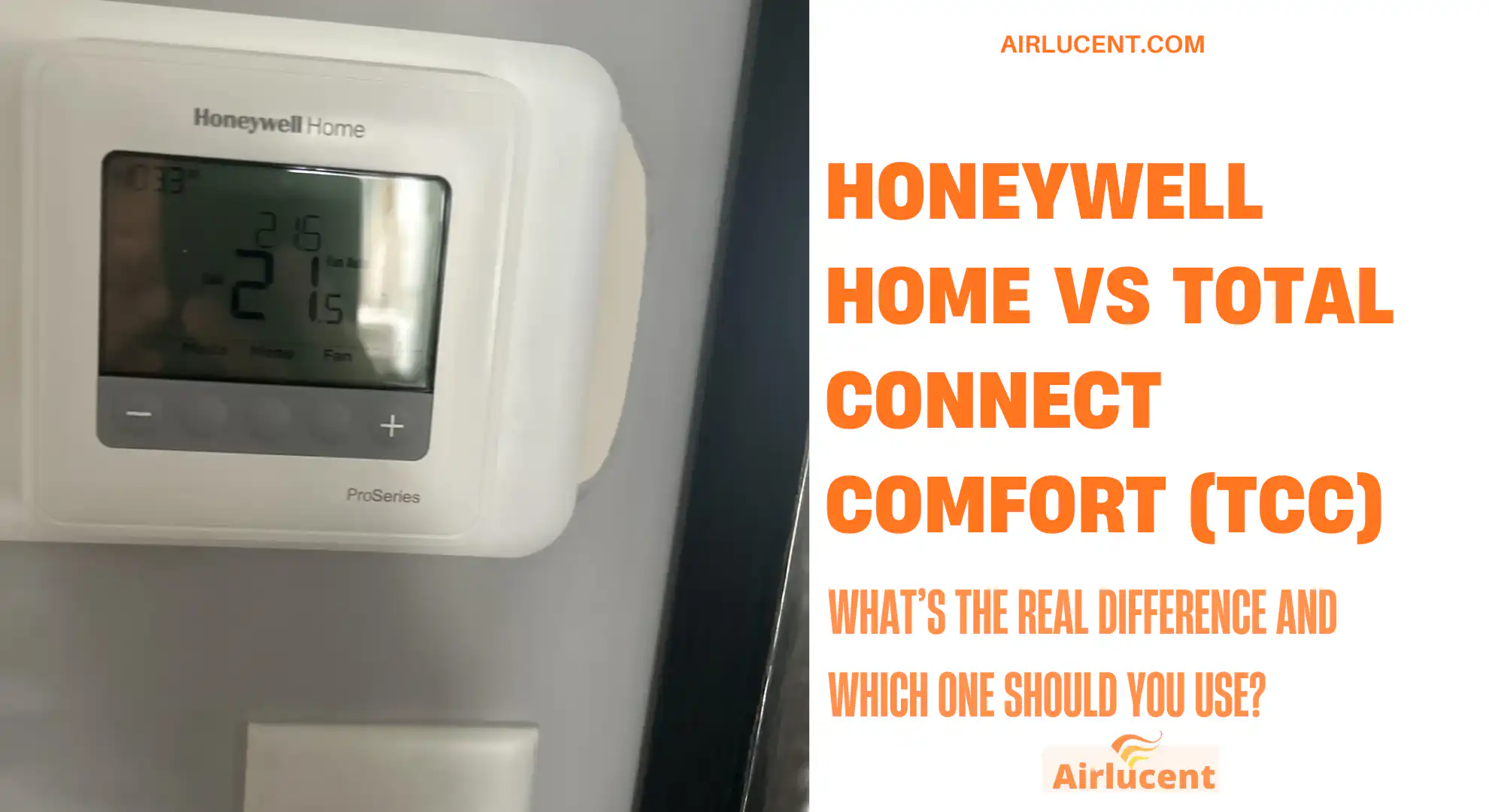
Mostly newer Honeywell Home Wi‑Fi thermostats, especially the T‑Series and newer devices.
Common examples you’ll see in the field:
- T5, T6, T9, T10 Pro (varies by version and install type)
- Newer Honeywell Home Wi‑Fi thermostats designed around the Resideo app workflow
What is Total Connect Comfort (TCC)?
Total Connect Comfort is the older remote thermostat portal and app Honeywell used for many years.
What it’s designed for
Solid, basic remote HVAC control:
- Change temperature from your phone
- Create schedules
- Monitor indoor temp and humidity (if supported by the thermostat)
- A stable “set it and forget it” style platform
What it typically supports
A lot of older Honeywell Wi‑Fi thermostats, including popular models that are still in service everywhere.
Common examples homeowners still use:
- VisionPRO 8000 Wi‑Fi
- 9000 Color Touchscreen Wi‑Fi
- FocusPRO Wi‑Fi variants (model dependent)
- Some Prestige and RedLINK setups when paired with an internet gateway (hardware dependent)
Honeywell Home vs TCC: Feature comparison (real-world homeowner view)
Here’s the comparison I usually explain at the kitchen table when a homeowner asks which one they should be using.
Core feature table
| Main purpose | Modern smart thermostat and smart-home control | Legacy remote thermostat control and scheduling |
| Best for | Newer thermostats and people who want automation features | Older thermostats and simple reliable remote control |
| App experience | Modern, cleaner UI, easier onboarding | Works, but feels dated and more “portal-like” |
| Scheduling | Yes | Yes |
| Geofencing | Often yes (model/app dependent) | Typically no |
| Smart home integration | Often supports Alexa/Google, sometimes Apple Home (model dependent) | Limited |
| Multi-location management | Yes | Yes |
| Alerts and notifications | Yes | Yes (basic) |
| Device ecosystem | Thermostats plus some cameras/sensors (varies) | Mostly thermostats |
| Web portal | Limited/varies | Stronger legacy web portal experience |
Compatibility: which app does your thermostat actually need?
This is where most frustration comes from. In my experience, the thermostat model decides the platform.
Compatibility cheat sheet (typical, not exhaustive)
| Newer Honeywell Home T‑Series Wi‑Fi (T5, T6, T9, T10 variants) | Honeywell Home / Resideo app |
| VisionPRO 8000 Wi‑Fi, 9000 Color Touch Wi‑Fi | Total Connect Comfort |
| Older Wi‑Fi models commonly installed 2010s era | Total Connect Comfort |
| RedLINK systems with internet gateway (setup dependent) | Often TCC, sometimes other workflows depending on hardware |
My best advice: Look up your exact model number (usually on the thermostat’s menu or on the backplate). Then match it to the correct app in the manual. If you try to “make” a TCC thermostat work inside Resideo (or vice versa), you can waste hours.
The real-life difference you’ll feel at home
1) Daily comfort and convenience
- Honeywell Home (Resideo) generally feels more “smartphone-native.” If you like geofencing, automation-style comfort, and smoother app navigation, you’ll prefer it.
- TCC is more like: “I want a thermostat I can control remotely and schedule.” It does that well, but it doesn’t try to be a full smart home hub.
2) Scheduling vs geofencing (and why it matters)
In the field, I see two types of households:
- If you live on a consistent schedule, a good 7-day schedule is often all you need.
- If your schedule is unpredictable, geofencing can keep you comfortable without wasting energy.
Smart home integration: what works better?
Honeywell Home (Resideo) tends to win for modern smart homes
Depending on thermostat model, you may get:
- Alexa and Google Assistant voice control
- Home routines and integrations
- More “automation” style triggers (like geofencing)
TCC is more limited
TCC is primarily about thermostat control. It’s not trying to compete with the broader smart home ecosystem.
If you’re building a connected home, I generally steer people toward a thermostat that lives in the Resideo app (or a platform you already use), rather than investing deeper into TCC.
Reliability and longevity (what I see as a technician)
This is where I’ll give TCC some credit.
TCC is “old,” but stable
A lot of TCC thermostats have been running for years. Homeowners sometimes don’t even open the app until a vacation or a cold snap, and it still works.
Honeywell Home is better for the long run
Even though TCC can be reliable, it’s clearly a legacy experience. If you’re buying new equipment today, the modern ecosystem usually gets more attention, updates, and feature development.
If you’re replacing a thermostat anyway, it often makes sense to upgrade into the newer platform instead of staying on TCC.
Cost considerations (thermostat cost, subscriptions, and hidden expenses)
Most homeowners only think about thermostat price, but the “system cost” is more than that.
Typical cost breakdown table (what to expect)
| App access | Usually free | Usually free |
| Subscription required for thermostat control | Typically no | Typically no |
| Thermostat cost range | Varies widely by model and install type | Usually older models already installed; replacements vary |
| Pro installation | Sometimes recommended (especially with accessories or complex wiring) | Often already installed; pro help if rewiring or adding C-wire |
| If tied to security system (TC2) | Not required for thermostat control | Not required for TCC, but TC2 access may require a monitoring plan |
One practical note from service calls:
If you don’t have a C-wire (common wire), that can add cost. Some thermostats work without it, some need an adapter, and some homes require running new wire. This isn’t “Honeywell Home vs TCC” so much as it is “your wiring vs modern Wi‑Fi thermostats.”
My recommendation (based on how you actually live)
Choose Honeywell Home (Resideo) if you want:
- A newer thermostat or you’re upgrading anyway
- A more modern app experience
- Geofencing and smarter automation-style features
- Better compatibility with today’s smart home voice assistants (model dependent)
Choose Total Connect Comfort (TCC) if you have:
- A compatible older Wi‑Fi Honeywell thermostat already installed
- Simple needs: change temp, set schedules, remote access
- No interest in building a full smart home ecosystem
What to do if you’re not sure which one you have
Here’s the quick troubleshooting process I use:
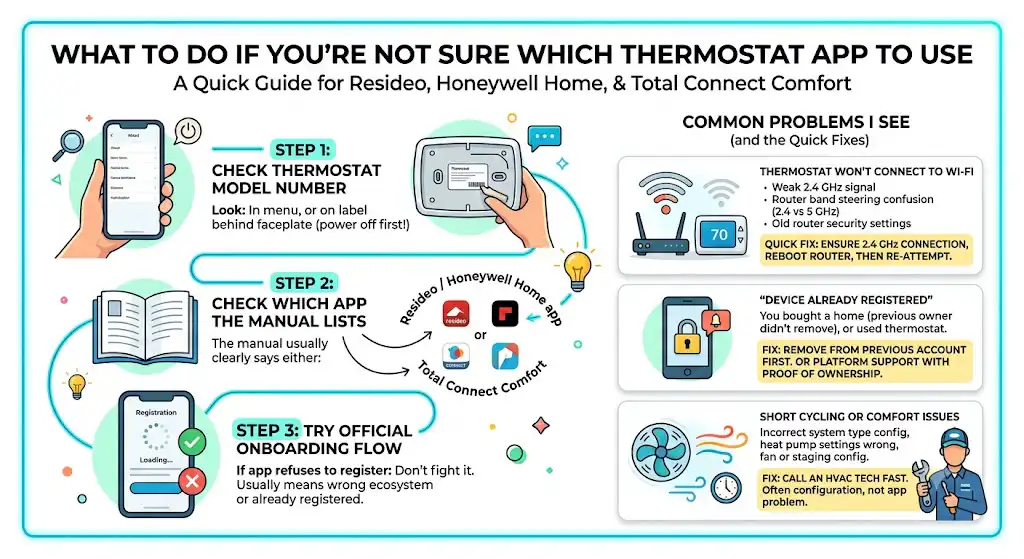
Step 1: Check the thermostat model number
Look:
- In the thermostat menu under “About”
- On a label behind the faceplate (power off first if you’re not comfortable)
Step 2: Check which app the manual lists
The manual usually clearly says either:
- Resideo / Honeywell Home app
or - Total Connect Comfort
Step 3: Try the official onboarding flow
If the app refuses to register the thermostat, don’t keep fighting it for hours. That usually means you’re in the wrong ecosystem or the thermostat is already registered to another account.
Common problems I see (and the quick fixes)
Thermostat won’t connect to Wi‑Fi
Most common causes:
- Weak 2.4 GHz signal at the thermostat
- Router band steering confusion (2.4 vs 5 GHz)
- Old router security settings not supported
Quick fix: ensure you’re connecting the thermostat to 2.4 GHz, reboot router, then re-attempt.
“Device already registered”
This happens when:
- You bought a home and the previous owner never removed it
- You bought a used thermostat
Fix: you typically need to remove the thermostat from the previous account first. If you can’t, you may need platform support with proof of ownership.
Short cycling or comfort issues after “smart” setup
This is not always an app problem. It’s often:
- Incorrect system type configuration
- Heat pump settings wrong
- Fan or staging configuration wrong
If your system is starting and stopping too often, that’s where an HVAC tech can save you a lot of frustration fast.
Final verdict: which one is better?
Honeywell Home (Resideo) is better for most people buying or upgrading today because it’s a modern platform with more smart features and smoother usability.
Total Connect Comfort is still a solid option if your thermostat uses it and your goal is basic remote control and scheduling. It’s older, but it’s dependable.
If you tell me your thermostat model number and whether you have a furnace, boiler, or heat pump, I can usually tell you in seconds which platform you should be on and what features you can realistically expect.
FAQs
What is the main difference between Honeywell Home and Total Connect Comfort?
Honeywell Home (Resideo) is the modern smart thermostat platform with newer features like geofencing and better integrations (model dependent). Total Connect Comfort is the older platform mainly focused on remote HVAC control and scheduling.
Is Total Connect Comfort the same thing as Total Connect 2.0?
No. Total Connect Comfort is primarily for thermostats. Total Connect 2.0 is a broader security and automation platform usually tied to alarm systems and monitoring plans.
Can I move a TCC thermostat into the Resideo app?
Usually no. The thermostat model typically determines the platform. Some people upgrade the thermostat itself to move into the newer ecosystem.
Do both platforms support scheduling?
Yes. Scheduling is strong on both. The bigger difference is that Honeywell Home often adds more modern “smart” features depending on the thermostat model.