Hi, I’m Nathan. I’ve worked as an HVAC technician for over 10 years, and I’ve had this exact call more times than I can count.
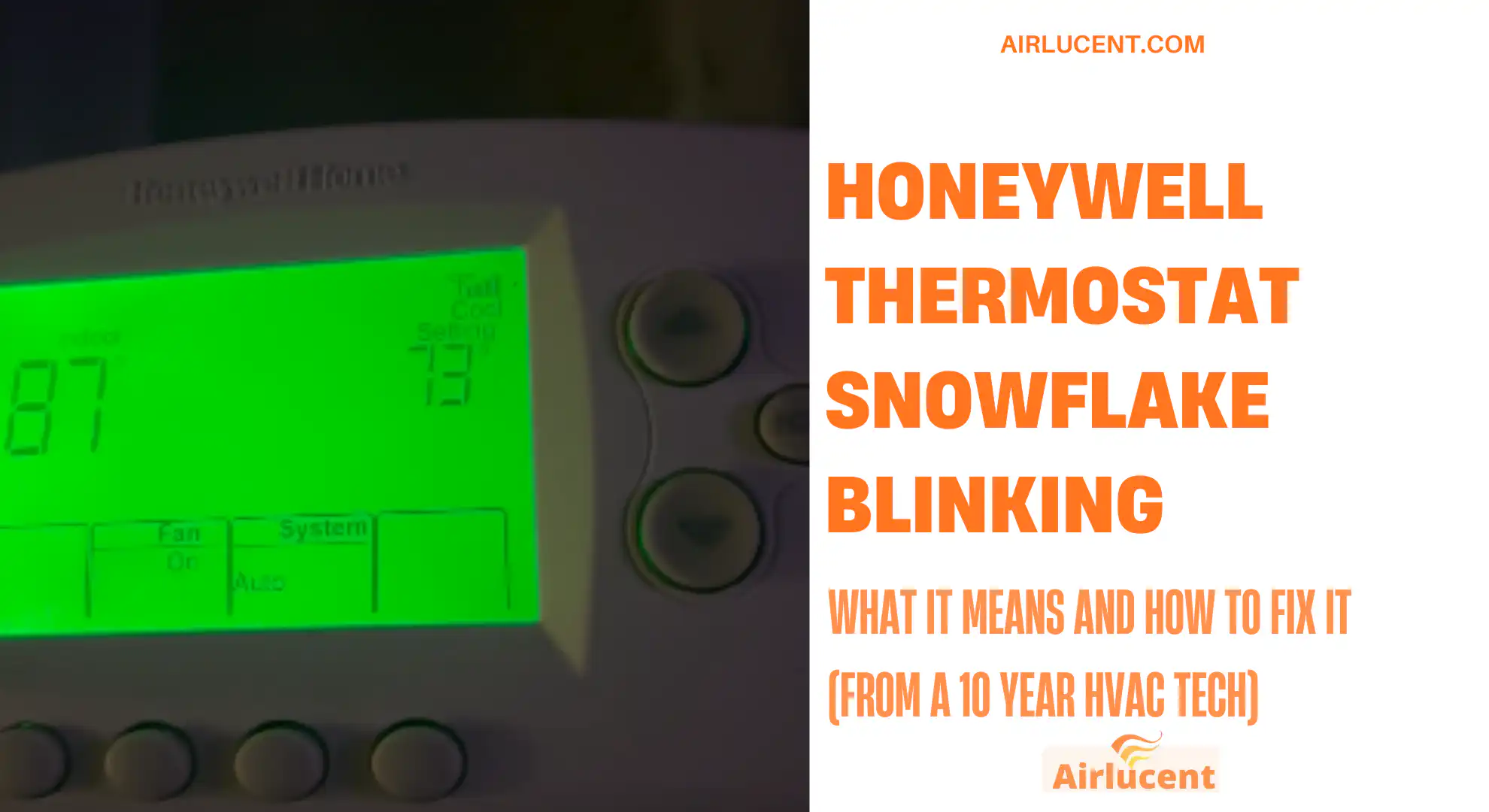
You look at your Honeywell thermostat, the snowflake icon is blinking (or “Cool On” is flashing), and you’re wondering:
- Is my AC broken
- Why isn’t it cooling yet
- Do I need to reset something
Most of the time, a blinking snowflake is normal. But there are a few situations where it’s your thermostat warning you that the system can’t safely start, or the AC is being prevented from running.
This guide walks you through what the blinking snowflake means, the most common causes, and the practical fixes I’d do in the field.
- What the Blinking Snowflake on a Honeywell Thermostat Usually Means
- The Number One Cause: 5 Minute Compressor Delay Mode
- Step by Step Troubleshooting (What I’d Have You Check First)
- Step 1: Confirm your thermostat is actually calling for cooling
- Step 2: Wait out the delay and watch for signs of life
- Step 3: Replace thermostat batteries (if your model uses them)
- Step 4: Check your air filter (this causes real cooling failures)
- Step 5: Check your breakers and outdoor disconnect
- Step 6: Inspect the outdoor unit for ice or no operation
- If You’re Enrolled in a Saver Switch or Demand Response Program
- Less Common but Real Causes (When Blinking Snowflake Is a Symptom)
- Model Differences: Snowflake, Cool On, and Flashing Indicators
- Fast Troubleshooting Checklist (Print This Mentally)
- When You Should Call an HVAC Technician Immediately
- FAQ
- Bottom Line
What the Blinking Snowflake on a Honeywell Thermostat Usually Means
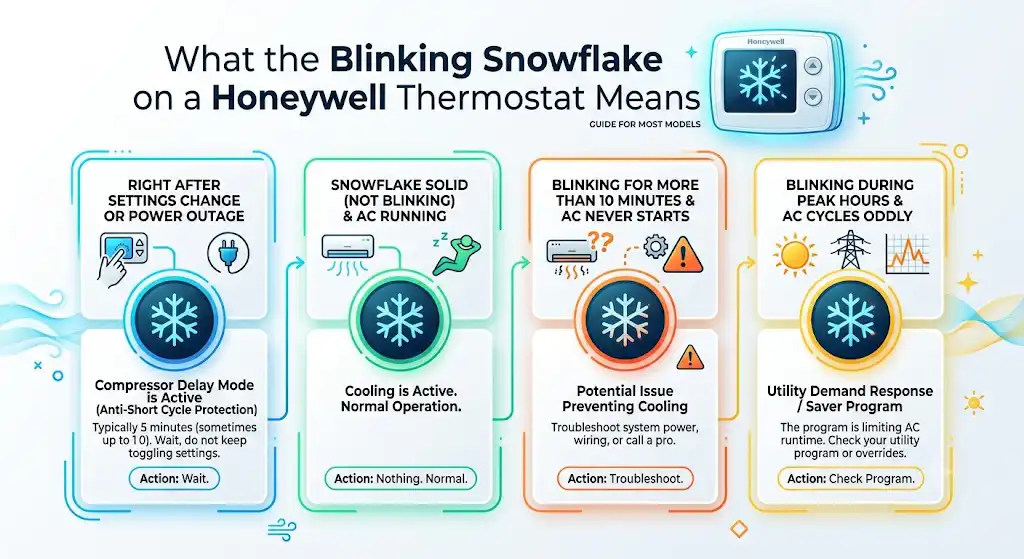
On most Honeywell models, the snowflake means cooling is being requested. When it’s blinking, it usually means one of these:
- The thermostat is in compressor delay (anti short cycle protection)
- The system is in a cooling cycle but waiting to safely start
- A utility demand response or saver program is limiting AC runtime
- The thermostat has a power, wiring, or system issue preventing cooling
Quick interpretation table
| Snowflake blinking right after changing settings or power outage | Compressor delay mode is active | Typically 5 minutes (sometimes up to 10) | Wait, don’t keep toggling settings |
| Snowflake solid (not blinking) and AC running | Cooling is active | Normal | Nothing |
| Snowflake blinking for more than 10 minutes and AC never starts | Something is preventing cooling | Not normal | Troubleshoot steps below |
| Blinking snowflake during peak hours and AC cycles oddly | Utility saver switch or demand response | Varies | Check your utility program or override settings |
The Number One Cause: 5 Minute Compressor Delay Mode
In real homes, this is the most common reason I see.
Honeywell (and most thermostat manufacturers) use a built in safety timer that prevents your outdoor compressor from turning on immediately after it was just running.
Why the delay exists
Your AC compressor does not like rapid on off cycling. Short cycling can overheat and damage the compressor and hard start components. So the thermostat forces a short wait before it lets the compressor start again.
What you should do
- Leave the thermostat alone for 5 minutes
- Make sure the system is set to Cool
- Make sure the set temperature is below room temperature
If you keep flipping the thermostat off and on, you can restart the timer and make the wait feel endless.
Step by Step Troubleshooting (What I’d Have You Check First)

Step 1: Confirm your thermostat is actually calling for cooling
This sounds basic, but it solves a lot.
- Set System to Cool
- Set the temperature 3 to 5 degrees below the room temperature
- Fan setting should be Auto (for normal operation)
If the room is 76°F, set it to 72°F and watch what happens.
Step 2: Wait out the delay and watch for signs of life
While you wait, listen for these:
- Indoor blower might start first
- Outdoor unit should start within a few minutes after the delay ends
- You should feel supply air getting cooler within 10 to 15 minutes
If the snowflake is still blinking after 10 minutes and the outdoor unit never starts, keep going.
Step 3: Replace thermostat batteries (if your model uses them)
Many Honeywell thermostats are powered by the HVAC system (24V), but some models also use AA or AAA batteries.
Weak batteries can cause weird behavior, intermittent display issues, or unreliable cooling calls.
- Put in fresh name brand batteries
- Re seat the thermostat on its wall plate
If your display is dim, flickering, or randomly rebooting, this step matters even more.
Step 4: Check your air filter (this causes real cooling failures)
A clogged filter restricts airflow. Restricted airflow can lead to the indoor coil freezing, and once that happens, many systems will stop cooling properly.
A widely cited HVAC efficiency rule of thumb is that dirty filters can increase energy use and reduce performance. The U.S. Department of Energy commonly references that replacing a dirty filter can lower AC energy use by about 5 to 15 percent depending on the system and conditions.
What to do
- Turn system Off at the thermostat
- Pull the filter and inspect it against a light
- Replace if it’s loaded with dust or you can’t see light through it
Quick filter cheat sheet
| No pets, low dust | Every 60 to 90 days |
| Pets, allergy sensitivity, dusty area | Every 30 to 60 days |
| Heavy use during peak summer | Check monthly |
Step 5: Check your breakers and outdoor disconnect
If the thermostat is calling for cooling but the outdoor unit has no power, the snowflake may keep blinking while nothing actually runs.
Check:
- Main electrical panel breaker labeled AC, condenser, or heat pump
- Outdoor disconnect near the condenser (do not open panels, just confirm it’s on)
Step 6: Inspect the outdoor unit for ice or no operation
Walk outside and look at your outdoor unit.
Red flags
- Ice on the refrigerant lines or coil
- Loud buzzing but fan not spinning
- Fan spinning but compressor never runs
- Unit completely silent
If you see ice, turn cooling off and set the fan to On to help thaw, and replace the filter. If the icing returns, that often points to low airflow, low refrigerant, or a metering issue and that is a service call.
If You’re Enrolled in a Saver Switch or Demand Response Program
This one surprises homeowners.
Some utility companies offer “Saver Switch,” “Energy Rewards,” or demand response programs. During peak demand, the utility can cycle your AC compressor off for periods of time to reduce load on the grid.
What it looks like in the house
- Thermostat shows cooling is requested
- Snowflake blinks
- AC runs in longer gaps or pauses during peak hours
What to do
- Check your utility account or the box installed near your condenser
- Look for an override option (varies by program)
- If you need consistent cooling for medical reasons, call the utility and ask about exemption options
Less Common but Real Causes (When Blinking Snowflake Is a Symptom)
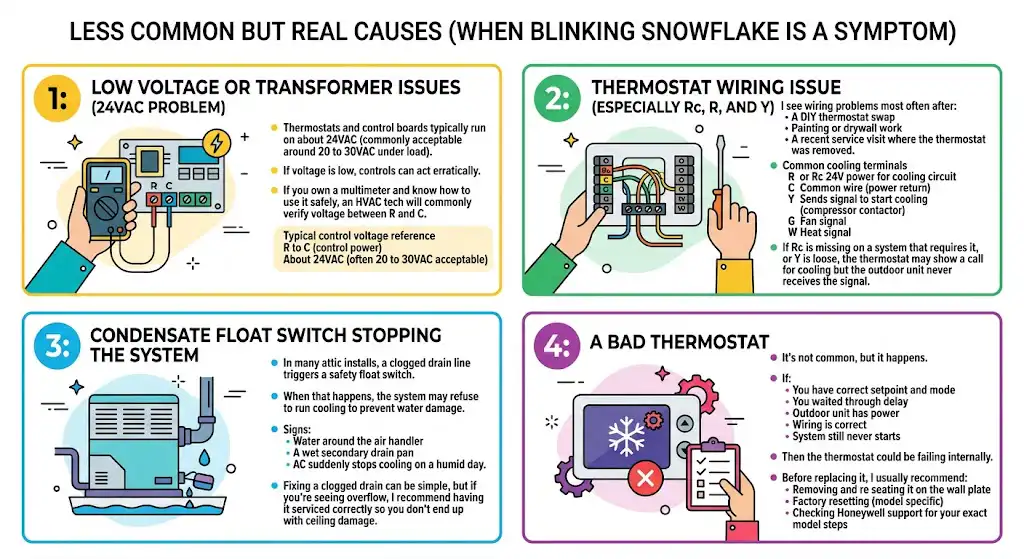
1: Low voltage or transformer issues (24VAC problem)
Thermostats and control boards typically run on about 24VAC (commonly acceptable around 20 to 30VAC under load). If voltage is low, controls can act erratically.
If you own a multimeter and know how to use it safely, an HVAC tech will commonly verify voltage between R and C.
Typical control voltage reference
| R to C (control power) | About 24VAC (often 20 to 30VAC acceptable) |
2: Thermostat wiring issue (especially Rc, R, and Y)
I see wiring problems most often after:
- A DIY thermostat swap
- Painting or drywall work
- A recent service visit where the thermostat was removed
Common cooling terminals
| R or Rc | 24V power for cooling circuit |
| C | Common wire (power return) |
| Y | Sends signal to start cooling (compressor contactor) |
| G | Fan signal |
| W | Heat signal |
If Rc is missing on a system that requires it, or Y is loose, the thermostat may show a call for cooling but the outdoor unit never receives the signal.
3: Condensate float switch stopping the system
In many attic installs, a clogged drain line triggers a safety float switch. When that happens, the system may refuse to run cooling to prevent water damage.
Signs:
- Water around the air handler
- A wet secondary drain pan
- AC suddenly stops cooling on a humid day
Fixing a clogged drain can be simple, but if you’re seeing overflow, I recommend having it serviced correctly so you don’t end up with ceiling damage.
4: A bad thermostat
It’s not common, but it happens.
If:
- You have correct setpoint and mode
- You waited through delay
- Outdoor unit has power
- Wiring is correct
- System still never starts
Then the thermostat could be failing internally. Before replacing it, I usually recommend:
- Removing and re seating it on the wall plate
- Factory resetting (model specific)
- Checking Honeywell support for your exact model steps
Model Differences: Snowflake, Cool On, and Flashing Indicators
Honeywell displays vary a lot between models.
- Some show only a snowflake icon
- Some show “Cool On” and it may flash during delay
- Smart models may show a message like “Compressor Protection”
Fast Troubleshooting Checklist (Print This Mentally)
If your Honeywell thermostat snowflake is blinking and the house is not cooling:
- Set to Cool and set temperature 3 to 5 degrees below room temp
- Wait 5 to 10 minutes for the compressor delay.
- Replace batteries if applicable.
- Check air filter and airflow.
- Check breakers and the outdoor disconnect.
- Look for ice on the indoor coil line or the outdoor unit.
- Consider saver switch demand response timing.
- If still not running, call a technician (possible low voltage, wiring, capacitor, compressor, control board)
When You Should Call an HVAC Technician Immediately
In my experience, these are not “wait it out” situations:
- Breaker trips again after reset
- Outdoor unit hums loudly but fan won’t spin
- You see ice buildup repeatedly
- You smell burning or see melted wiring
- Snowflake blinks for over 10 minutes and outdoor unit never starts despite correct settings
- Indoor unit is leaking water or drain pan is overflowing
FAQ
Does a blinking snowflake always mean something is wrong?
No. Most of the time it’s compressor delay mode doing its job.
How long should the snowflake blink?
Typically around 5 minutes. Some systems or conditions push it closer to 10. If you’re past 10 minutes with no outdoor operation, troubleshoot.
Will turning the thermostat off and on fix it?
Sometimes, but it can also restart the delay timer. If you just changed settings, it’s better to wait.
Can a dirty filter really stop cooling?
Yes. Restricted airflow can freeze the indoor coil and kill cooling performance fast, especially in humid weather.
Bottom Line
A Honeywell thermostat blinking snowflake is usually normal and means the thermostat is protecting your AC compressor with a short delay. In many homes, the fix is simply waiting 5 minutes.
If it keeps blinking and your AC never kicks on, work through the checklist above. In my 10 plus years as an HVAC technician, the most common real problems behind “it won’t cool” after the delay are dirty filters, power issues at the outdoor unit, float switch drain problems, or wiring mistakes after a thermostat change.