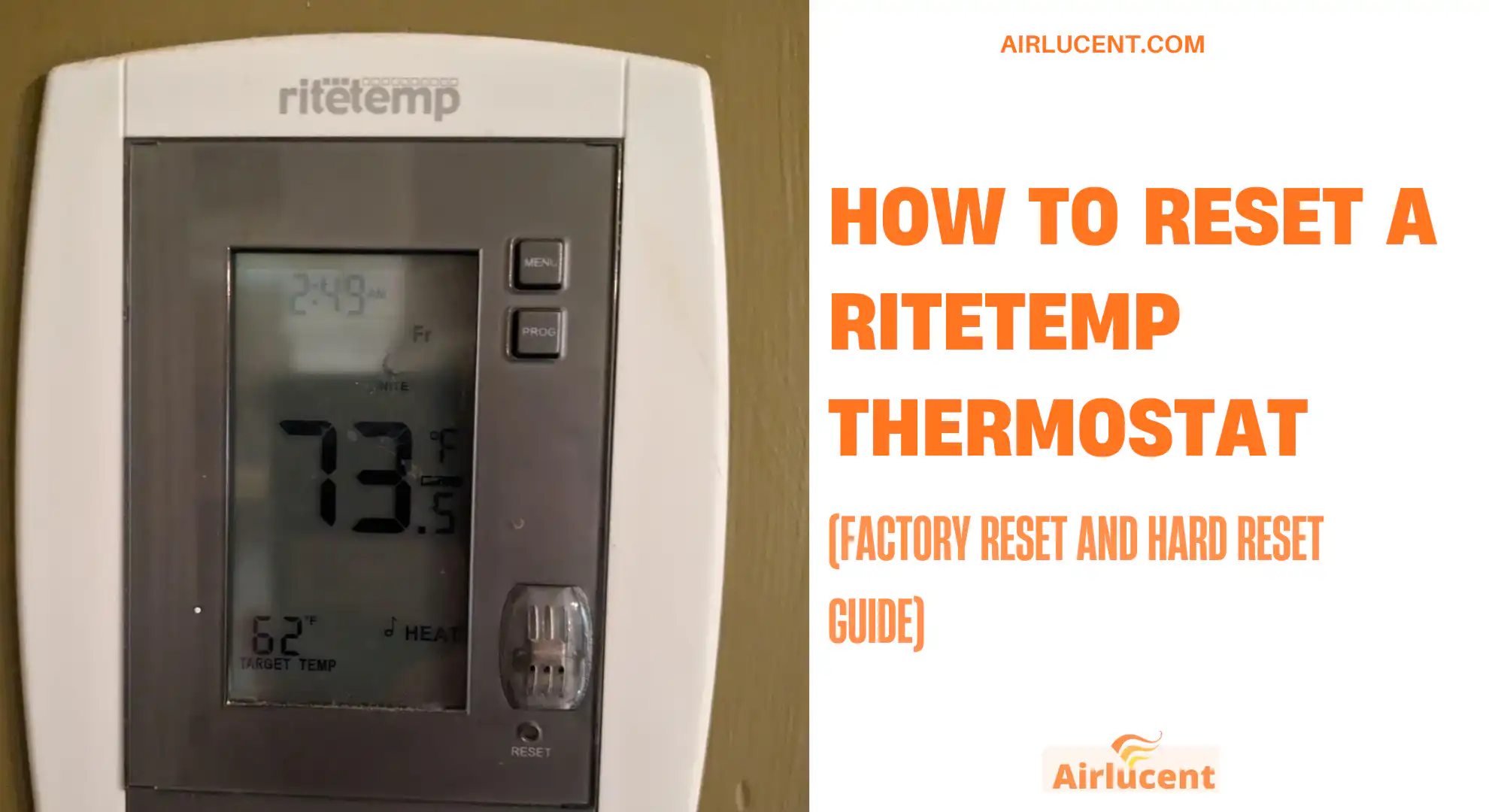
Hi, I’m Nathan. I’ve worked as an HVAC technician for over 10 years, and I’ve reset more thermostats than I can count. If your RiteTemp thermostat is acting up, frozen, reading the wrong temperature, or just won’t follow the schedule, a reset is often the fastest way to get you back to normal.
In this guide, I’ll walk you through the exact reset methods I use in the field, including models with a reset pinhole, models where you remove the cover, and the battery swap trick that fixes a surprising number of “dead” thermostats.
- Quick warning before you reset
- When a reset actually helps (and when it doesn’t)
- Identify your RiteTemp model (fast way)
- Reset methods at a glance
- Option 1: Reset a RiteTemp thermostat with a reset button (most common)
- Option 2: Reset RiteTemp models without a pinhole reset (cover access and battery methods)
- Model-specific reset instructions (common RiteTemp models)
- After the reset: set it up the right way (so you don’t create new problems)
- Troubleshooting after reset (what I check next)
- Don’t forget the power side: check breaker and HVAC disconnect
- Wiring inspection (only if you’re comfortable)
- Frequently asked questions
- Final thoughts from an HVAC tech
Quick warning before you reset
A factory reset wipes your thermostat’s custom settings. That means you may lose:
- Schedule or program settings
- Time and day
- Temperature setpoints
- Calibration offsets (on some models)
If you rely on a schedule, take a quick photo of your settings first.
When a reset actually helps (and when it doesn’t)
In my experience, resetting helps most when the thermostat is having control or software-like problems.
Common situations where a reset is worth doing
- Thermostat is unresponsive or buttons don’t work
- Screen is frozen or acting glitchy
- Wrong temperature readings after a power event
- Schedule stopped running correctly
- You replaced batteries and it still behaves oddly
Situations where a reset probably won’t fix the problem
- HVAC system won’t turn on at all due to a furnace or AC issue
- Loose or broken wiring behind the thermostat
- Bad transformer, blown fuse, or float switch shutting the system down
If your HVAC equipment has no power, the thermostat can’t fix that by itself.
Identify your RiteTemp model (fast way)
Most RiteTemp thermostats have the model number on:
- The back of the faceplate (you may need to pull it off the wall plate)
- Inside the battery compartment
- The manual (if you still have it)
If you see “6000 series” or “8000 series” referenced, that typically tells you what reset style you have.
Reset methods at a glance
Here’s the quickest way to choose the right reset method.
| Reset button (pinhole or internal) | Frozen screen, strange behavior | Factory reset to defaults | Many 8000 series and others |
| Battery pull power drain | Blank screen, glitchy behavior | Clears stored power, soft reset behavior | Many battery models |
| Battery reverse swap trick | “Stuck” logic, still not responding | Forces a deeper power drain | Many battery models |
| Button combo reset | Some specific models | Factory reset or system reset | Some 6000 models like 6022 |
Option 1: Reset a RiteTemp thermostat with a reset button (most common)
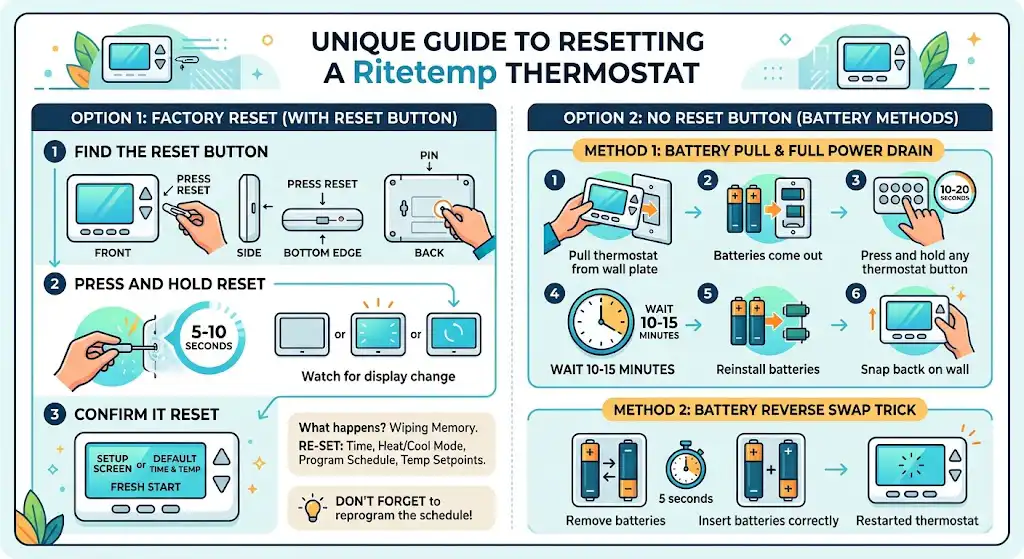
This is the cleanest factory reset when your model has a dedicated reset.
Step 1: Find the reset button
On many RiteTemp models, the reset is either:
- A tiny pinhole labeled “Press Reset” (common on 8000 series)
- A small button inside the thermostat (behind the front cover or near batteries)
The pinhole is usually about the size of a pencil tip and may be on:
- The front
- The side
- The bottom edge
- The back of the faceplate
If you don’t see it, don’t worry. Skip to Option 2.
Step 2: Press and hold reset
Use a paperclip or small pointed tool.
- Press and hold the reset button for 5 to 10 seconds
- Watch the display. Many models will flash, go blank, or restart
Different RiteTemp models respond differently, but if the screen restarts, the reset usually worked.
Step 3: Confirm it reset
After a successful factory reset, you’ll typically see:
- A setup screen, or
- Default time and temperature, or
- A “fresh start” look where your schedule is gone
Now you’ll need to re-enter your settings.
What happens when you reset a RiteTemp thermostat
A factory reset returns the thermostat to out-of-the-box behavior. In plain terms, you’re wiping the memory of your custom configuration.
After reset, plan to re-set:
- Time and day
- Heat or cool mode preferences
- Program schedule (if you use one)
- Temperature setpoints
In service calls, I’ve seen people reset the thermostat and forget to reprogram the schedule, then wonder why it isn’t changing temps automatically. That’s normal after a factory reset.
Option 2: Reset RiteTemp models without a pinhole reset (cover access and battery methods)
If you can’t find the pinhole reset, or your model doesn’t have one, these methods usually get it done.
Method 1: Battery pull and full power drain reset (my go-to “no reset button” fix)
This is the reset method I use most when the screen is blank or the thermostat is acting weird even with fresh batteries.
Steps
- Remove the thermostat from the wall plate
Most RiteTemp units pull straight off. Use gentle pressure. - Remove the batteries
- Press every button on the thermostat
Do this for 10 to 20 seconds. It helps discharge stored power. - Let it sit for 10 to 15 minutes
This drains any remaining charge. - Reinstall the batteries (correct direction)
- Snap the thermostat back onto the wall plate
If the thermostat boots up normally afterward, you’ve effectively reset the logic.
Method 2: Battery reverse swap trick (for stubborn problems)
If Method 1 didn’t work, try this. I’ve seen it bring “dead” thermostats back after a power flicker.
Steps
- Remove the batteries
- Insert the batteries backwards for 5 seconds
- Remove them again
- Reinsert batteries the correct way
- Restart the thermostat
This forces a deeper discharge and can clear a lockup.
Model-specific reset instructions (common RiteTemp models)
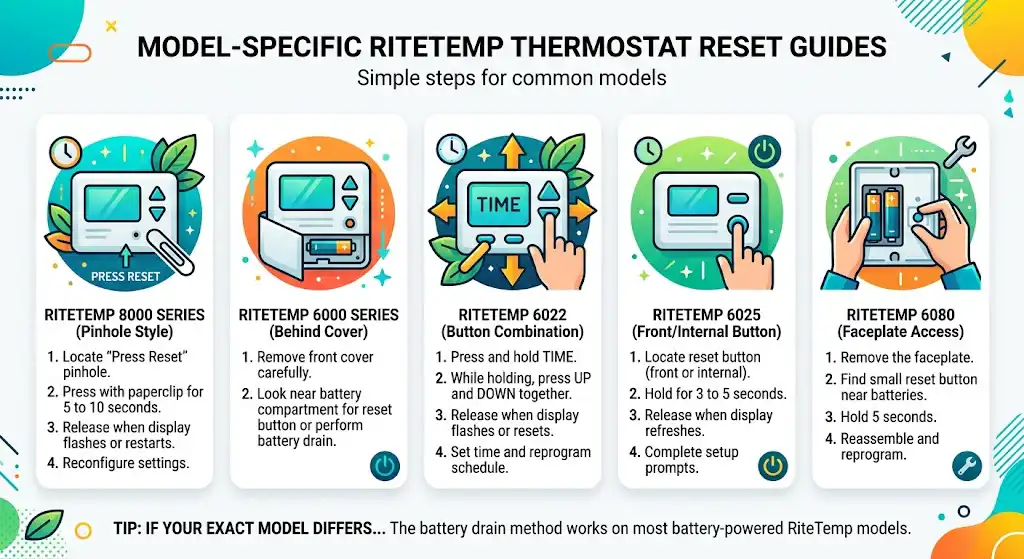
Not every RiteTemp is identical. Here are reset patterns I commonly see.
RiteTemp 8000 series reset (common pinhole style)
- Locate the pinhole labeled “Press Reset”
- Press and hold with a paperclip for 5 to 10 seconds
- Release when the display flashes or restarts
- Reconfigure settings
RiteTemp 6000 series reset (often behind the cover)
Some 6000 series units require you to remove the front cover to access reset or batteries.
- Remove the front cover carefully
- Look near the battery compartment for a reset button or perform the battery drain method above
RiteTemp 6022 reset (button combo style on some units)
On certain 6022 units, you can use a button combination:
- Press and hold Time
- While holding it, press Up and Down together
- Release when the display flashes or resets
- Set time and reprogram schedule
RiteTemp 6025 reset
Many 6025-style thermostats use a reset button on the front or internal:
- Locate the reset button
- Hold for about 3 to 5 seconds
- Release when the display refreshes
- Complete setup prompts
RiteTemp 6080 reset (faceplate access)
- Remove the faceplate
- Find the small reset button near the batteries
- Hold 5 seconds
- Reassemble and reprogram
If your exact model behaves differently, the battery drain reset still works on most battery-powered RiteTemp thermostats.
After the reset: set it up the right way (so you don’t create new problems)
These are the settings I recommend you confirm right after a reset.
1) Set time and day
Schedules won’t run correctly if the day or time is wrong.
2) Confirm system type settings (if your thermostat asks)
Some models prompt for things like:
- Heat pump vs conventional
- Gas vs electric heat
- Fan settings
If you’re unsure, check your old thermostat wiring or your HVAC equipment label. If you guess wrong here, the system can run backwards or stage incorrectly.
3) Rebuild your schedule (or keep it simple)
If you don’t need a full schedule, it’s okay to run manual settings. Just know your energy use may be higher.
Troubleshooting after reset (what I check next)
If you reset and it’s still not working, this is the same quick checklist I run on calls.
Common symptoms and what they usually mean
| Blank screen | Dead batteries, poor contact, no power | Replace batteries, reseat thermostat, check breaker |
| Screen on but HVAC won’t run | HVAC power issue, wiring issue, safety switch | Check breaker, check furnace door switch, call a tech if needed |
| Temperature seems wrong | Bad placement, drafts, sunlight, calibration | Move heat sources, check for drafts, compare with thermometer |
| Rapid battery drain | Old batteries, stuck relay, wiring issue | Use quality alkaline batteries, check wiring, replace thermostat if old |
| Thermostat won’t respond to buttons | Lockup, failing keypad | Do battery drain reset, consider replacement |
Don’t forget the power side: check breaker and HVAC disconnect
Sometimes the thermostat is fine but the equipment isn’t powered.
What to check
- HVAC breaker in your electrical panel
- Furnace switch (it looks like a light switch near the furnace)
- Furnace door panel seated correctly (many furnaces won’t power up if the door switch isn’t pressed)
If your thermostat screen is on batteries but the furnace has no power, the thermostat can’t make the system run.
Wiring inspection (only if you’re comfortable)
If your thermostat still won’t control the system after a reset, the next step is often wiring.
Safety first
Turn off power to the HVAC system at the breaker before touching thermostat wires.
What to look for
- Loose wires in terminals
- Corrosion
- A wire that slipped out when the faceplate was removed
If you’re not confident, this is a smart point to call a pro. A short between R and C can blow a fuse on many control boards.
Frequently asked questions
How do I reset my RiteTemp thermostat if it has no reset button?.
Use the battery pull power drain reset:
Remove batteries
Press all buttons
Wait 10 to 15 minutes
Reinstall batteries
If needed, do the battery reverse swap trick for 5 seconds
Will a factory reset delete my schedule?
Yes. A factory reset typically wipes schedules and custom settings. Take a photo of your programmed schedule before resetting if you want to recreate it quickly.
What if the thermostat display is blank even with new batteries?
Make sure:
Batteries are installed correctly
Battery contacts are clean
Thermostat is fully snapped onto the wall plate (some units need solid contact)
If it still won’t power on, the thermostat itself may be failing.
When should you call a professional?
Call an HVAC technician if:
The thermostat resets but the system still won’t run
You suspect a wiring problem
Breakers keep tripping
The furnace or air handler has no power, error codes, or odd noises
Final thoughts from an HVAC tech
Resetting a RiteTemp thermostat is often the fastest way to clear glitches, restore control, and get heating or cooling working normally again. The reset button method is easiest, but even if your model doesn’t have one, the battery drain reset and battery swap trick solve a lot of real-world problems.