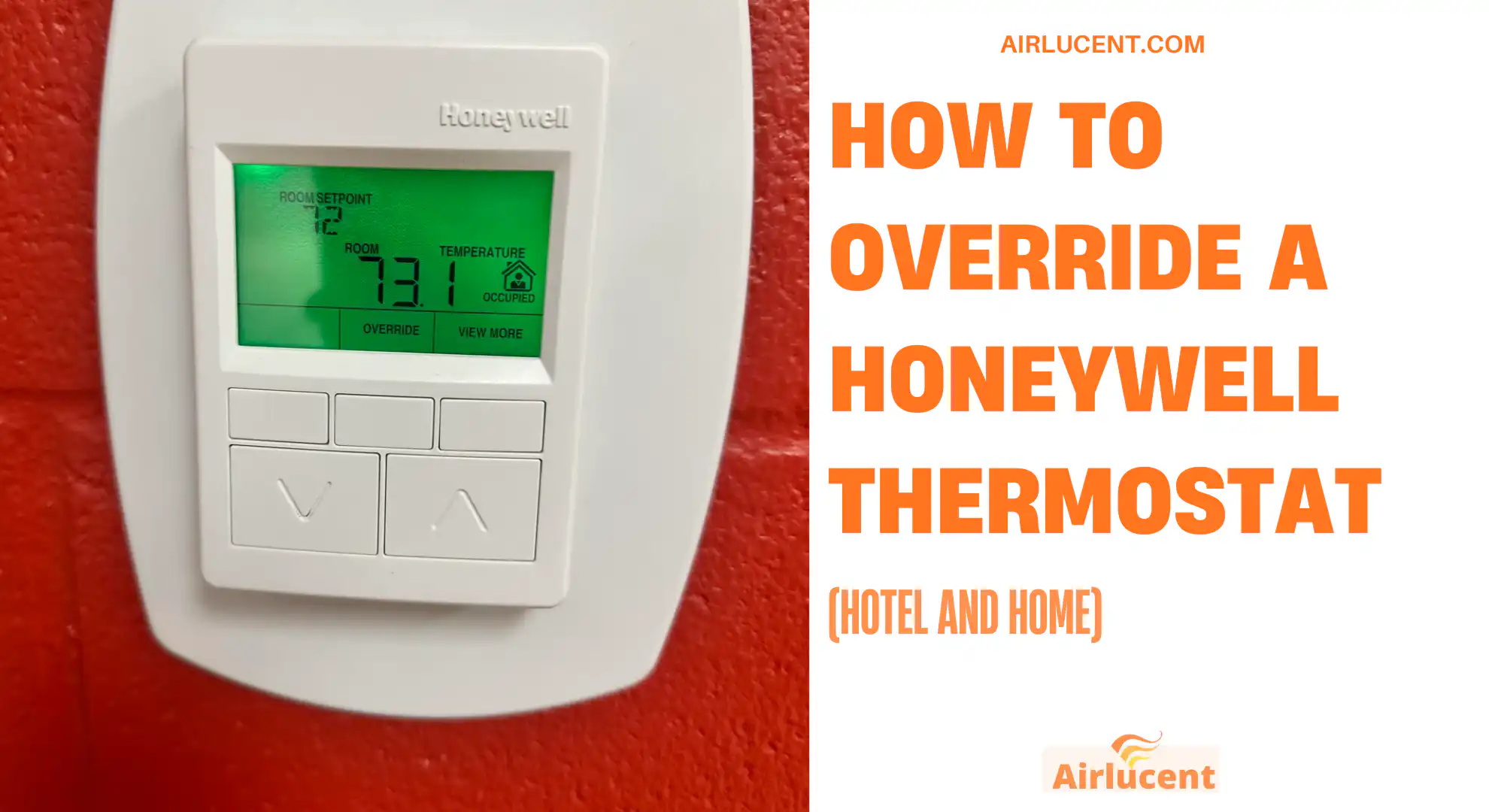
If you’ve ever stood in a hotel room sweating at 2 a.m. because the thermostat “won’t go any colder,” you’re not imagining it. Many Honeywell hotel thermostats are intentionally limited to keep energy costs down. In homes, Honeywell thermostats can also feel like they’re “fighting you” because of schedules, holds, lockouts, or installer settings.
I’ve been an HVAC technician for over 10 years, and I’ve walked homeowners and travelers through this exact problem more times than I can count. Below I’ll show you the safest, most practical ways to override a Honeywell thermostat depending on what you’re dealing with: a hotel temperature limiter, a schedule override, a permanent hold, or a locked screen.
- Quick Answer: The Most Common Override Methods
- Why Honeywell Thermostats “Won’t Go Lower” in Hotels (And Sometimes Homes)
- Recommended Temperature Ranges (Comfort vs Energy Use)
- How to Override a Honeywell Thermostat in a Hotel (Step-by-Step)
- How to Override a Honeywell Thermostat at Home (Temporary vs Permanent)
- How to Override a Locked Honeywell Thermostat
- Cheat Sheet Table: Which Override Should You Use?
- When “Override” Doesn’t Work: What’s Actually Wrong?
- Responsible Use (Especially in Hotels)
- FAQ
- Final Thoughts From the Field
Quick Answer: The Most Common Override Methods
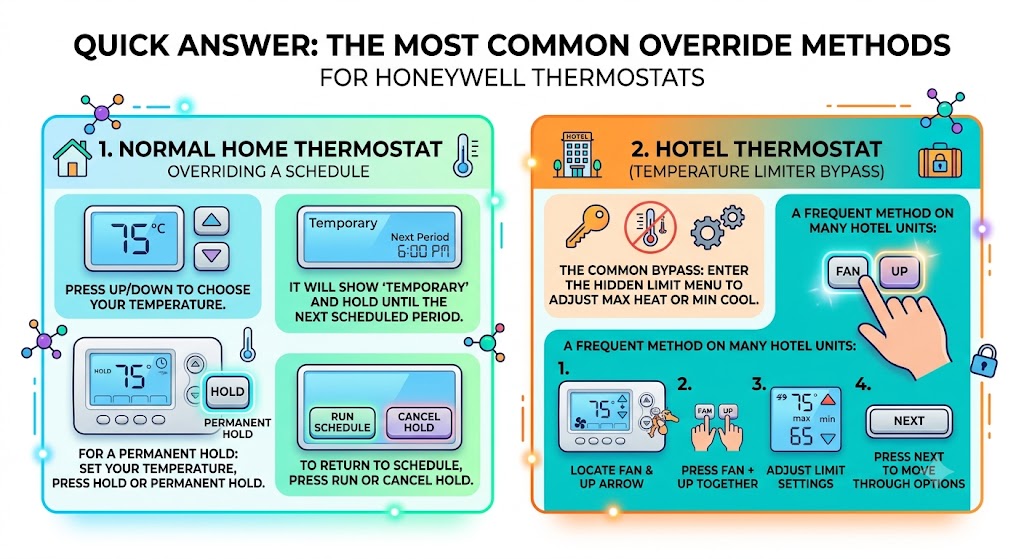
If it’s a normal Honeywell home thermostat schedule
- Press the Up or Down arrow until you reach your temperature.
- It should show Temporary and will hold until the next scheduled period.
If you want it to stay there (permanent hold)
- Set your temperature
- Press Hold (or Permanent Hold)
- To return to the schedule later, press Run or Cancel Hold
If it’s a hotel Honeywell thermostat with a temperature limiter
The common bypass is entering the hidden limit menu and adjusting the maximum heat or minimum cool setting.
A frequent method on many Honeywell hotel-style units is:
- Locate Fan and the Up arrow
- Press Fan + Up together
- Adjust the limit settings (max heat / min cool)
- Press Next to move through limit options
Hotel models vary a lot, so I’ll break this down step-by-step below.
Why Honeywell Thermostats “Won’t Go Lower” in Hotels (And Sometimes Homes)
In hotels, the thermostat is often configured with one or more of these controls:
- Temperature limiting (sets a minimum cooling temp and maximum heating temp)
- Auto shutoff or occupancy control (turns down HVAC when it thinks the room is empty)
- Front desk or building automation control (central system can override the room)
- Button lockouts (guests can’t change advanced settings)
In homes, the most common “override” issues are:
- A schedule that keeps pulling the temperature back
- A hold that someone left on
- Installer settings limiting staging, swing, or compressor protection timing
- A lock (common in rentals or households with kids)
Recommended Temperature Ranges (Comfort vs Energy Use)
Even when you can override it, I like to set expectations: HVAC systems are designed for comfort and safe operation, not extreme setpoints.
Here are widely used energy-comfort benchmarks (commonly referenced in U.S. energy guidance):
| Cooling (summer) | 78°F when home, higher when away |
| Heating (winter) | 68°F when home, lower when away |
| Hotel comfort sweet spot (most guests) | 70°F to 74°F |
If you try to force very low cooling settings (like 60°F), you can cause coil icing in some systems, especially in humid climates or if the airflow is weak.
How to Override a Honeywell Thermostat in a Hotel (Step-by-Step)
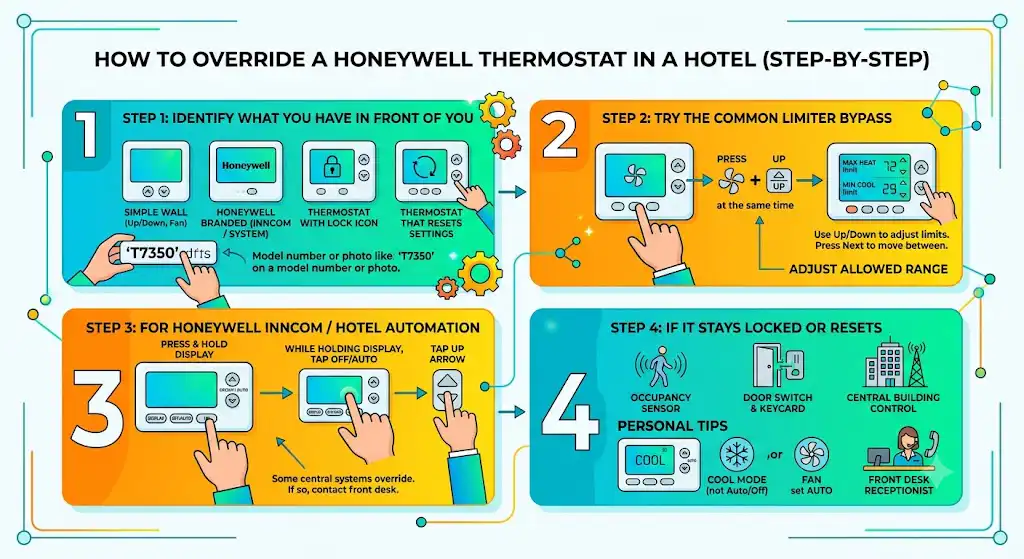
Step 1: Identify what you have in front of you
Most Honeywell hotel thermostats fall into one of these categories:
- Simple wall thermostat with Fan and Up/Down
- Honeywell branded hotel unit (sometimes tied to INNCOM or a property management system)
- A thermostat with an obvious lock icon
- A thermostat that “accepts” your setting but later resets
If you can tell me the model number or send a photo, I can usually pinpoint the exact button sequence. But the steps below cover the common limiter-style menus.
Step 2: Try the most common temperature limiter bypass
This is the method many travelers report working on Honeywell hotel units with a hidden limiter menu.
- Locate the Fan button and the temperature Up button
- Press Fan + Up at the same time
- Look for a menu showing a maximum heat limit or similar limit value
- Use Up/Down to adjust the limit
- Press Next to move to the minimum cooling limit
- Adjust that value if needed
- Exit the menu (often by waiting a few seconds or pressing Done/Next until it returns)
What you’re doing here is not “forcing” the system to run illegally. You’re adjusting the allowed range that the thermostat will accept.
Step 3: If it’s a Honeywell INNCOM / “hotel automation” style unit
Some hotel Honeywell setups are designed to shut off or revert automatically.
A common sequence that sometimes works on certain hotel/commercial Honeywell controllers is:
- Press and hold Display
- While holding Display, tap Off/Auto
- Tap the Up arrow
If your room is controlled by a central system, the thermostat may still revert later. In that case, the front desk is often the only real override.
Step 4: If your hotel thermostat keeps resetting after you change it
This is usually one of these:
- Occupancy sensor thinks the room is empty
- Door switch or keycard power logic cutting HVAC back
- Central building control overriding the setpoint
What I do personally in hotels:
- Make sure the thermostat is set to Cool (not Auto, not Off)
- Set Fan to Auto first (some systems behave oddly on On)
- If it still reverts, I ask the front desk if they can widen the setpoint range for the room
How to Override a Honeywell Thermostat at Home (Temporary vs Permanent)
Option A: Temporary override (most common)
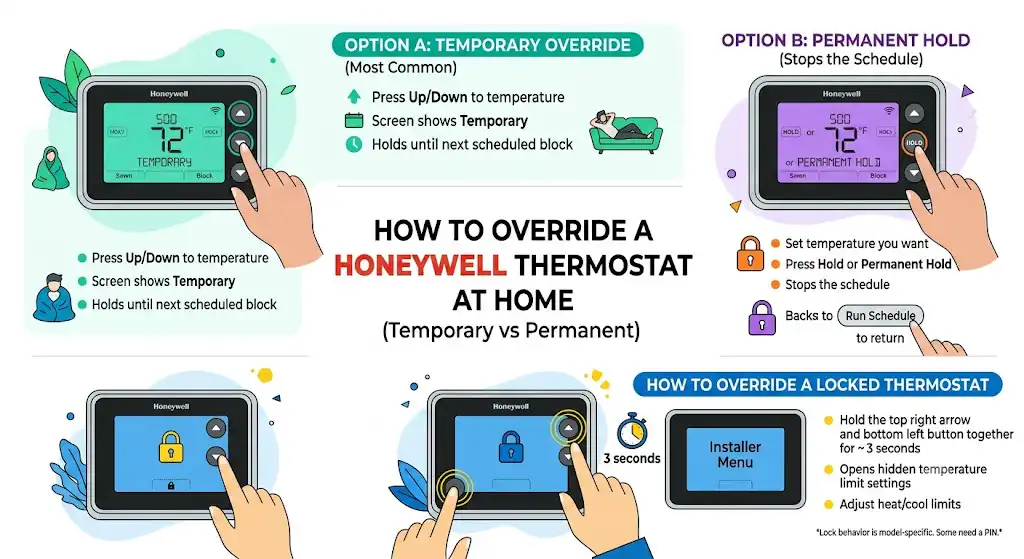
If your thermostat is running a schedule, you can temporarily change the setpoint:
- Press Up/Down to your desired temperature
- The screen often shows Temporary
- It will hold until the next scheduled time block
This is perfect when you’re home early, sick, or just want it cooler for a couple hours.
Option B: Permanent hold (stops the schedule)
If you’re tired of the schedule fighting you, do this:
- Set the temperature you want
- Press Hold or Permanent Hold
- To go back to the schedule later, press Run (sometimes called Run Schedule) or Cancel Hold
In my HVAC service calls, this is one of the most common fixes. A lot of “my Honeywell won’t listen” complaints are simply a schedule resuming every few hours.
How to Override a Locked Honeywell Thermostat
If the thermostat is locked, you typically can’t change setpoints or you’re limited to a narrow range.
One common unlock method reported on certain Honeywell models is:
- Hold the top right arrow and the bottom left button together for about 3 seconds
This may open hidden temperature limit settings (often referenced as installer or function lines). From there, you can sometimes adjust heat/cool limits.
Important note from the field: Lock behavior is model-specific. Some require a PIN. Some can only be unlocked from the installer menu. If you’re in a rental property, you may need the landlord or property manager.
Cheat Sheet Table: Which Override Should You Use?
| Changes work but revert later | Schedule is active | Temporary override or Permanent Hold |
| Can’t set below a certain temp | Cool limit set | Adjust minimum cooling limit (installer/limit menu) |
| Can’t set above a certain temp | Heat limit set | Adjust maximum heating limit (installer/limit menu) |
| Screen shows lock icon | Keypad lock | Unlock combo or PIN |
| Thermostat accepts changes but HVAC shuts off | Occupancy/automation | Front desk or building control override |
| Fan won’t turn on | Setting, power, wiring, or air handler safety switch | See troubleshooting section below |
When “Override” Doesn’t Work: What’s Actually Wrong?
Sometimes the issue isn’t the thermostat at all. In service work, I see people blame the thermostat when the HVAC system can’t run for another reason.
1) Make sure mode and fan are set correctly
This sounds basic, but it matters:
- System switch should be Cool in summer, Heat in winter
- Fan should usually be Auto for normal operation
- If it’s accidentally on Off, nothing will run
2) Blank screen or dead display
If the screen is blank:
- Replace batteries if your model uses them
- Check the HVAC breaker (reset by switching fully Off then On)
If the breaker trips again, stop resetting it and call a pro. Repeated tripping can indicate an electrical fault.
3) Fan won’t run even when it should
If you set the system to call for heating or cooling and the blower never starts:
- Turn power off and check thermostat wiring (only if you’re comfortable)
- The fan wire is usually on the G terminal (often green)
- Power wire is usually R, Rc, or Rh (often red)
If wiring looks fine, check the air handler:
- Many units have a door safety switch that kills power if the panel isn’t fully seated
- Some blower motors have a reset button (not all do)
If you hear humming or repeated clicking, that can point to a motor capacitor, relay, or control issue that needs an HVAC technician.
Responsible Use (Especially in Hotels)
I’m going to be straight with you: hotels set limits for a reason. It’s not just cost control. Extreme setpoints can cause:
- Frozen evaporator coils
- Poor humidity removal
- Equipment short cycling
- Noise complaints from constant run time
If you override, keep changes reasonable. If you have a medical need (certain respiratory issues, heat sensitivity, etc.), I’d tell you to contact the front desk first. Many hotels can place you in a room with better HVAC control or adjust the building settings legally.
FAQ
Can I override every Honeywell thermostat?
No. Some hotel systems are centrally controlled and will revert no matter what you do locally.
What does “Temporary” mean on a Honeywell thermostat?
It means you changed the temperature, but the thermostat will return to the programmed schedule at the next scheduled time.
What does “Hold” do?
It stops the schedule and keeps the set temperature until you cancel it.
Why won’t my Honeywell go below 72°F in a hotel?
Usually a minimum cooling limit is programmed, or the system is centrally controlled.
Is overriding the same as resetting?
No. Resetting returns settings to default (varies by model). Overriding is changing the current behavior like schedule, hold, or limits.
Final Thoughts From the Field
In my experience, most Honeywell “override” problems come down to one of four things: schedule, hold settings, keypad lock, or temperature limiting. Once you identify which one you’re dealing with, the fix is usually quick.