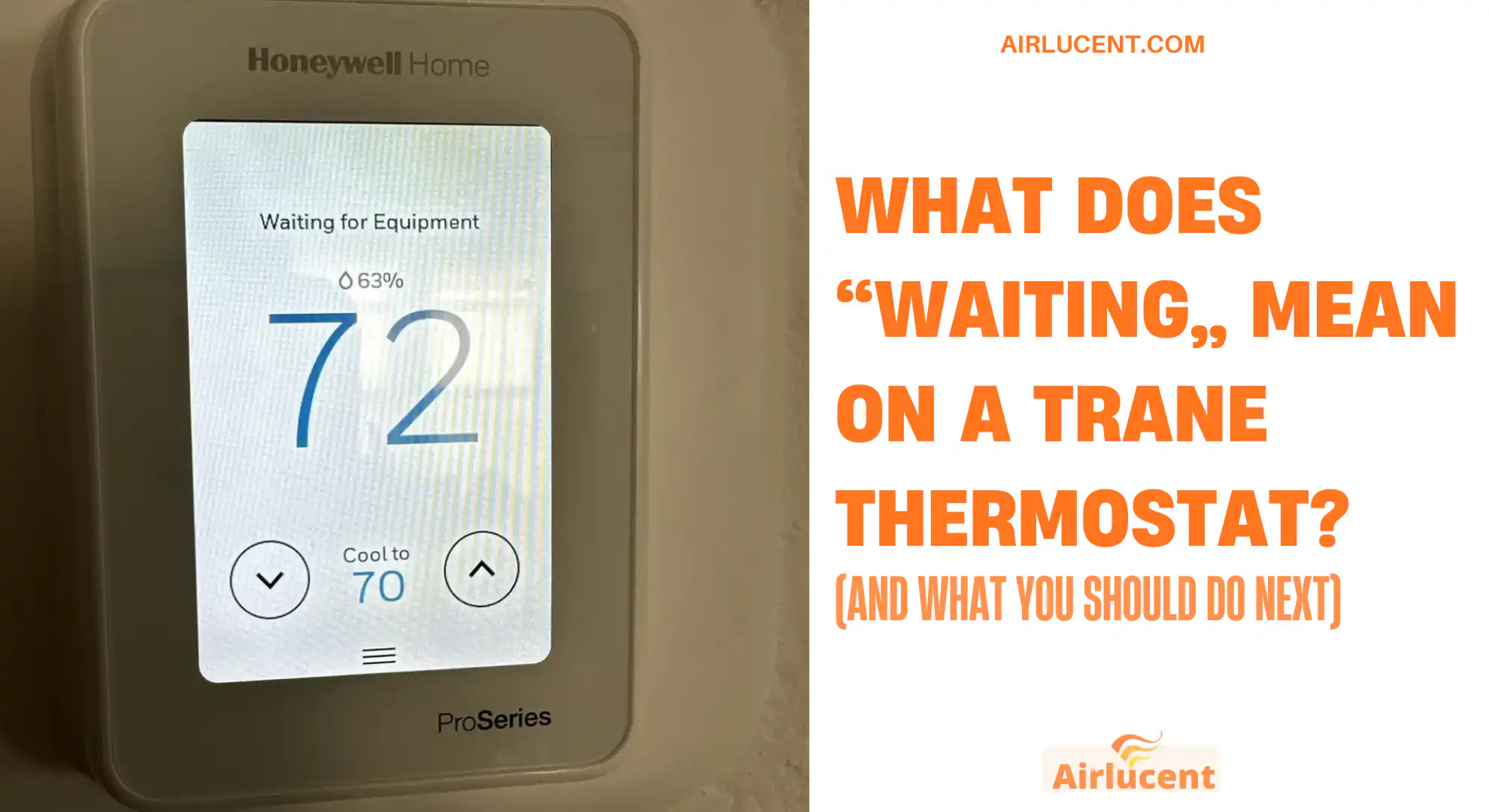
I’m Nathan. I’ve worked as an HVAC technician for over 10 years, and I can tell you this upfront: a Trane thermostat showing “Waiting” is usually normal and temporary. Most of the time it’s not a “your system is broken” message. It’s a built-in safety delay that protects your compressor from damage.
That said, there are a few situations where “Waiting” sticks around too long, and that’s when you want to troubleshoot before you lose cooling or heating.
This guide walks you through what “Waiting” means, how long it should last, the most common causes, and the exact steps I’d take in your home to fix it safely.
- Quick answer: What “Waiting” means
- Why Trane uses a “Waiting” delay (and why it’s a good thing)
- How long should “Waiting” last on a Trane thermostat?
- Common reasons your Trane thermostat says “Waiting”
- What I recommend you do (step-by-step)
- Step 1: Do nothing for 5 to 15 minutes
- Step 2: Confirm thermostat settings
- Step 3: Replace the air filter if it’s dirty
- Step 4: Check if your condensate float switch tripped (cooling season)
- Step 5: Power cycle the system correctly (only if “Waiting” won’t clear)
- Step 6: Check thermostat power source
- Step 7: Confirm the outdoor unit is getting power
- When “Waiting” is normal vs when it’s a problem
- Prevent “Waiting” messages from happening so often
- Trane thermostat “Waiting” FAQ
- Bottom line
Quick answer: What “Waiting” means
On most Trane thermostats, “Waiting” (or “Wait”) means your HVAC system is in a timed delay before it allows the air conditioner or heat pump to start again.
In plain English, your thermostat is telling you:
- I got your request to heat or cool
- But I’m delaying the start to protect the equipment
- When the timer ends and conditions are safe, the system will start
This delay is most commonly tied to compressor short-cycle protection.
Why Trane uses a “Waiting” delay (and why it’s a good thing)
Your outdoor AC unit or heat pump has a compressor, and it does not like being turned off and then immediately turned back on. Rapid restarts can cause:
- high starting pressure
- higher amperage draw
- overheating stress
- nuisance breaker trips
- shortened compressor life over time
So Trane (and most major brands) build in a compressor protection timer to let refrigerant pressures equalize before restarting.
In the field, I see “Waiting” most often after a power blink, after someone changes the mode from Cool to Off and back to Cool, or after the thermostat hits a cycle limit.
How long should “Waiting” last on a Trane thermostat?
Most of the time, 3 to 5 minutes is typical. Some setups may run up to 10 to 15 minutes depending on the equipment and control logic. Rarely, you may see longer delays if there’s a system lockout, communication issue, or a safety switch stopping operation.
Normal wait times (what I consider typical)
| You just changed from Off to Cool or Heat | 3 to 5 minutes | Compressor anti short-cycle delay |
| Brief power outage or breaker reset | 3 to 10 minutes | System reboot and protection timer |
| Switching between Heat and Cool | 5 to 15 minutes | Mode change plus compressor protection |
| Smart thermostat syncing or updating | 1 to 10 minutes | Network, firmware, or device communication |
| “Waiting” lasts over 30 minutes | Not typical | Likely a fault, safety switch, or equipment issue |
If your thermostat says “Waiting” for hours, that’s not normal and you should troubleshoot.
Common reasons your Trane thermostat says “Waiting”
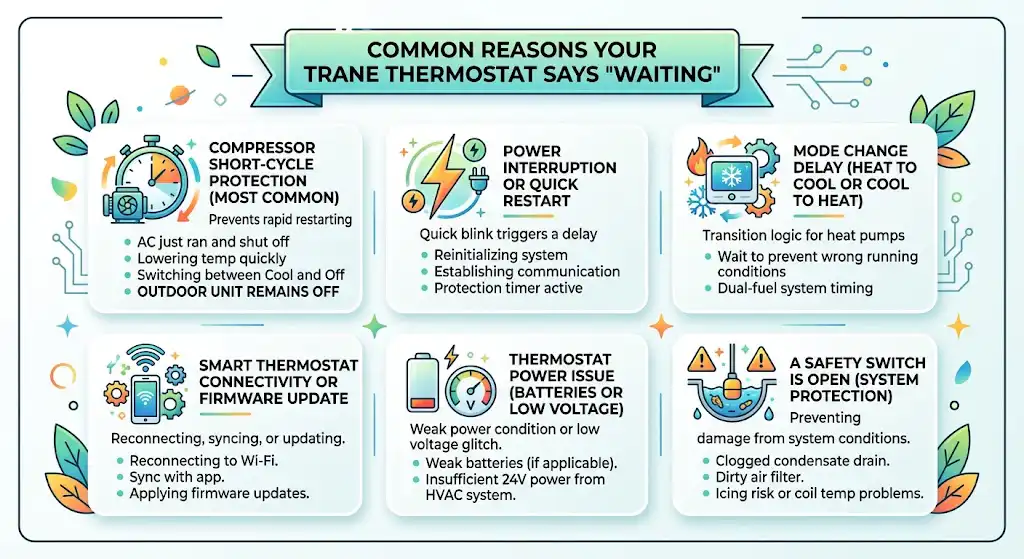
Below are the real-world causes I run into most often.
1) Compressor short-cycle protection (most common)
If your AC just ran and shut off, Trane may force a short delay before restarting. This is especially common when:
- you lower the temperature several degrees quickly
- you keep switching Cool and Off
- the system is cycling frequently
What you’ll notice:
- thermostat says “Waiting”
- outdoor unit stays off
- indoor fan might run depending on settings
2) Power interruption or quick restart
Even a quick power blink can trigger a delay. After power returns, the thermostat and control board may:
- reinitialize
- re-establish communication
- start a protection timer
3) Mode change delay (Heat to Cool or Cool to Heat)
Heat pumps and dual-fuel setups can have longer transition logic. The system may wait to prevent running the compressor under the wrong conditions.
4) Smart thermostat connectivity, syncing, or firmware update
Some Trane smart thermostats will show “Waiting” while they:
- reconnect to Wi-Fi
- sync with an app
- apply firmware updates
- re-link to the equipment interface module
5) Thermostat power issue (batteries or low voltage)
Some Trane thermostat models use batteries, while others rely on 24V power from the HVAC system. A weak power condition can cause glitches that look like “Waiting.”
6) A safety switch is open (this is a big one)
If the system detects a condition that could cause damage, it may prevent the compressor from starting. Common triggers include:
- clogged condensate drain causing a float switch to trip
- dirty air filter leading to airflow issues
- icing risk or coil temperature problems
- certain fault codes on communicating systems
In those cases, “Waiting” may be the symptom, not the root cause.
What I recommend you do (step-by-step)
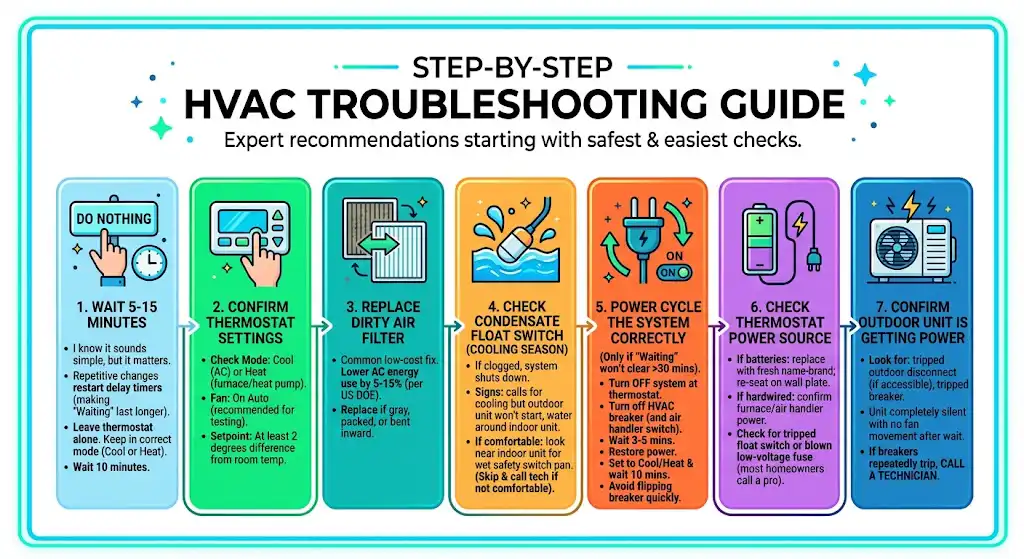
Here’s the same order I follow on service calls, starting with the safest and easiest checks.
Step 1: Do nothing for 5 to 15 minutes
I know that sounds too simple, but it matters.
If you keep changing settings or cycling power repeatedly, you often restart the delay timer, which makes the “Waiting” message last longer.
What to do:
- leave the thermostat alone
- keep it in the correct mode (Cool or Heat)
- wait 10 minutes
Step 2: Confirm thermostat settings
Check:
- Mode is set to Cool (for AC) or Heat (for furnace/heat pump)
- Fan is on Auto (recommended for testing)
- Setpoint is at least 2 degrees below room temp for cooling, or above for heating
Step 3: Replace the air filter if it’s dirty
A dirty filter is one of the most common low-cost fixes that prevents bigger issues.
Helpful stat: The US Department of Energy commonly cites that replacing a dirty HVAC filter can lower your air conditioner’s energy use by around 5 to 15 percent in many systems, depending on conditions and restriction level.
If your filter looks gray, packed, or bent inward from suction, replace it and try again.
Step 4: Check if your condensate float switch tripped (cooling season)
If your AC drain line is clogged, many systems shut down cooling to prevent water damage.
Signs:
- thermostat calls for cooling but outdoor unit never starts
- water around the indoor unit
- you recently had high humidity or heavy AC runtime
If you’re comfortable:
- look near the indoor unit for a wet safety switch pan
- if you see water, the drain likely needs clearing
If you’re not comfortable, skip this and call a technician. Water and electrical parts are a bad mix.
Step 5: Power cycle the system correctly (only if “Waiting” won’t clear)
If it’s been more than 30 minutes and nothing is happening, do a clean reset.
Do this:
- Turn the system Off at the thermostat
- Turn off power at the HVAC breaker (and air handler switch if present)
- Wait 3 to 5 minutes
- Restore power
- Set thermostat to Cool or Heat and wait 10 minutes
Important: Do not keep flipping the breaker quickly. That can make the delay problem worse and is rough on electronics.
Step 6: Check thermostat power source
If your thermostat uses batteries:
- replace them with fresh name-brand batteries
- re-seat the thermostat on its wall plate
If it’s hardwired:
- confirm the furnace or air handler has power
- check for a tripped float switch or blown low-voltage fuse (at this point, most homeowners should call a pro)
Step 7: Confirm the outdoor unit is getting power
If your thermostat is “Waiting” and then nothing ever starts, you may have an outdoor power issue.
Look for:
- a tripped outdoor disconnect (if accessible)
- a tripped breaker
- the outdoor unit completely silent with no fan movement after the wait period
If breakers repeatedly trip, stop and call a technician.
When “Waiting” is normal vs when it’s a problem
Normal “Waiting” signs
- It clears within 5 to 15 minutes
- The system starts and runs normally afterward
- It only happens after a power outage or a recent mode change
“Waiting” that needs help
Call a qualified HVAC technician if:
- “Waiting” lasts longer than 30 to 60 minutes
- the outdoor unit never starts (no fan, no compressor sound) after the wait period
- you hear buzzing, hard clicking, or repeated attempts to start
- you see ice on the refrigerant line or outdoor unit
- you notice water around the indoor unit
- you smell burning or see flickering lights when the system tries to run
Prevent “Waiting” messages from happening so often
In my experience, the goal isn’t to eliminate “Waiting” completely. The goal is to stop the conditions that cause repeated delays.
My practical prevention checklist
- Replace filters every 1 to 3 months (more often with pets or dust)
- Keep supply vents open and unblocked
- Clean the outdoor unit area (clear leaves and grass clippings)
- Flush the condensate drain periodically (especially in humid climates)
- Avoid rapid temperature changes and constant mode switching
Trane thermostat “Waiting” FAQ
Can my Trane thermostat show “Waiting” even if nothing is wrong?
Yes. Most of the time it’s a normal compressor protection delay, especially after a power interruption or quick restart.
How long is too long for “Waiting”?
If it lasts more than 30 minutes, I consider that abnormal. At that point, start troubleshooting (filter, drain safety, power reset), and if you still don’t get operation, call a pro.
Is “Waiting” a thermostat problem or an HVAC equipment problem?
Often it’s neither, it’s a built-in delay. But if it persists, it can be tied to:
a tripped float switch (drain issue)
airflow problems (filter, coil)
outdoor unit electrical or capacitor problems
control board communication faults
Bottom line
If your Trane thermostat says “Waiting,” don’t panic. In most homes I’ve serviced, it’s simply the system protecting the compressor and it clears on its own within minutes.