Hi, I’m Nathan. I’ve worked as an HVAC technician for over 10 years, and one of the most common “my AC is broken” calls I get in summer starts like this:
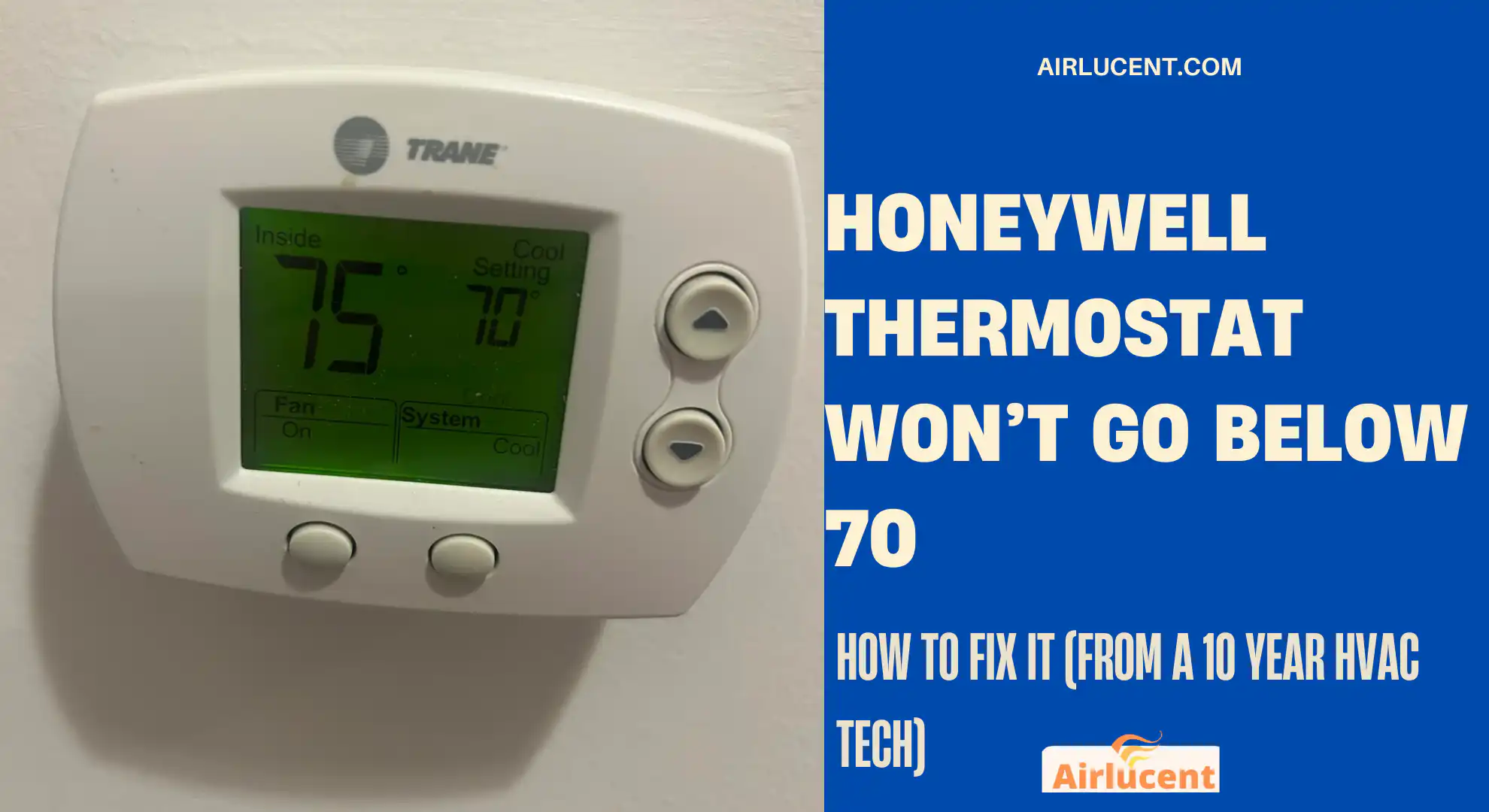
“You won’t believe it. My Honeywell thermostat won’t go below 70.”
In most cases, nothing is actually “broken.” The thermostat is usually doing exactly what it was set up to do, either because a cooling limit, temperature lock, or hotel or rental restriction is enabled. Other times, you can set it lower than 70, but the house will not cool below 70 because of airflow, refrigerant, insulation, or equipment sizing issues.
I’ll walk you through both situations step by step, in plain language, and I’ll show you what I check in the field.
- Quick answer
- First, figure out which problem you have
- Common causes and fixes (fast troubleshooting table)
- Why Honeywell thermostats often “stop” at 70
- What temperature should you set your home to (practical guidance + stats)
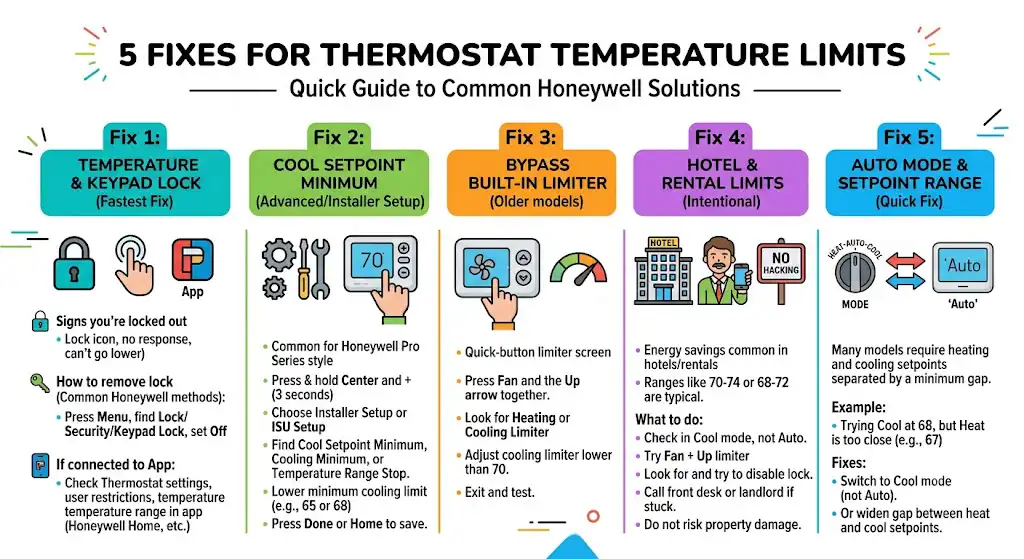
- Fix 1: Check for a Temperature Lock or Keypad Lock
- Fix 2: Change the Cool Setpoint Minimum (Advanced Setup or Installer Setup)
- Fix 3: Bypass the built-in temperature limiter (common on older Honeywell models)
- Fix 4: If you’re in a hotel or rental, the limit may be intentional
- Fix 5: Make sure you’re not fighting Auto mode or a setpoint range
- If you CAN set it below 70 but your home won’t cool below 70 (HVAC troubleshooting)
- When I recommend calling a pro
- Safety and warranty reality (what you should know)
- Quick step-by-step summary (do this in order)
- FAQ
Quick answer
If your Honeywell thermostat won’t go below 70, the most likely causes are:
- Cool temperature minimum limit is set to 70 in Installer Setup or Advanced Setup
- Temperature lock or keypad lock is enabled
- Hotel or landlord energy-saving restrictions are active
- You are using Heat mode or Auto mode with a setpoint range
- Your thermostat is reading from a sensor that’s warmer than the room you’re in
First, figure out which problem you have

This matters because the fix is completely different.
Scenario A: You cannot set it below 70
- You press the down arrow and it stops at 70.
- Or it snaps back to 70.
- Or you see a lock icon.
That’s a thermostat setting or restriction.
Scenario B: You can set 68 or 65, but the house stays around 70
- Thermostat accepts the lower setting.
- AC runs, but indoor temp will not drop past ~70.
That’s an HVAC performance or home comfort issue.
Common causes and fixes (fast troubleshooting table)
| Thermostat won’t let you select below 70 | Cool setpoint minimum limit | Change Cool Min in Installer Setup or Advanced Setup |
| There’s a lock symbol or you can’t change settings | Keypad lock or temp lock | Disable lock in menu or app |
| You’re in a hotel or rental | Energy management restriction | Try override steps, then call front desk or landlord |
| Thermostat is in Auto and won’t go lower | Auto mode has setpoint range limits | Switch to Cool mode or widen the range |
| You can set it lower, but it won’t cool past 70 | HVAC can’t keep up or airflow issue | Check filter, vents, coil icing, outdoor unit, then call a tech |
| Thermostat reads a different temperature than the room | Remote sensor or bad placement | Check sensor settings or relocate sensor |
Why Honeywell thermostats often “stop” at 70
In the real world, there are two reasons I see most:
- Someone intentionally set a lower limit (common in rentals, hotels, homes with kids, or energy-conscious households).
- Equipment protection and freeze risk. Running an AC hard at very low setpoints can contribute to coil icing if airflow is weak or the system is low on refrigerant.
What temperature should you set your home to (practical guidance + stats)
I’m not here to tell you “never go below 70.” Plenty of systems can do it. But I want you to understand the tradeoffs.
A few useful reference points:
- Energy Star and many utility programs commonly recommend around 78°F for cooling when you’re home (higher when away) to reduce energy use.
- Many households prefer 70 to 74°F for sleeping comfort depending on humidity and airflow.
- Every 1°F lower in cooling setpoint typically increases runtime and energy use. The exact impact varies widely by climate, insulation, and system efficiency.
If your home is comfortable at 72 with proper humidity control, you’ll usually spend less than trying to force 68.
Fix 1: Check for a Temperature Lock or Keypad Lock
This is one of the fastest fixes.
Signs you’re locked out
- You see a lock icon
- Buttons don’t respond
- You can change mode but not temperature
- You can’t go below a certain number
How to remove a lock (common Honeywell methods)
Because Honeywell has many models, the exact menu wording differs, but the idea is the same:
- Press Menu
- Look for Lock, Security, or Keypad Lock
- Set it to Off
If your thermostat is connected to an app
If you’re using Honeywell Home, Total Connect Comfort, or Resideo apps, also check:
- Thermostat settings
- User restrictions
- Temperature lock range
Sometimes the thermostat looks “stuck,” but it’s actually locked in the app.
Fix 2: Change the Cool Setpoint Minimum (Advanced Setup or Installer Setup)
If your thermostat physically won’t go below 70, this is often the real reason.
Honeywell Pro Series style thermostats (common method)
On many Honeywell Pro Series models, you can enter an advanced menu like this:
- Press and hold Center and + for about 3 seconds
- Choose Installer Setup or ISU Setup
- Scroll until you find something like:
- Cool setpoint minimum
- Cooling minimum temperature
- Temperature range stop
- Lower the minimum cooling limit to what you want (for example, 65 or 68)
- Press Done or Home to save
Fix 3: Bypass the built-in temperature limiter (common on older Honeywell models)
Older Honeywell thermostats sometimes use a quick-button limiter screen.
Try this:
- Locate the Fan button
- Press Fan and the Up arrow at the same time
- Look for:
- Heating limiter
- Cooling limiter
- Adjust the cooling limiter lower than 70
- Exit the menu and test your temperature setting again
If this works, you’ll immediately be able to select below 70.
Fix 4: If you’re in a hotel or rental, the limit may be intentional
Hotels and many rentals use thermostats configured for energy savings. It’s common for them to enforce a temperature range like 70 to 74 or 68 to 72.
What you can do (in order)
- Check if the thermostat is in Cool mode, not Auto
- Try the Fan + Up limiter method (if it’s that style)
- Look for a lock icon and attempt to disable it
- If it still won’t move, call the front desk or landlord
I’m going to be direct here: if it’s a building-wide control system, you usually will not “hack” it from the thermostat faceplate, and you shouldn’t risk damaging property.
Fix 5: Make sure you’re not fighting Auto mode or a setpoint range
If your thermostat is set to Auto, many models require a heating setpoint and cooling setpoint separated by a minimum gap.
What this looks like:
- You try to set cooling to 68
- It refuses because heating is set too close (example: heat at 67)
Quick fix
- Switch the mode to Cool (not Auto)
- Or widen the gap between heat and cool setpoints
If you CAN set it below 70 but your home won’t cool below 70 (HVAC troubleshooting)

This is where I spend most of my time on service calls.
Here’s my practical checklist.
1) Check your air filter (seriously)
A clogged filter is one of the biggest causes of:
- weak airflow
- coil icing
- poor cooling performance
If it looks gray, dusty, or bowed inward, replace it.
2) Make sure vents and returns are open
- Supply vents open
- Return grille not blocked by a couch, rug, or curtain
Restricted airflow can mimic “AC can’t go below 70.”
3) Look for signs of coil icing
Common signs:
- weak airflow even though the fan is running
- outdoor unit running constantly
- indoor copper line sweating heavily
- visible ice near the indoor unit
If you suspect icing:
- Turn cooling Off
- Set fan to On for 30 to 60 minutes to thaw
- Replace filter
- If it freezes again, call a technician (often low airflow or refrigerant issue)
4) Check the outdoor unit
- Is the condenser coil packed with cottonwood or dirt?
- Is the fan running?
- Is the unit short cycling?
A dirty outdoor coil can reduce capacity enough that the home stalls around 70 to 75 on hot days.
5) Home comfort issues that stop you at 70
If the equipment is healthy, you may still hit a wall because of the home:
| Poor attic insulation | Heat loads overwhelm AC | Add insulation, air seal |
| Leaky ductwork | Cold air lost to attic/crawlspace | Duct sealing |
| Undersized system | Runs nonstop, never hits setpoint | Load calculation, upgrade |
| High humidity | 72 feels muggy, you push lower | Dehumidification, airflow tuning |
When I recommend calling a pro
Call a local HVAC technician if any of these are true:
- The thermostat allows 68, but your house never drops below 70 even at night
- The system runs constantly and you’re not making progress
- You see icing or hear hissing (possible refrigerant issue)
- Your system is older and performance has been declining year after year
A good tech will check:
- temperature split across the coil
- static pressure and airflow
- refrigerant charge (if applicable)
- duct leakage
- system sizing vs load
Safety and warranty reality (what you should know)
If your thermostat was locked by a property owner, bypassing it may violate rules or agreements.
Also, pushing an AC into extreme runtime with existing airflow problems can cause:
- evaporator icing
- compressor stress
- higher energy bills
Quick step-by-step summary (do this in order)
- Confirm: Is it refusing to go below 70, or just not cooling below 70?
- Check for the lock icon and disable the keypad or temperature lock.
- Enter Advanced Setup or ISU and change the Cool minimum limit.
- Try the older limiter method: Fan + Up
- If the home still won’t cool below 70:
- replace filter
- Check vents and returns
- Check for icing
- inspect outdoor coil
- Call an HVAC pro if needed
FAQ
Why would someone set a minimum cooling limit at 70?
To reduce energy costs, prevent coil freeze issues in marginal systems, or restrict occupants in rentals, hotels, and commercial spaces.
Will lowering my thermostat below 70 damage my AC?
Not automatically. But if your system has poor airflow, a dirty coil, or low refrigerant, running colder can increase the chance of coil icing and long runtimes.