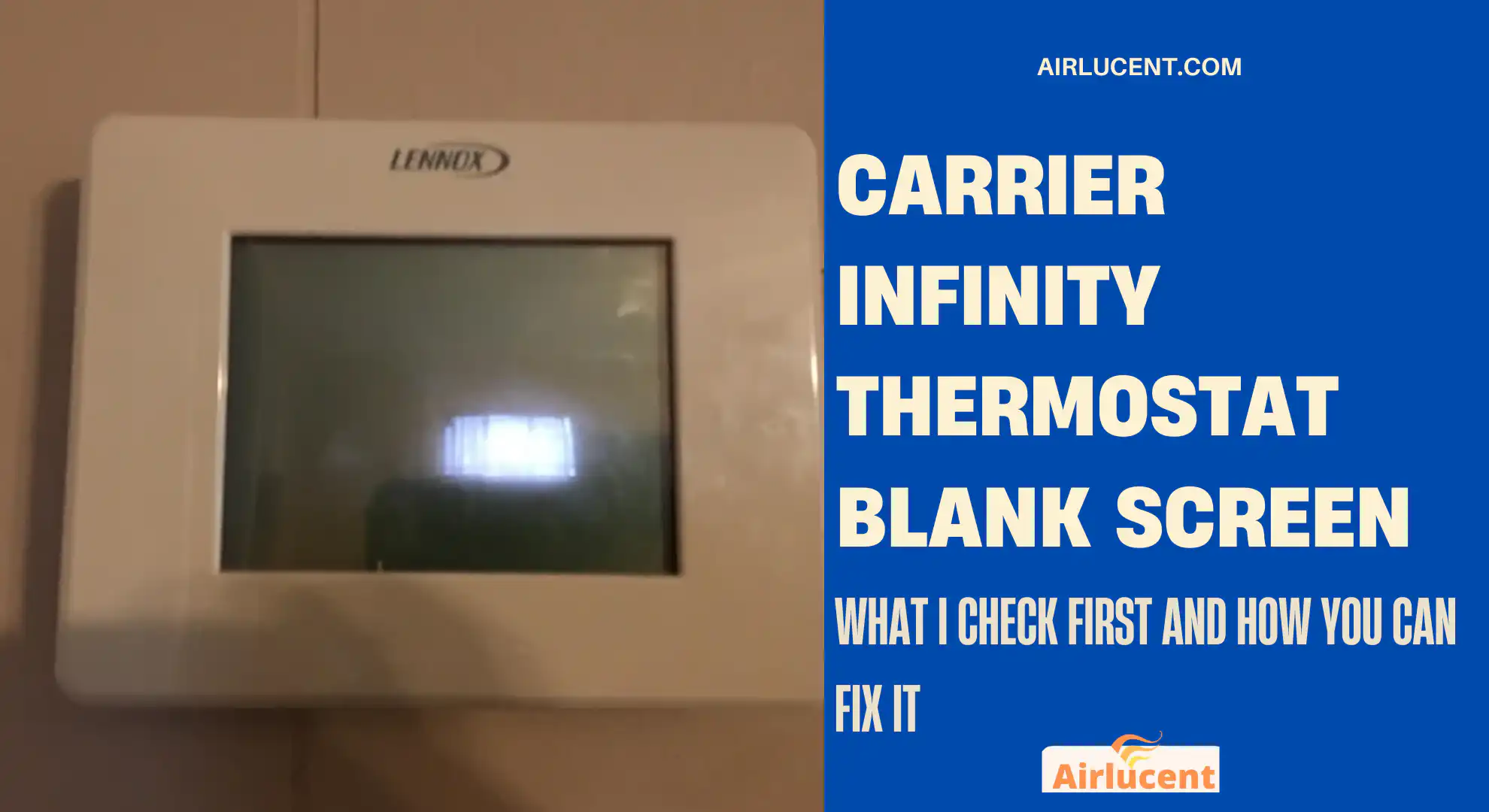
I’m Nathan, and I’ve been an HVAC technician for over 10 years. When a homeowner tells me their Carrier Infinity thermostat screen went blank, I treat it like a power problem first, not a thermostat problem. Infinity controls are communicating thermostats, so if the display loses power or the communication path drops, the screen can go dark even though the thermostat itself is not “bad.”
The good news is that most blank screen cases come down to a handful of causes you can troubleshoot safely at home.
- Quick answer
- Before you start, safety and what you’ll need
- Most common causes and fixes at a glance
- Step 1: Do the reboot I do on-site, reset power correctly
- Step 2: Check the furnace or air handler door switch, it gets people constantly
- Step 3: Look for a tripped condensate safety switch or overflow pan issue
- Step 4: Inspect the control board fuse, the most important 2-minute check
- Step 5: Reseat the Infinity thermostat on its wall plate
- Step 6: Confirm the system is delivering the right voltage to the thermostat, Infinity uses ABCD
- Step 7: If the fuse keeps blowing, you likely have a short, here’s where I look
- When the problem is not the thermostat, transformer and board issues
- My recommended troubleshooting order, fastest to slowest
- Common questions I get from homeowners
- Final thoughts from me, Nathan
Quick answer
A Carrier Infinity thermostat blank screen is usually caused by one of these:
- The indoor unit lost power, tripped breaker, service switch off
- The furnace or air handler door switch is not being pressed
- A blown low voltage fuse on the control board, commonly 3 amp or 5 amp blade fuse
- No 24V power getting to the thermostat on the ABCD terminals
- A condensate overflow safety switch opened the circuit
- A wiring short or pinched thermostat cable
I’ll walk you through the exact order I use in the field.
Before you start, safety and what you’ll need
Safety
- If you remove panels, keep hands clear of moving parts.
- If you’re not comfortable around electrical equipment, stop after the basic power checks and call a pro.
- Turn off power to the indoor unit before opening the control panel.
Helpful tools
| Flashlight | Seeing fuse, door switch, terminals |
| Multimeter (AC volts) | Confirming you have about 24V |
| Small needle nose pliers | Pulling a blade fuse |
| Spare 3A or 5A automotive blade fuse | Fast swap test |
If you don’t have a multimeter, you can still do about 70 percent of this checklist with just visual checks.
Most common causes and fixes at a glance
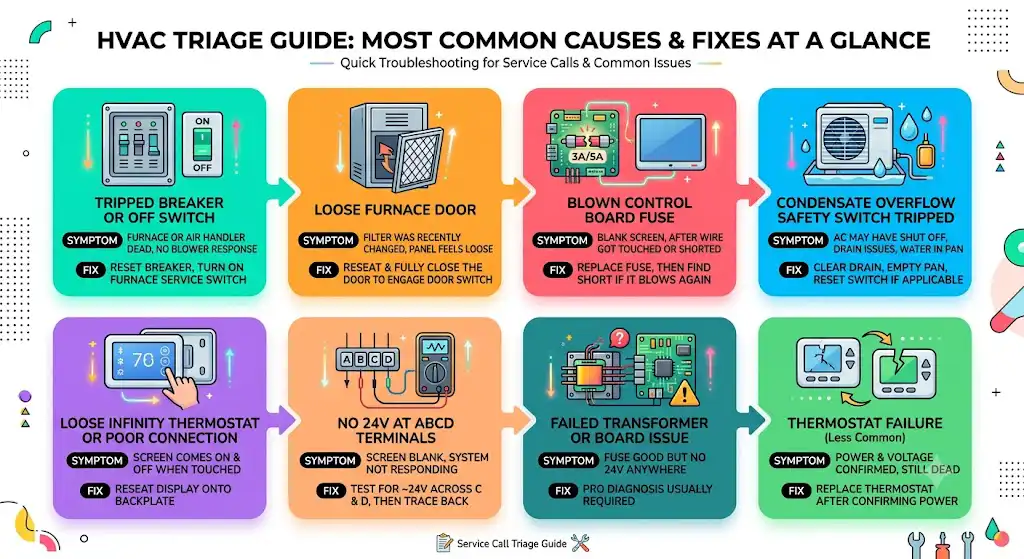
Here’s the same “triage table” I use mentally on service calls.
| Tripped breaker or indoor switch off | Furnace or air handler seems dead, no blower response | Reset breaker, turn on furnace service switch |
| Furnace door not fully shut | Filter was recently changed, panel feels loose | Reseat and fully close the door to engage the door switch |
| Blown control board fuse (3A or 5A) | Blank screen, often after a wire got touched or shorted | Replace fuse, then find short if it blows again |
| Condensate overflow safety switch tripped | AC may have shut off, drain issues, water in pan | Clear drain, empty pan, reset switch if applicable |
| Loose Infinity thermostat or poor connection | Screen comes on and off when touched | Reseat display onto backplate |
| No 24V at ABCD | Screen blank, system not responding | Test for ~24V across C and D, then trace back to board/wiring |
| Failed transformer or board issue | Fuse good but no 24V anywhere | Pro diagnosis usually required |
| Thermostat failure (less common) | Power and voltage confirmed, still dead | Replace thermostat after confirming power |
Step 1: Do the reboot I do on-site, reset power correctly
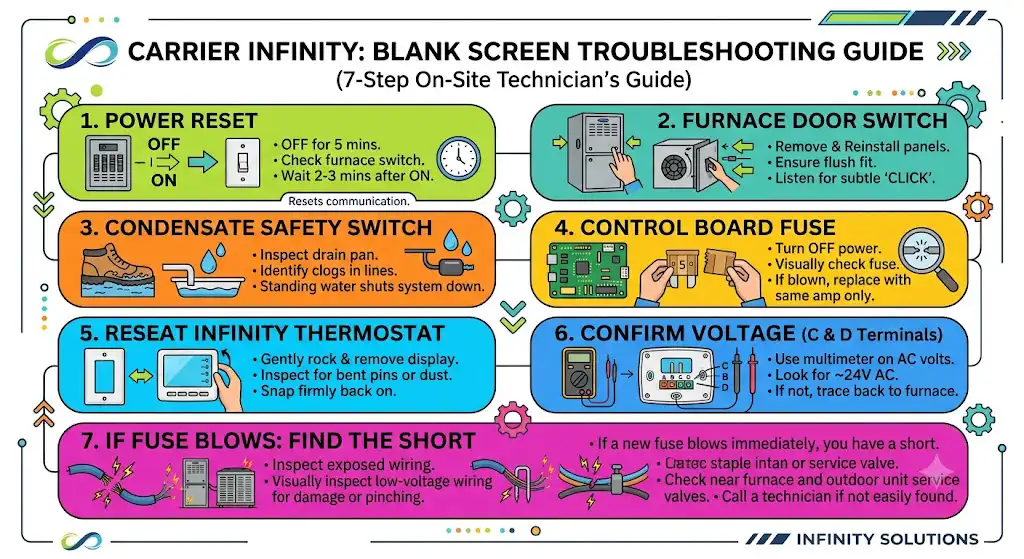
A lot of blank screen complaints are solved by a proper power cycle.
What to do
- Locate the breaker for your indoor unit (furnace or air handler) in the electrical panel.
- Turn it OFF for 5 minutes.
- Turn it back ON.
- Wait another 2 to 3 minutes for the Infinity system to boot and re-establish communication.
Also check the furnace service switch
Many indoor units have a light switch near the furnace that kills power. I’ve walked into homes where someone bumped it during storage or cleaning.
If the switch is off, the thermostat can go blank because the indoor unit supplies the 24V control power.
Step 2: Check the furnace or air handler door switch, it gets people constantly
Carrier furnaces and air handlers typically have a safety switch that opens when the blower door is removed. If the door is not seated perfectly, the switch stays open and the control board won’t power up fully.
What to do
- Remove and reinstall the door panel.
- Make sure it sits flush and tight.
- Listen for a subtle click when the switch is engaged.
In my experience, this is one of the top causes right after “tripped breaker,” especially after a filter change.
Step 3: Look for a tripped condensate safety switch or overflow pan issue
If you have AC or a high efficiency furnace, your system likely has a condensate drain. Many installations include a float switch that shuts the system down if water backs up, to prevent ceiling or equipment damage.
Signs it might be condensate related
- You recently had high humidity or heavy AC use
- Water around the indoor unit
- A full drain pan
- You’ve had drain clogs before
What to do
- Check the condensate pan and drain line.
- If you see standing water, you likely have a clog.
- Clear the drain line if you know how, or call a technician if it’s not accessible.
A tripped float switch can kill the low voltage circuit, which can absolutely lead to a blank Infinity screen depending on how it’s wired.
Step 4: Inspect the control board fuse, the most important 2-minute check
Inside your indoor unit, the control board usually has a small automotive style blade fuse, commonly:
- 3 amp purple
- 5 amp tan
That fuse protects the low voltage side. If it blows, the thermostat may go blank because the 24V control power disappears.
How to check it
- Turn OFF power to the furnace or air handler at the breaker.
- Remove the control panel cover.
- Locate the blade fuse on the control board.
- Pull it and visually inspect it.
- If the metal link is broken, it’s blown.
- Replace with the same amp rating only.
Step 5: Reseat the Infinity thermostat on its wall plate
Infinity display units can lose contact with the backplate pins. I’ve fixed more than a few “dead thermostats” by reseating them.
What to do
- Gently rock the thermostat up and down and pull it off the wall plate.
- Inspect for bent pins, dust, or corrosion.
- Snap it back on firmly so the pins make full contact.
Step 6: Confirm the system is delivering the right voltage to the thermostat, Infinity uses ABCD
Carrier Infinity is not like a basic thermostat with R, C, W, Y. Most Infinity communicating setups use four terminals: A, B, C, D.
Typically:
- C and D carry power for the display
- A and B handle communication data
What you’re checking
You want to see roughly 24 volts AC reaching the thermostat.
Quick voltage check table
| C to D at the thermostat backplate | AC volts | About 24V AC | Power is reaching the thermostat |
| C to D at the indoor control board | AC volts | About 24V AC | Indoor board and transformer are supplying power |
How to test at the thermostat
- Pull the thermostat off the wall plate.
- Set multimeter to AC volts.
- Carefully place probes on C and D terminals.
- Look for about 24V.
If you do have about 24V at C and D but the screen is still blank
At that point, the thermostat itself is more suspect, or the pins/backplate connection is compromised.
If you do not have 24V at C and D
Then the thermostat is not being powered, and you need to work backward to the indoor unit.
Step 7: If the fuse keeps blowing, you likely have a short, here’s where I look
When a new fuse pops right away, I start hunting for damaged low voltage wiring.
Common short locations
- Thermostat wire pinched by a furnace panel
- Staples through the thermostat wire inside the wall
- Outdoor unit low voltage wires rubbed through near the service valve area
What you can do
- Visually inspect any exposed thermostat wiring near the furnace and outdoor unit.
- Look for crushed insulation, copper showing, or wet connections.
- Make sure wires are not pulled tight against sharp metal edges.
If you can’t find it quickly, this is usually where it’s worth calling a technician, because we’ll isolate circuits and test sections to pinpoint the short without repeatedly blowing fuses.
When the problem is not the thermostat, transformer and board issues
If:
- The breaker is on
- The door switch is engaged
- The fuse is good
- And you still can’t get 24V on the low voltage side
Then you may have:
- A failed transformer
- A failed control board
- A wiring failure between transformer and board
That’s not a common DIY repair unless you’re comfortable testing line voltage and low voltage safely.
My recommended troubleshooting order, fastest to slowest
If you want the simplest path with the least effort, follow this checklist:
- Reset breaker and confirm furnace service switch is on
- Reseat the furnace door to engage the door switch
- Check condensate overflow switch and drain pan
- Reseat the Infinity thermostat on the wall plate
- Inspect and replace the 3A or 5A board fuse if blown
- Test for about 24V AC across C and D at the thermostat
- If fuse blows again, inspect wiring for shorts and call a pro
This order solves the majority of blank screen calls I see without wasting time.
Common questions I get from homeowners
Can a Carrier Infinity thermostat have batteries?
Some Infinity displays are powered through the ABCD connection and do not rely on batteries the way basic thermostats do. If your specific model has batteries and they’re dead, yes, that can cause display issues. But in my day-to-day work, power loss from the indoor unit or a blown fuse is much more common on Infinity systems than “dead thermostat batteries.”
Why did it happen right after I changed the filter?
Because the blower door got loosened and the door switch opened, or a wire got bumped. That’s one of the first things I check.
The screen is blank, but the outdoor unit is running, how is that possible?
Infinity systems can behave differently depending on staging, controls, and how the system is configured. But generally, a blank Infinity screen points to a power or communication problem at the indoor control, not the outdoor unit. If something is running when it shouldn’t, shut the system off and get it checked.
When to call a professional, my rule of thumb
Call an HVAC technician if:
The fuse blows repeatedly
You do not have 24V at the indoor control board
You see burnt components, smell electrical burning, or hear buzzing
You’re not comfortable using a multimeter
A blank screen is often simple, but if it’s being caused by a short or a failing board, guessing gets expensive fast.
Final thoughts from me, Nathan
When your Carrier Infinity thermostat screen is blank, don’t assume the thermostat is dead. In most homes I’ve worked in, the fix ends up being power related: a tripped breaker, a loose door panel hitting the safety switch, a blown 3 amp or 5 amp fuse, or lost 24V across the ABCD terminals.