Hi, I’m Nathan. I’ve been an HVAC technician for over 10 years, and I’ve walked into a lot of homes where the same thing happens.
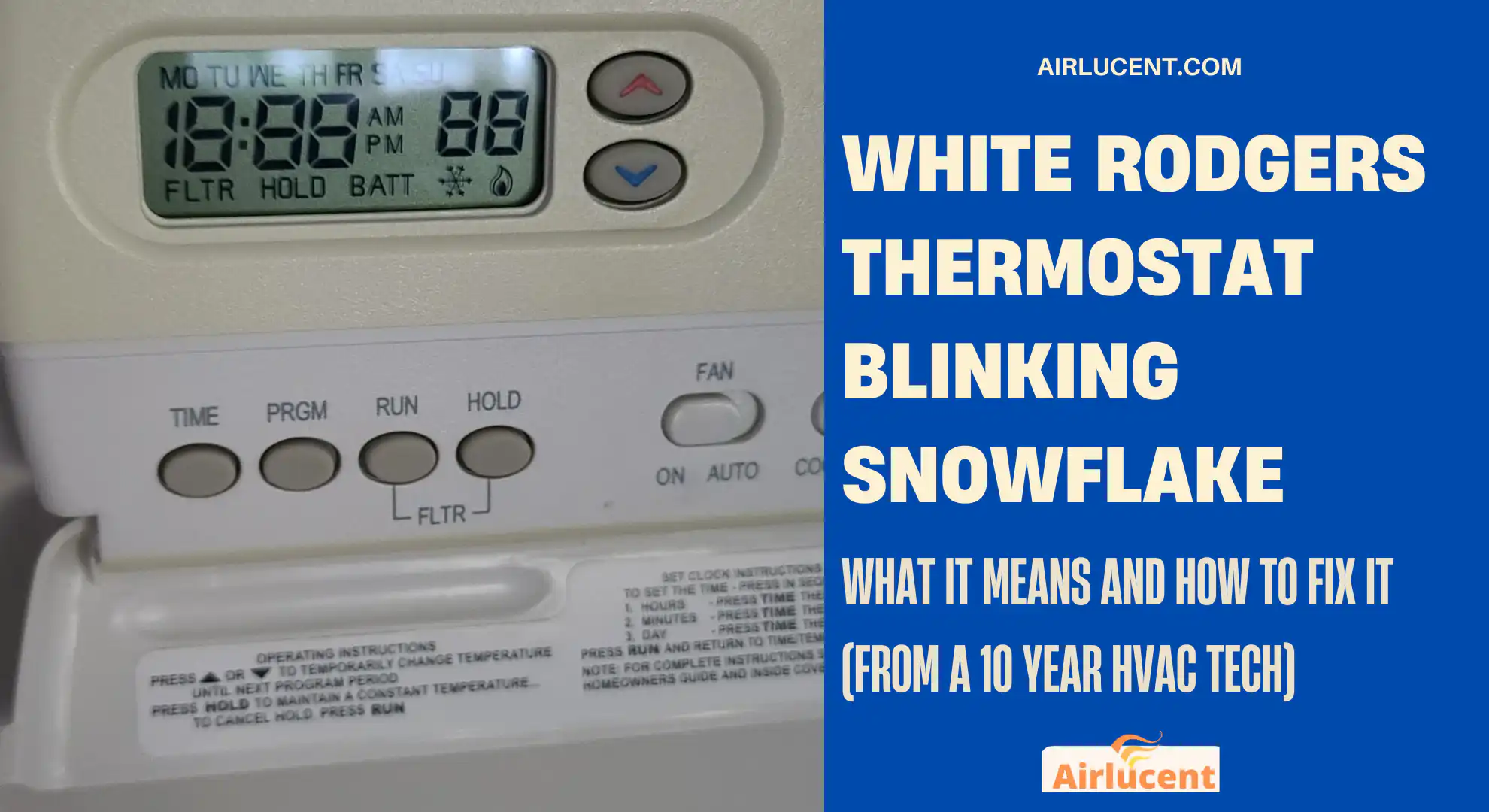
You go to cool the house, you look at your White Rodgers thermostat, and the snowflake icon is blinking. The air conditioner either isn’t running yet, or it’s running but not cooling the way you expect. That blinking snowflake can feel like a warning sign, but most of the time it’s your thermostat doing its job.
In this guide, I’ll explain what the blinking snowflake actually means, what’s normal, what’s not, and the exact step-by-step checks I use in the field to get homeowners back to cool air fast.
What the Blinking Snowflake Means on a White Rodgers Thermostat
On most White Rodgers and Emerson thermostats, a blinking snowflake usually means:
The thermostat is in a built-in cooling delay (compressor protection mode)
This delay is designed to protect your outdoor compressor from short cycling. In plain English, it stops the AC from starting again too quickly after it just shut off.
Typical delay time: about 5 minutes
Why the delay exists (and why it’s a good thing)
When a compressor shuts off, pressures in the refrigerant system need time to equalize. Restarting too quickly can strain the compressor and electrical components.
If your snowflake is blinking for a few minutes and then the AC starts, that’s usually 100 percent normal.
Quick Answer: Is a Blinking Snowflake Normal?
It’s normal if
- The snowflake blinks for up to about 5 minutes
- Your AC starts cooling after the delay
- You recently had a power interruption or changed thermostat settings
It’s not normal if
- It blinks longer than 5 to 10 minutes
- Your outdoor unit never turns on
- The thermostat resets, goes blank, or shows low battery
- The system runs but blows warm air, or freezes up
The Most Common Reasons Your White Rodgers Snowflake Keeps Blinking (Over 5 Minutes)
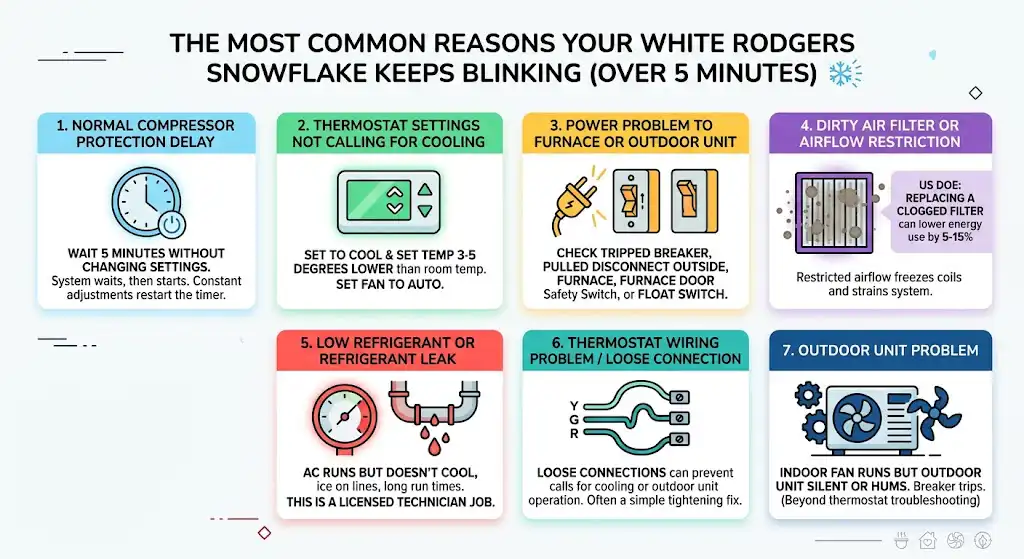
Here’s what I see most often in real service calls.
1. Normal compressor protection delay
What you’ll notice: Snowflake blinks, system waits, then starts.
What to do: Wait 5 minutes without changing settings. Constant adjustments can restart the timer.
2. Thermostat settings are not calling for cooling
This happens more than people think.
What you’ll notice:
- Thermostat set to COOL but temperature setting is not low enough
- Fan set to ON can make you think it’s “running” when it’s not actually cooling
Fix:
- Set thermostat to COOL
- Set temperature at least 3 to 5 degrees lower than the room temperature
- Set fan to AUTO for troubleshooting (keeps things simple)
3. Power problem to the furnace/air handler or outdoor unit
Your thermostat can be calling for cooling, but if the indoor unit or outdoor unit has lost power, the cycle won’t start.
Common causes I find:
- Tripped breaker
- Pulled disconnect outside by the condenser
- Furnace/air handler door not fully closed (door safety switch opens)
- Float switch tripped (condensate safety switch)
4. Dirty air filter or airflow restriction (leading to coil freeze)
Restricted airflow can cause the evaporator coil to get too cold and freeze. Some systems then shut down or struggle to start, and you’ll see thermostat weirdness and poor cooling.
Useful stat (real-world impact):
According to the U.S. Department of Energy, replacing a clogged filter can lower your air conditioner’s energy use by 5 to 15 percent in many situations due to improved airflow and reduced system strain.
5. Low refrigerant or refrigerant leak
Low refrigerant doesn’t get “used up” like gas in a car. If it’s low, there’s usually a leak somewhere.
What you’ll notice:
- AC runs but doesn’t cool well
- Ice on the refrigerant line or indoor coil
- System seems to run longer than normal
This is a technician job (licensed handling required in most places).
6. Thermostat wiring problem or loose connection
Loose Y, G, or R/Rc connections can cause intermittent calls for cooling or prevent the outdoor unit from being energized.
I’ve fixed plenty of “major AC problems” by simply tightening a slightly loose Y wire at the thermostat base.
7. Outdoor unit problem (contactor, capacitor, compressor, fan motor)
Your thermostat may be doing everything right, but the outdoor unit can’t start.
What you’ll notice:
- Indoor fan runs but outdoor unit is silent
- Outdoor unit hums but fan doesn’t spin
- Breaker trips repeatedly
At this point, you’re beyond thermostat troubleshooting.
Troubleshooting Table: Symptom to Cause to Fix
| Snowflake blinks 3 to 5 minutes, then AC starts | Normal compressor delay | Wait it out, don’t keep changing settings |
| Snowflake blinks longer than 5 to 10 minutes | Power issue, wiring, outdoor unit not starting | Follow the step-by-step checks below |
| Thermostat shows low battery or resets | Weak batteries or power issue on C-wire | Replace batteries, check wiring |
| Air blows but not cold | Outdoor unit not running, refrigerant issue, coil freeze | Check outdoor unit, filter, ice signs |
| Ice on indoor coil or copper line | Airflow restriction or low refrigerant | Turn off cooling, thaw, replace filter, call pro if repeats |
Step-by-Step Fix: What I’d Have You Check (In Order)
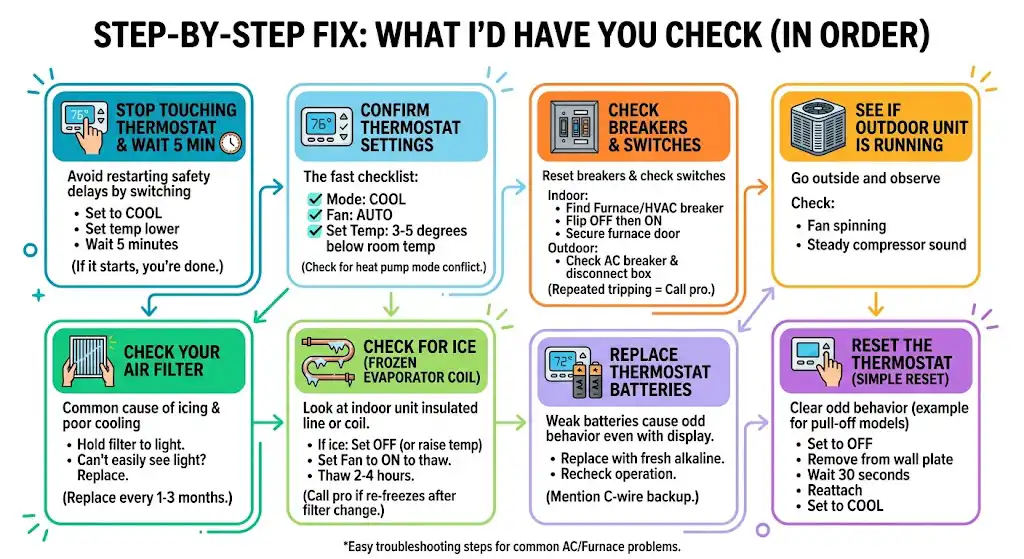
Step 1: Stop touching the thermostat and wait 5 minutes
I’m serious. If you keep switching COOL to OFF to COOL, you can keep restarting the safety delay.
Action:
- Set it to COOL
- Set temp lower than room temp
- Wait 5 full minutes
If it starts, you’re done.
Step 2: Confirm thermostat settings (the fast checklist)
- Mode: COOL
- Fan: AUTO
- Set temperature: 3 to 5 degrees below current room temp
If you have a heat pump, make sure you’re not stuck in a mode conflict (some thermostats behave oddly if wiring is wrong or configuration is wrong)
Step 3: Check your air filter (I check this on almost every call)
A dirty filter is one of the cheapest fixes and one of the most common causes of icing and poor cooling.
Action:
- Remove the filter and hold it up to a light
- If you can’t easily see light through it, replace it
Rule of thumb: Replace filters every 1 to 3 months depending on pets, dust, and usage.
Step 4: Check for ice (frozen evaporator coil)
Where to look:
- The bigger insulated copper line near the indoor unit
- The indoor coil area (inside the air handler/furnace cabinet)
If you see ice: do this
- Turn thermostat to OFF (or set to COOL but raise temp so it stops calling)
- Set fan to ON to help thaw
- Let it thaw 2 to 4 hours (sometimes longer)
If it freezes again after thawing and filter replacement, that’s when I’d start suspecting low refrigerant, blower issues, or airflow problems.
Step 5: Check breakers and switches (indoor and outdoor)
This is a big one.
Indoor checks
- Find the breaker labeled Furnace, Air Handler, or HVAC
- Reset it fully: flip OFF then ON
- Make sure the furnace/air handler door is fully seated (door switch must be pressed)
Outdoor checks
- Check the AC breaker
- Check the outdoor disconnect box near the condenser (don’t open the unit itself)
If breakers keep tripping, stop resetting and call a pro. Repeated resets can damage equipment.
Step 6: See if the outdoor unit is running
Go outside and listen.
You want to see/hear:
- Fan spinning
- A steady compressor sound
Step 7: Replace thermostat batteries (if your model uses them)
Even if the screen is on, weak batteries can cause odd behavior.
Action:
- Replace with fresh alkaline batteries
- Recheck operation
If your thermostat is powered by a C-wire, batteries might still be present as backup on certain models.
Step 8: Reset the thermostat (simple reset)
Different White Rodgers models vary, but the basic approach is:
- Set to OFF
- Remove the thermostat from the wall plate (if it’s a pull-off style)
- Wait 30 seconds
- Reattach and set to COOL
Thermostat Wiring Basics (So You Know What Matters)
If you’re comfortable removing the thermostat faceplate and taking a look, here’s what the common terminals do.
| R or Rc | 24V power (cooling power) | Rc is commonly used for cooling circuits |
| Rh | 24V power (heating power) | Sometimes jumped to Rc |
| Y | Compressor contactor | This is the main cooling call to outdoor unit |
| G | Indoor fan relay | Runs blower |
| C | Common | Needed for many smart stats, stabilizes power |
| O/B | Heat pump reversing valve | Used on heat pumps, not on most straight cool systems |
| W | Heat call | Furnace/heat |
What I see most often
- A loose Y wire causes the thermostat to “try” to cool but the outdoor unit never gets the signal.
- Missing or unstable C wire can cause resets and odd behavior.
Safety note: thermostat wiring is low voltage, but your indoor unit and outdoor unit contain high voltage. If you’re not sure, stop at the thermostat and filter checks and call a technician.
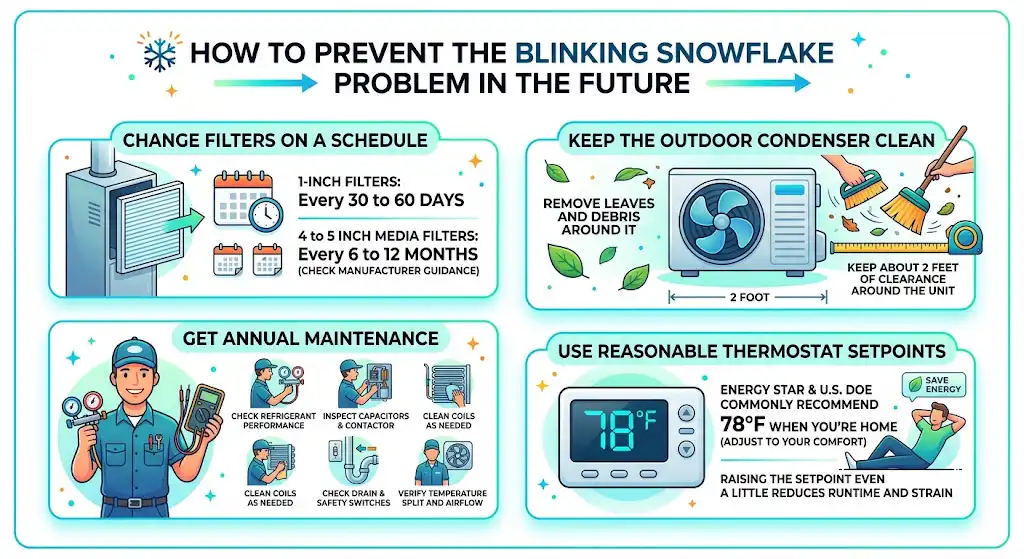
How to Prevent the Blinking Snowflake Problem in the Future
A blinking snowflake itself is not “bad.” But the issues that cause it to stick around are usually preventable.
1. Change filters on a schedule
If you want a simple routine:
- 1 inch filters: every 30 to 60 days
- 4 to 5 inch media filters: every 6 to 12 months (check manufacturer guidance)
2. Keep the outdoor condenser clean
- Remove leaves and debris around it
- Keep about 2 feet of clearance around the unit
3. Get annual maintenance
During a normal tune-up, a tech will typically:
- Check refrigerant performance (superheat/subcool, depending on system type)
- Inspect capacitors and contactor
- Clean coils as needed
- Check drain and safety switches
- Verify temperature split and airflow
4. Use reasonable thermostat setpoints
Energy Star and the U.S. DOE commonly recommend 78°F as a cooling setpoint when you’re home (adjust to your comfort). Even raising the setpoint a little reduces runtime and strain.
When I Recommend Calling a Professional
Call an HVAC technician if any of these are true:
- Snowflake blinks longer than 10 minutes and the outdoor unit never starts
- You see ice after changing the filter and thawing
- Breakers trip more than once
- Outdoor unit hums, clicks, or won’t start
- You suspect refrigerant is low (weak cooling plus icing is a big clue)
These are the situations where a quick diagnosis with meters and gauges saves you time and usually prevents bigger damage.
FAQ: White Rodgers Blinking Snowflake
How long should the snowflake blink on a White Rodgers thermostat?
Most commonly about 5 minutes. If it’s consistently longer than that, treat it as a troubleshooting sign.
Will turning the thermostat off and on fix it?
Sometimes, but if the thermostat is in a protection delay, cycling it can restart the timer. I prefer waiting 5 minutes first, then resetting if needed.
Can a dirty filter cause the snowflake to blink?
Indirectly, yes. A dirty filter can cause low airflow, coil freezing, and system safety conditions that prevent normal cooling cycles.
Is the blinking snowflake the same as “waiting” on other thermostats?
Yes, same idea. Different brands use different wording or icons, but it usually indicates a compressor delay.
My Bottom Line (What I Tell Homeowners)
If your White Rodgers thermostat snowflake is blinking, don’t assume your AC is broken. In many homes, it’s simply a normal compressor protection delay.