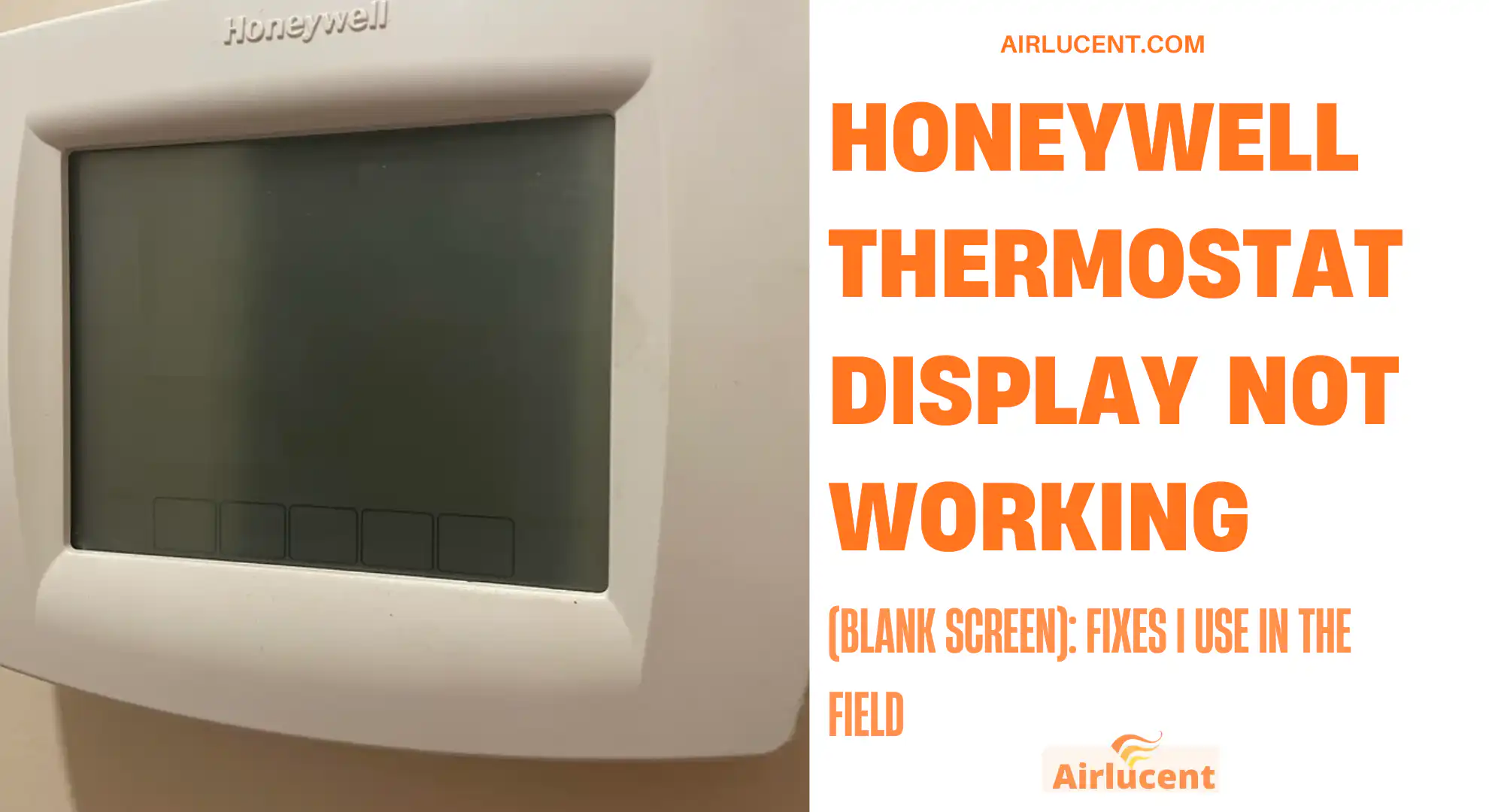
Hi, I’m Nathan. I’ve worked as an HVAC technician for over 10 years, and I can tell you this is one of the most common calls I get: you walk by your Honeywell thermostat and the screen is blank, frozen, or won’t light up no matter what you press.
The good news is that a Honeywell thermostat display not working is usually a power issue, not a “your whole system is dead” issue. In this guide, I’ll walk you through the same troubleshooting steps I use in real homes, starting with the easiest fixes and moving toward the more technical ones.
If you follow this in order, you’ll avoid guesswork and you’ll know when it’s time to stop and call a pro.
- Quick reality check: is it truly “dead” or just a dark screen?
- The most common reasons a Honeywell thermostat display goes blank
- Fast troubleshooting table (symptom → likely cause → what to do)
- Step 1: Identify what type of Honeywell thermostat you have (this matters)
- Step 2: Pull the thermostat off the wall and check the batteries (most common fix)
- Step 3: Make sure the thermostat is fully snapped onto the wall plate
- Step 4: Check your breaker panel (HVAC power loss is very common)
- Step 5: Check the furnace switch (people bump this all the time)
- Step 6: Check the furnace door panel (this one surprises homeowners)
- Step 7: Look for a tripped float switch or water in the overflow pan (very common with AC)
- Step 8: Check the low-voltage fuse on the furnace control board (common after a short)
- Step 9: Inspect thermostat wiring (loose wires = lost power)
- Step 10: Reset or power-cycle the thermostat (fixes glitches and frozen screens)
- Step 11: Environmental issues (less common, but real)
- When you should call a professional (and what I’ll check when I arrive)
- Prevention tips (so you don’t deal with a blank display again)
- FAQ: Honeywell thermostat display not working
- Bottom line
Quick reality check: is it truly “dead” or just a dark screen?
Before you start taking anything apart, check these two quick things:
- Tap the screen or press MENU (some models keep the display off to save power)
- Raise/lower the set temperature (if the system turns on, you may just have a backlight setting issue)
If it’s still totally blank, continue below.
The most common reasons a Honeywell thermostat display goes blank
In the field, these are the causes I see most often:
- Dead batteries (battery models and many “hybrid” models)
- Thermostat not seated on the wall plate (loose connection)
- Tripped breaker, switched-off furnace, or blown low-voltage fuse
- Furnace door not fully closed (door safety switch opens, thermostat loses power)
- Condensate float switch tripped (water backup shuts off power to protect your home)
- Loose or broken thermostat wiring (especially the C wire)
- Bad 24V transformer or control board issue
- Software glitch on smart thermostats
Fast troubleshooting table (symptom → likely cause → what to do)
| Screen is totally blank, no button response | Power loss (batteries or 24V) | Replace batteries, reseat thermostat, check breaker/furnace switch |
| Screen lights briefly then goes blank | Weak batteries or poor wall plate connection | New batteries, clean terminals, snap thermostat firmly into place |
| Screen is blank right after AC stopped working | Float switch or blown low-voltage fuse | Check drain pan/float switch, check furnace board fuse |
| Screen works but is dim or won’t stay lit | Backlight setting or power-saving mode | Adjust display/backlight settings |
| Touchscreen frozen but still lit | Software glitch | Reboot/power cycle or reset |
| Keeps going blank repeatedly | Intermittent power, loose C wire, draining batteries | Check wiring, confirm C wire, consider adding C-wire adapter |
Step 1: Identify what type of Honeywell thermostat you have (this matters)
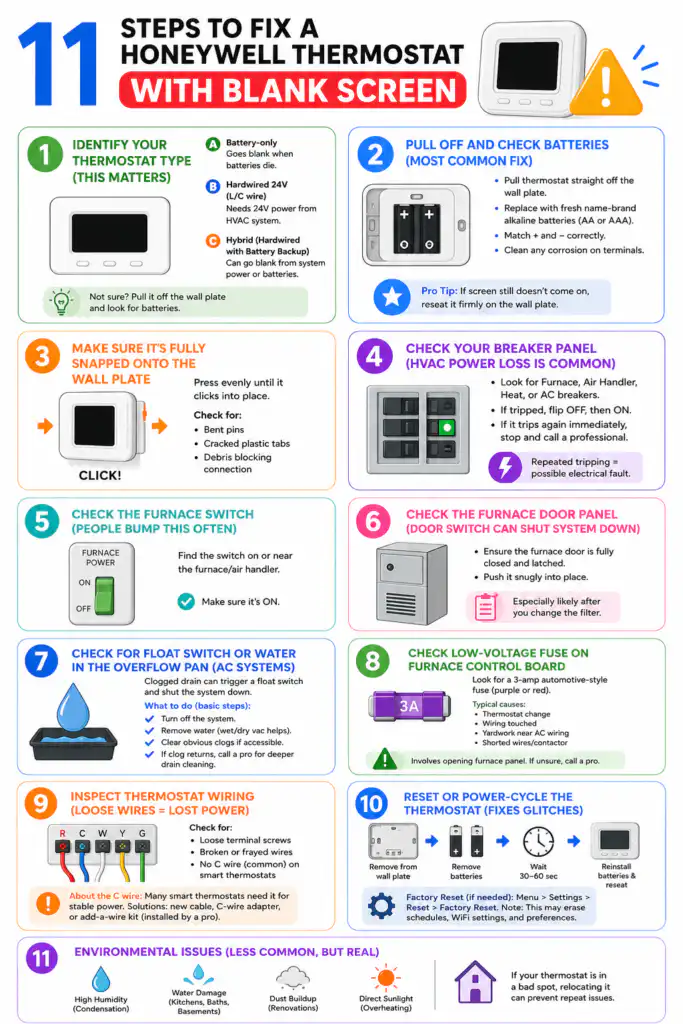
Honeywell thermostats fall into three practical categories:
A) Battery-only thermostats
These will go blank when the batteries die.
B) Hardwired 24V thermostats (C wire or equivalent)
These are powered by your HVAC system. If the screen is blank, the thermostat probably isn’t getting 24V.
C) Hybrid (hardwired but uses batteries as backup)
These can go blank from either a system power problem or batteries.
If you’re not sure, just pull it off the wall plate (next step) and look for batteries.
Step 2: Pull the thermostat off the wall and check the batteries (most common fix)
This is the first thing I do in a home because it’s fast and fixes a huge percentage of blank-screen complaints.
What to do
- Gently pull the thermostat straight off the wall plate.
- Look for a battery compartment (often on the back or bottom).
- Replace with fresh name-brand alkaline batteries (usually AA or AAA).
- Make sure the + and – match the markings.
- If you see white/green crust on terminals (corrosion), carefully clean it off.
Pro tip from the field
If you replace batteries and the screen still doesn’t come on, reseat the thermostat firmly. I’ve seen thermostats “hang” on the wall plate just enough to lose power contact.
Step 3: Make sure the thermostat is fully snapped onto the wall plate
This sounds too simple, but it’s real.
Why it matters
Many Honeywell models receive power through the wall plate pins/contacts. If the thermostat isn’t seated perfectly, you can lose power and get a blank display.
What to do
- Align it carefully and press evenly until it clicks into place.
- If it feels loose, remove it again and inspect for:
- bent pins
- cracked plastic tabs
- debris/dust blocking the connection
Step 4: Check your breaker panel (HVAC power loss is very common)
If the thermostat is hardwired, it depends on the HVAC system’s 24V control power. If your furnace/air handler loses power, your thermostat display often goes blank too.
What to do
- Go to your electrical panel.
- Look for breakers labeled Furnace, Air Handler, Heat, AC.
- If one is tripped, flip it fully OFF then back ON.
If it trips again right away, stop. That suggests an electrical fault that needs a technician.
Step 5: Check the furnace switch (people bump this all the time)
Most furnaces have a light-switch-looking power switch on the side of the unit or nearby. I can’t tell you how many “dead thermostat” calls are solved by turning this back on.
What to do
- Find the switch on or near the furnace/air handler
- Make sure it’s ON
Step 6: Check the furnace door panel (this one surprises homeowners)
Most furnaces have a door safety switch. If the access panel isn’t fully seated, that switch opens and kills power to the controls. When that happens, your thermostat can go blank.
What to do
- Ensure the furnace door is fully closed and latched
- Push it snugly into place
If you recently changed your filter, this is especially likely.
Step 7: Look for a tripped float switch or water in the overflow pan (very common with AC)
If you have central AC, your system removes humidity and drains water through a condensate line. If that drain clogs, many systems activate a float switch that shuts the system down to prevent water damage. Depending on how it’s wired, your thermostat may go blank.
What to check
- Is there standing water in the emergency drain pan?
- Is the condensate line backed up?
- Do you see a float switch in the drain line or near the pan?
What to do (basic homeowner-safe steps)
- Turn off the system
- If there’s water, carefully remove it (wet/dry vac helps)
- Clear obvious clogs if accessible
If the clog keeps coming back, you likely need a deeper drain cleaning and a trap/line check
Step 8: Check the low-voltage fuse on the furnace control board (common after a short)
If the thermostat is blank and you know the furnace has power, the next thing I check is the 3-amp automotive-style fuse on the control board (many systems use a purple or red 3A fuse).
Typical signs this is the issue
- Thermostat suddenly went blank after someone:
- changed the thermostat
- touched wiring
- did yardwork near AC wiring outdoors
- AC contactor/wires shorted
Important note
This step involves opening the furnace panel. If you’re not comfortable, skip it and call a pro.
Step 9: Inspect thermostat wiring (loose wires = lost power)
Loose wiring behind the thermostat can cause intermittent power or a dead screen.
What I look for
- Loose terminal screws
- Broken conductor (wire snapped or barely hanging on)
- No C wire on smart thermostat installs (causes power issues)
What you can do safely
- Turn off HVAC power at the breaker
- Pull thermostat off wall plate
- Confirm wires are firmly in terminals (don’t force anything)
About the C wire (important)
Many Honeywell smart thermostats need a C wire (common) for stable power. Without it, the thermostat may “power steal,” causing random shutdowns, blank screens, or HVAC glitches.
If you don’t have a C wire, solutions include:
- running a new thermostat cable
- using a Honeywell C-wire adapter (if compatible)
- having a tech install an add-a-wire kit properly
Step 10: Reset or power-cycle the thermostat (fixes glitches and frozen screens)
If the thermostat has power but the display is frozen, scrambled, or unresponsive, a reset often works.
Power cycle method I use
- Remove the thermostat from the wall plate
- Remove batteries (if installed)
- Wait 30–60 seconds
- Reinstall batteries and reseat thermostat
Factory reset (when needed)
Many Honeywell models let you reset in the menu. The wording varies by model, but you’re generally looking for:
- Menu
- Settings
- Reset
- Factory reset
Just know a factory reset can erase schedules, WiFi settings, and preferences.
Step 11: Environmental issues (less common, but real)
Over the years I’ve seen displays fail or act weird due to:
- High humidity (condensation inside the thermostat)
- Water damage (near kitchens, baths, damp basements)
- Dust buildup (especially during renovations)
- Direct sunlight overheating the unit
If your thermostat is in a bad spot, relocating it can prevent repeat issues.
When you should call a professional (and what I’ll check when I arrive)
Call an HVAC technician if:
- you replaced batteries and verified breakers/switches and it’s still blank
- the breaker keeps tripping
- you suspect a blown low-voltage fuse but don’t want to open panels
- you have water in the overflow pan and it keeps returning
- you suspect a transformer or control board issue
- wiring looks burned, brittle, or damaged
What I typically test
- 24V power at the furnace control board (R to C)
- voltage at thermostat terminals
- continuity and shorts on thermostat wire
- float switch operation
- board fuse condition
- transformer output under load
This pinpoints the fault fast and prevents “parts swapping.”
Prevention tips (so you don’t deal with a blank display again)
Here’s what I recommend to homeowners:
- Replace thermostat batteries once a year (even if they still work)
- Change HVAC filters on schedule (helps prevent system stress and water issues)
- Keep the condensate drain line maintained (especially in humid climates)
- Make sure the thermostat is not exposed to direct sunlight or moisture
- If you install a smart thermostat, use a proper C wire solution
FAQ: Honeywell thermostat display not working
Why is my Honeywell thermostat screen blank but the furnace still runs?
Some systems can continue running in a default or last-call state, or you may have separate power conditions. Most often, though, a blank thermostat indicates the thermostat isn’t getting steady power or has failed.
Can a clogged drain line make my thermostat go blank?
Yes, in many installations. A float switch can shut down low-voltage power to prevent water damage. I’ve fixed many “dead thermostat” complaints by clearing a condensate backup.
If I replace the batteries and it still doesn’t turn on, is the thermostat bad?
Not automatically. Next I’d verify HVAC power (breaker, furnace switch, door safety switch) and check for a blown 3A fuse or missing 24V power. Only after that do I blame the thermostat.
Bottom line
When a Honeywell thermostat display is not working, it’s usually one of three things: batteries, lost HVAC power, or a safety shutdown like a door switch or float switch. Work the steps in order, and you’ll solve most blank-screen issues without spending money.