I’m Nathan, and I’ve worked as an HVAC technician for over 10 years. In that time, I’ve installed and serviced a lot of Nest thermostats in real homes with real wiring quirks. The battery question comes up constantly, usually right after someone sees a low-battery message, the screen goes blank, or Wi Fi starts dropping.
Here’s the clear answer:
Yes, Nest thermostats have a battery system.
But the type of battery and whether you replace it depends on which Nest model you own.
Some Nest models use replaceable AAA batteries as backup power. Others use a built in rechargeable lithium ion battery that charges itself from your HVAC wiring.
Quick Answer Table: Nest Thermostat Battery Types by Model
| Nest model | Does it have a battery? | Battery type | Do you replace it? | What it’s for |
|---|---|---|---|---|
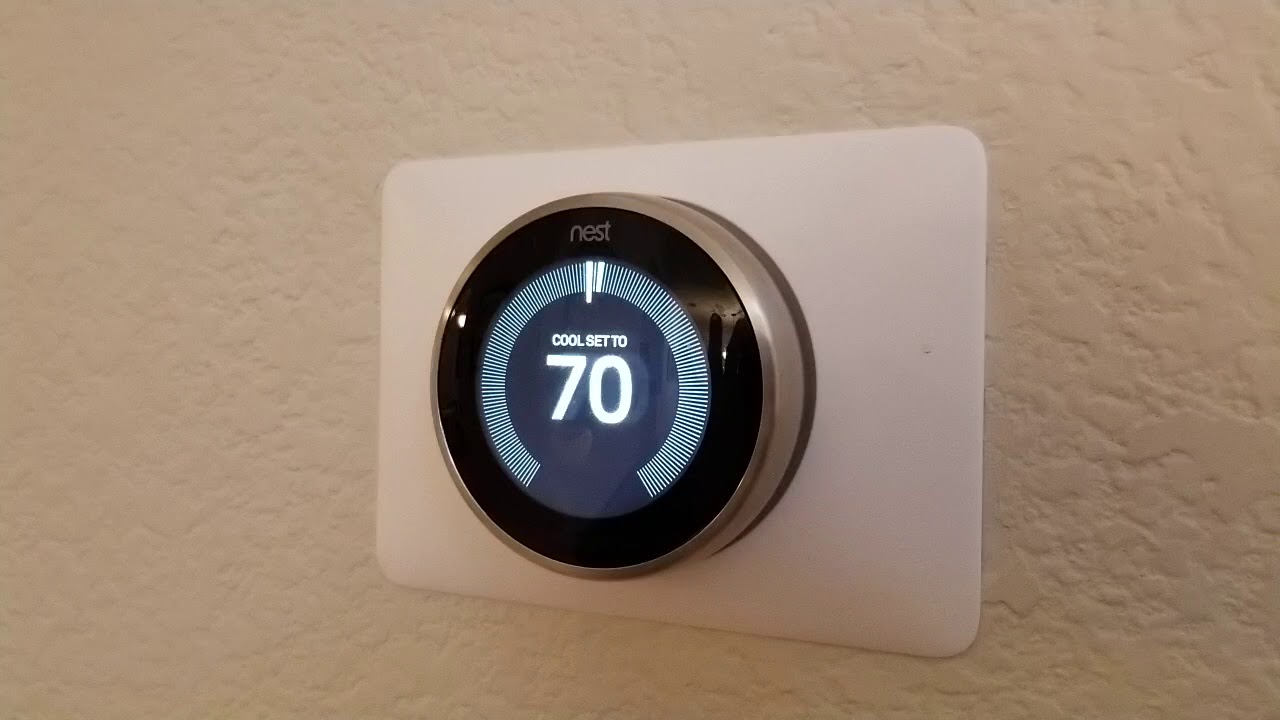
| Nest Thermostat (newer “mirror” display, Google Home app) | Yes | 2 AAA alkaline | Yes, when low | Backup power and stability if power from wiring is inconsistent |
| Nest Learning Thermostat (most generations) | Yes | Built in rechargeable lithium ion | No (not normally) | Runs thermostat electronics and bridges brief power interruptions |
| Nest Thermostat E | Yes | Built in rechargeable battery | No (not normally) | Same idea, charges from HVAC wiring |
If you’re not sure which one you have, I’ll show you how to identify it and how to check battery level in a minute.
Why People Ask This (What I See in the Field)
Most homeowners assume a thermostat is powered like a light switch, always on, no battery involved. But smart thermostats are basically small computers with Wi Fi radios. That means they need steady power.
In the real world, many homes have:
- No C wire (common wire)
- Older HVAC transformers that don’t deliver stable power
- Loose thermostat connections
- Short cycling equipment that interrupts charging
When any of those happen, the Nest battery becomes a big deal.
What the Battery Actually Does in a Nest Thermostat
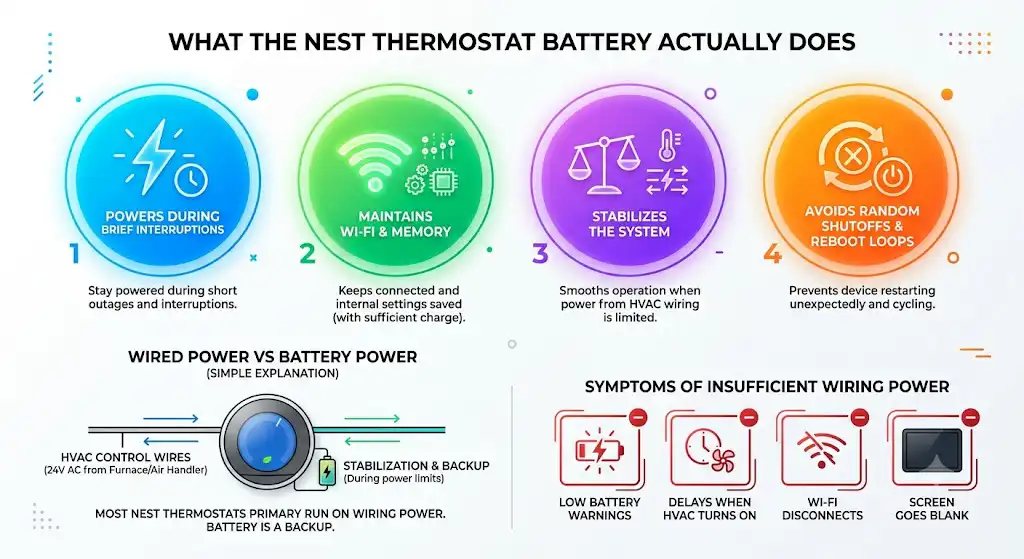
A Nest thermostat’s battery is not just for “saving settings.” It helps the thermostat:
- Stay powered during brief interruptions
- Maintain Wi Fi and internal memory (as long as it has enough charge)
- Keep the system stable when power from HVAC wiring is limited
- Avoid random shutoffs and reboot loops
Wired power vs battery power (simple explanation)
Most Nest thermostats primarily run on power delivered through the HVAC control wires (typically 24V AC from your furnace or air handler transformer). The battery is there as backup and stabilization.
If your Nest can’t get enough power from the wiring, you’ll see symptoms like:
- Low battery warnings
- Delays when the HVAC turns on
- Wi Fi disconnects
- Screen going blank
Which Nest Thermostats Use AAA Batteries?
The standard Google Nest Thermostat model (the newer one that’s commonly set up in the Google Home app) uses 2 AAA alkaline batteries as backup.
Do you have to change those AAA batteries?
Yes, sometimes. Not on a fixed schedule, but when they run low.
In my experience, if your Nest is wired correctly and has consistent power from the HVAC system, those AAA batteries can last a long time because they’re mostly backup. But if your wiring setup is missing a C wire or the system doesn’t provide consistent power, you’ll burn through batteries much faster.
Which Nest Thermostats Have a Rechargeable Battery?
The Nest Learning Thermostat models use a built in rechargeable lithium ion battery. It charges itself through the HVAC wiring when everything is working properly.
Do you replace the rechargeable battery?
Normally, no. It’s designed to last the life of the thermostat.
That said, I’ve walked into homes where the thermostat is 7 to 10 years old and the internal battery doesn’t hold charge like it used to. Most of the time, though, what looks like a “bad battery” is actually a wiring or power issue.
How Long Does a Nest Thermostat Battery Last?
Battery life depends heavily on two things:
- Your Nest model (AAA vs rechargeable)
- Whether your thermostat is getting steady power from the HVAC wiring
Real world factors that affect battery life
Here are the biggest battery killers I see on service calls:
| Factor | What happens | What you notice |
|---|---|---|
| No C wire (or weak C wire connection) | Nest tries to “sip” power from other wires | Low battery warnings, Wi Fi drops, system delays |
| Short HVAC run times | Less time to charge | Battery slowly drains over days or weeks |
| Loose thermostat base wiring | Charging becomes inconsistent | Random shutoffs, rebooting, error messages |
| Weak transformer (24V) | Not enough power budget | Battery never fully recovers |
| Poor Wi Fi signal | Thermostat uses more power maintaining connection | Faster drain, disconnects |
How to Check Your Nest Thermostat Battery Level
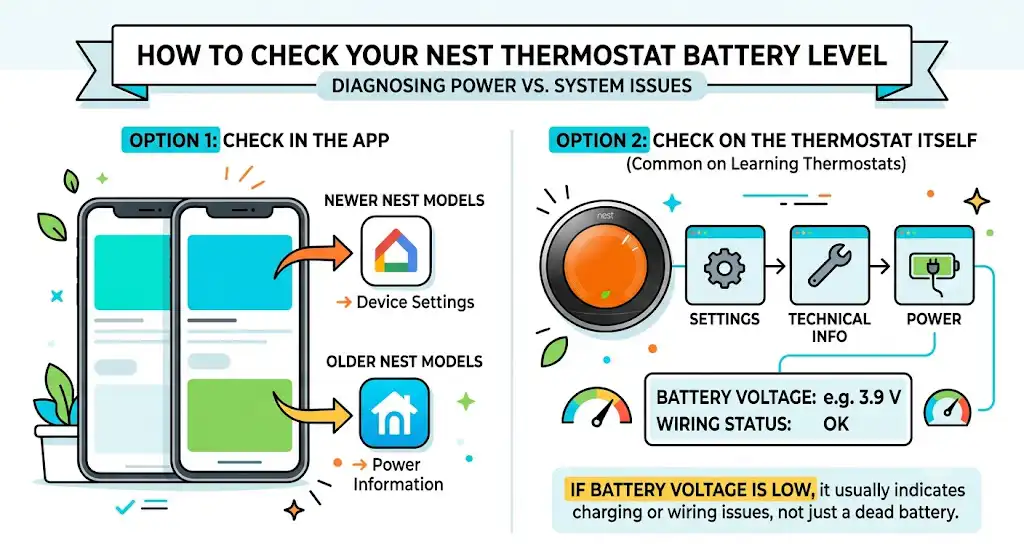
This is one of the first things I check when diagnosing Nest problems, because it tells you whether you’re dealing with a power issue or a system issue.
Option 1: Check in the app
- Newer Nest Thermostat models: check the Google Home app device settings
- Older Nest models: the Nest app may show power information depending on the thermostat generation and setup
Option 2: Check on the thermostat itself (common on Learning Thermostat)
On many Nest Learning Thermostats you can go to:
- Settings
- Technical Info
- Power
You’ll typically see power related values (battery voltage and wiring status). If the battery voltage is low, you’re likely dealing with charging or wiring issues, not just a battery that “randomly died.”
If you tell me your exact model, I can point you to the exact menu path.
Low Battery Signs You Should Not Ignore
When a Nest battery is low, the thermostat usually gives you warnings before it completely fails. Here are the most common signs I want you to watch for:
Common Nest thermostat low battery symptoms
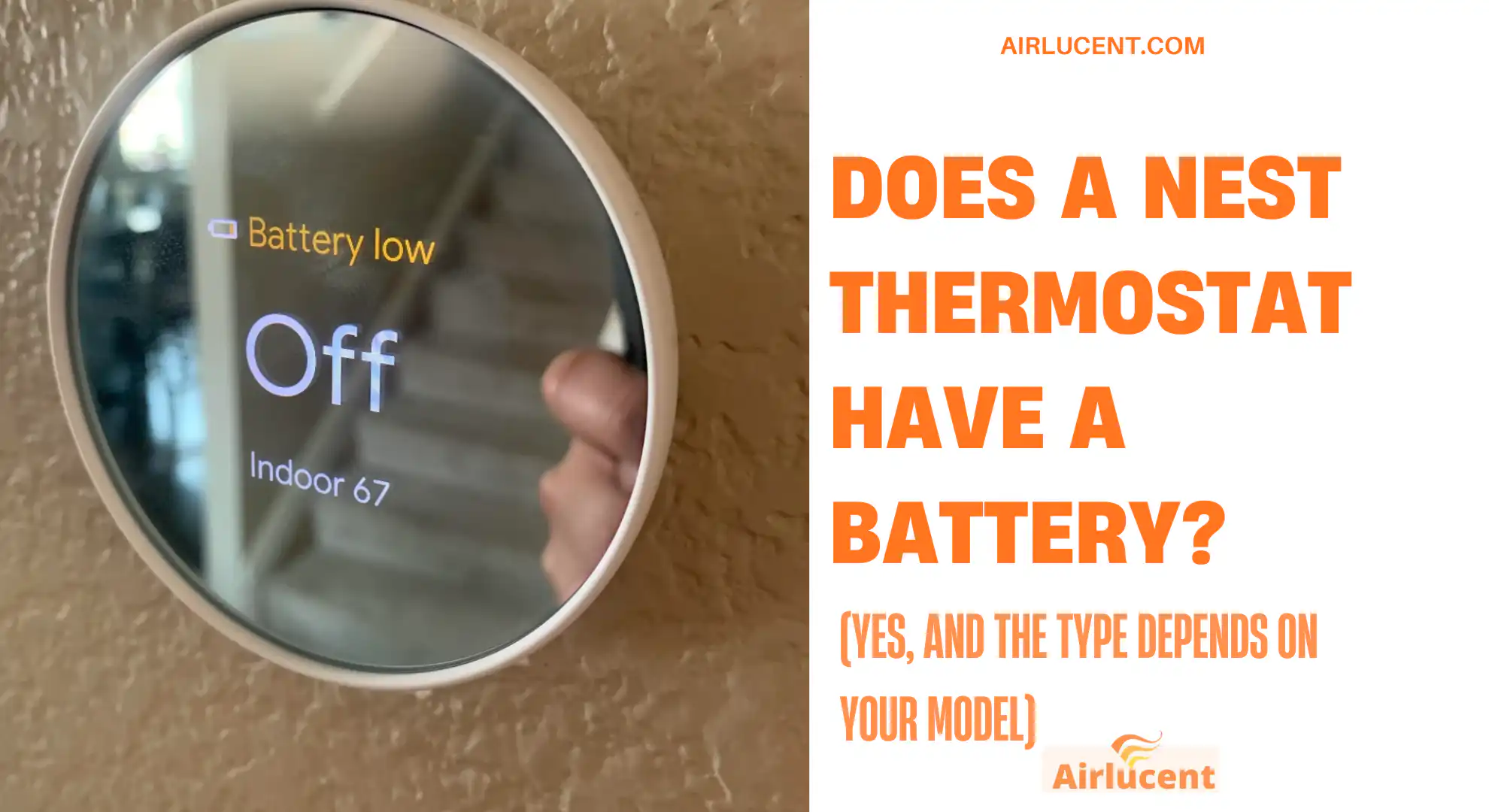
- Low battery message on screen or in the app
- Thermostat screen goes blank or won’t wake up
- Wi Fi disconnects repeatedly
- You can’t change settings reliably
- HVAC won’t run when it should (because the thermostat can’t consistently call for heating or cooling)
- Delayed start (you change temperature, nothing happens for several minutes)
How to Replace Batteries in the Standard Nest Thermostat (AAA Model)
If your model uses 2 AAA batteries, the fix is usually straightforward.
Steps (safe and simple)
- Turn off your HVAC system at the breaker or service switch
This prevents accidental shorts and protects your equipment. - Pull the thermostat display straight off the wall plate
Don’t twist hard. Most Nest displays detach with a steady pull. - Remove the old AAA batteries
- Install 2 new AAA alkaline batteries
Match the polarity markings. - Snap the thermostat back onto the base
- Turn the HVAC breaker back on
- Confirm normal operation in the app and on the thermostat
My recommendation: use quality alkaline batteries, not rechargeable AAA. Rechargeable AAAs often provide different voltage behavior that can cause weird issues in devices designed for alkaline.
What If Your Nest Battery Is Not Charging?
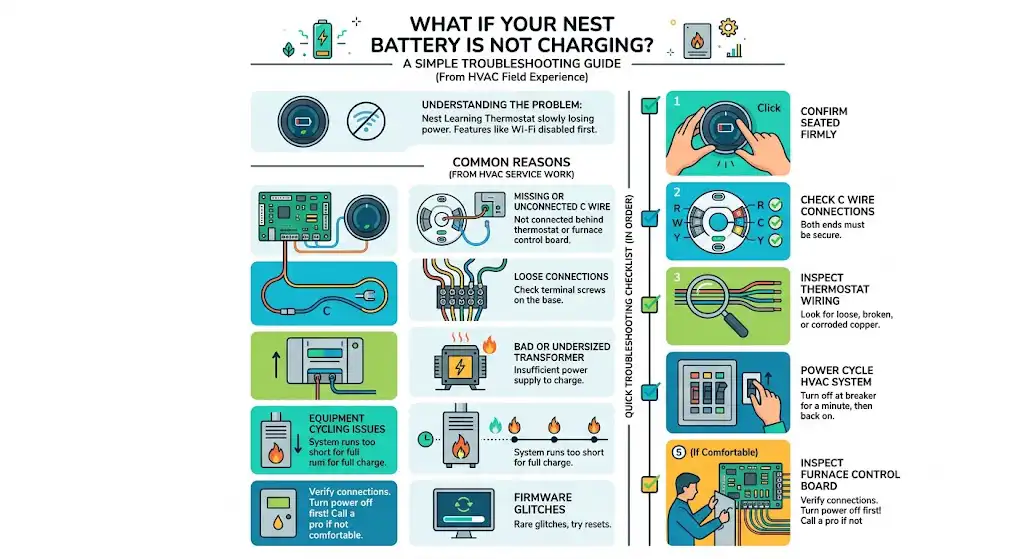
This is one of the biggest pain points, especially on Nest Learning Thermostats. If the built in battery isn’t charging, the thermostat will slowly lose power until it starts disabling features (often Wi Fi first).
The most common reasons (from my HVAC service work)
- Missing C wire or C wire not actually connected at the furnace or air handler
I can’t tell you how many times I’ve seen a “C wire” connected behind the thermostat but not landed properly at the control board. - Loose connections behind the thermostat
- Bad or undersized transformer
- Equipment cycling issues (system doesn’t run long enough to charge)
- Firmware glitches (rare, but resets can help)
Quick troubleshooting checklist
Try these in order:
- Confirm the thermostat is seated firmly on the base
- Check if your system has a C wire connected at both ends
- Inspect thermostat wiring for loose or corroded copper
- Power cycle the HVAC system (off at breaker for a minute, then back on)
- If you’re comfortable: inspect the furnace control board connections (power off first)
If you’re not comfortable opening the furnace panel, that’s a good place to stop and call a technician. A simple wiring correction is often the real fix.
What to Do If the Nest Thermostat Battery Is Dead and the Screen Is Blank
When the screen is blank, your goal is to restore enough power for the thermostat to boot.
Here’s what I’d do in a home:
- Check the HVAC breaker and furnace switch
Make sure power is actually on. - Make sure the thermostat is fully seated on its base
- If it’s the AAA model, replace the batteries immediately
- If it’s a rechargeable model, let it charge
In many cases, restoring proper HVAC power and giving it time will bring it back.
If it repeatedly dies again after charging, that’s your sign the thermostat isn’t getting steady power from the wiring.
Do You Need a C Wire for a Nest Thermostat?
You don’t always need a C wire for Nest to work, but in my experience, having a proper C wire solves a huge percentage of “Nest battery” problems.
A C wire provides continuous 24V power return, which means:
- More stable power
- Fewer low battery errors
- Better Wi Fi reliability
- Less strain on the system
If your Nest keeps complaining about battery, adding a C wire (or using an approved power accessory) is often a more permanent fix than constantly troubleshooting.
Battery and Energy Savings (Why Stable Power Matters)
Nest thermostats are popular because they can reduce heating and cooling waste. Google has published savings claims for Nest Learning Thermostat of around:
- Up to 10 to 12 percent on heating
- Up to 15 percent on cooling
Source: Google Nest published energy savings figures for the Nest Learning Thermostat.
But here’s the part people miss: you only get those benefits if the thermostat stays powered and connected reliably. When battery issues cause dropouts, you lose scheduling, learning, remote control, and sometimes even basic HVAC calls.
When to Call an HVAC Technician (My Honest Line)
Call a pro if:
- You replaced AAA batteries and it still goes low quickly
- The thermostat won’t charge and keeps dying
- Your HVAC system stops running or behaves unpredictably
- You suspect a wiring issue at the furnace control board
- You have a heat pump with complex staging and you’re unsure of wiring
Battery problems are often wiring problems in disguise. A 10 minute wiring correction can save you weeks of frustration.
FAQ: Nest Thermostat Battery Questions
Does every Nest thermostat have a battery?
Yes. Some models use replaceable AAA batteries. Others use a built in rechargeable lithium ion battery.
Which Nest thermostat takes AAA batteries?
The standard Google Nest Thermostat model uses 2 AAA alkaline batteries as backup.
Do I have to change batteries in a Nest Learning Thermostat?
Typically no. It uses a built in rechargeable battery designed to recharge automatically from the HVAC wiring.
Why does my Nest thermostat keep saying low battery?
The most common causes I see are missing C wire, loose wiring, short run times, weak transformer output, or poor charging due to HVAC power interruptions.
Will my Nest still work during a power outage?
It depends on the model and how much battery charge it has at that moment. The battery is mainly meant for short interruptions and maintaining stability, not for running your HVAC through a long outage.
Can a bad battery cause Wi Fi to stop working?
Yes. Wi Fi is often one of the first features that becomes unstable when Nest battery voltage drops.
If You Want, I Can Help You Identify Your Model and Fix It Faster
If you tell me:
- Your Nest model (or share a photo of the thermostat)
- Whether you have a C wire connected
- What wires are connected (letters like R, W, Y, G, C, O B)