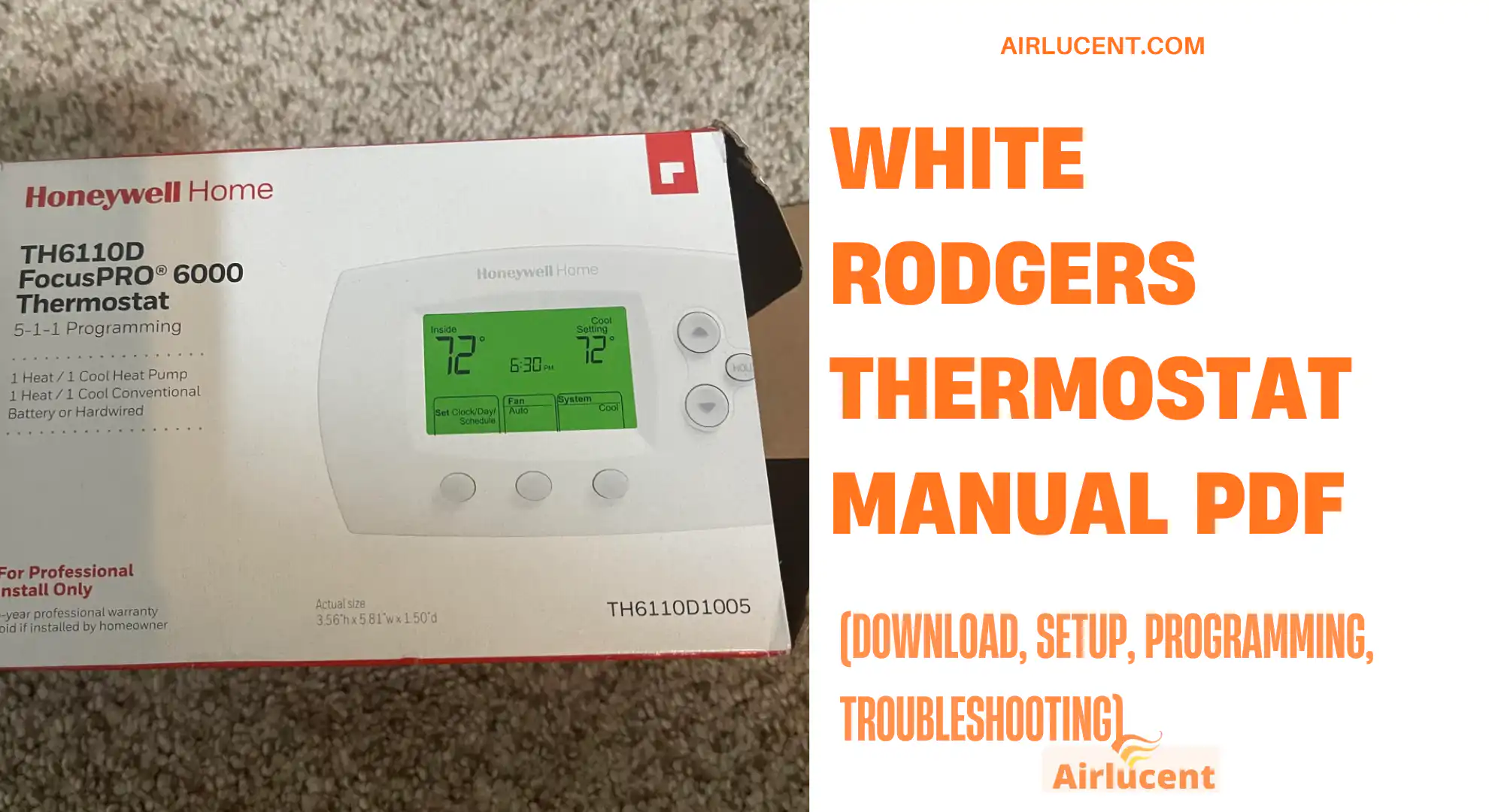
If you landed here because you need the White Rodgers thermostat manual PDF, you’re in the exact spot I’d send one of my own customers after an install.
I’ve worked on hundreds of White Rodgers thermostats over the last decade, from simple battery powered models to programmable versions with installer settings that can trip people up. The good news is that this brand is usually straightforward once you know two things
- How to identify your exact model
- Where the official PDF lives and what sections actually matter
This guide walks you through downloading the correct manual, understanding what you’re looking at, programming it the right way, and fixing the most common problems without guesswork.
- Quick answer: how to get the correct White Rodgers thermostat manual PDF
- Why the manual matters more than most people think
- White Rodgers thermostats explained (in plain English)
- What’s inside a White Rodgers thermostat manual PDF
- Real world energy savings (what you can actually expect)
- How to program a White Rodgers thermostat (step by step)
- Hold, temporary hold, and permanent hold (this confuses almost everyone)
- Wiring terminals cheat sheet (common White Rodgers labels)
- Download PDF Here For 70 Series
- Download PDF Here For 1F78
- Common issues and fixes (what I troubleshoot first)
- Maintenance tips that keep your thermostat behaving correctly
- Safety note from a tech
- FAQ: White Rodgers thermostat manual PDF
- My closing advice
Quick answer: how to get the correct White Rodgers thermostat manual PDF
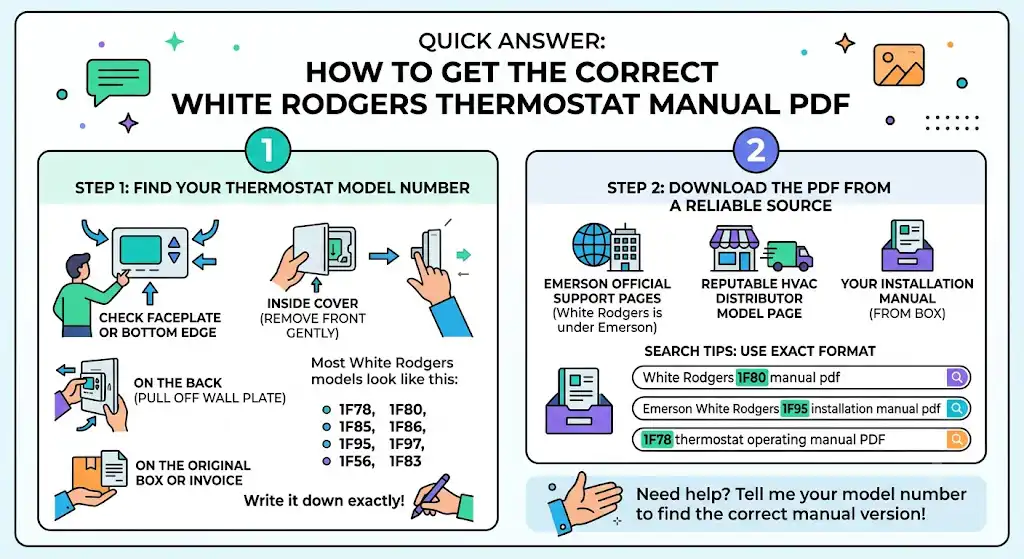
To download the right manual PDF, you need the thermostat model number. With White Rodgers, one digit off can mean a totally different wiring diagram and programming menu.
Step 1: Find the model number (this matters more than anything)
Check these places in this order.
- On the thermostat faceplate (sometimes the bottom edge)
- Inside the cover (remove the front gently)
- On the back of the thermostat (you may need to pull it off the wall plate)
- On the original box or invoice
Most White Rodgers models look like this.
- 1F78
- 1F80
- 1F85
- 1F86
- 1F95
- 1F97
- 1F56
- 1F83
Write it down exactly.
Step 2: Download the PDF from a reliable source
In real service work, I recommend these options first.
- Emerson official support pages (White Rodgers is under Emerson)
- The model specific PDF page from a reputable HVAC distributor
- Your installation manual that came in the box (many homeowners still have it in a drawer)
Tip from the field: when you search, use the exact format below
- “White Rodgers 1F80 manual pdf”
- “Emerson White Rodgers 1F95 installation manual pdf”
- “1F78 thermostat operating manual PDF”
If you tell me your model number, I can also help you figure out which manual version matches your thermostat, because some models have multiple revisions.
Why the manual matters more than most people think
A lot of homeowners only open the manual when something goes wrong. But the manual includes settings that directly affect comfort and system health, like
- heating cycle rate or swing
- heat pump configuration
- compressor protection delay
- fan behavior (gas vs electric)
- staging for multi stage systems
If these are wrong, your system can short cycle, feel uneven, or cost more to run.
White Rodgers thermostats explained (in plain English)
White Rodgers thermostats are popular because they are typically
- reliable
- widely compatible with common HVAC systems
- easy to program once you understand the schedule structure
Common thermostat types you’ll see
- Basic non-programmable: You set a temperature, and it holds it. Great for simplicity, not great for energy savings.
- Programmable (most common): You can set schedules like Wake, Leave, Return, Sleep.
- Heat pump capable models: These have settings for O or B reversing valve, Aux heat behavior, and compressor delays.
- Smart” or Wi Fi capable: White Rodgers branding overlaps with Emerson products. Some homeowners think they have a smart model when it’s actually just programmable. The manual will confirm what you have.
What’s inside a White Rodgers thermostat manual PDF
Most manuals are split into two big categories
- Operating manual (what you use daily)
- Installation and wiring manual (what techs use)
Here’s what I tell homeowners to focus on first
| Quick start or basic operation | Set temp, change mode, fan settings | Prevents “why is it blowing cold” panic |
| Programming or schedule | Create weekday weekend schedules | Biggest comfort and savings impact |
| Installer configuration | System type, heat pump settings, swing | Wrong settings can cause short cycling |
| Troubleshooting | Blank screen, no heat, no cool | Saves time and service calls |
| Wiring diagram | Terminal identification | Critical if replacing thermostat |
Real world energy savings (what you can actually expect)
Thermostats don’t magically cut bills, but correct programming and setpoints do.
According to the U.S. Department of Energy, you can save up to about 10 percent a year on heating and cooling by adjusting your thermostat 7 to 10 degrees Fahrenheit for 8 hours a day.
Here’s a simple way to think about it
| No schedule, constant temperature | Convenience, higher run time | Most common in first time homeowners |
| Basic schedule with setbacks | Lower run time during away hours | Usually noticeable within 1 to 2 billing cycles |
| Aggressive setbacks with recovery | Highest savings, risk of discomfort if poorly set | Works best with the right system type |
Important note from my technician side: heat pumps and older homes sometimes need gentler setbacks to stay comfortable.
How to program a White Rodgers thermostat (step by step)
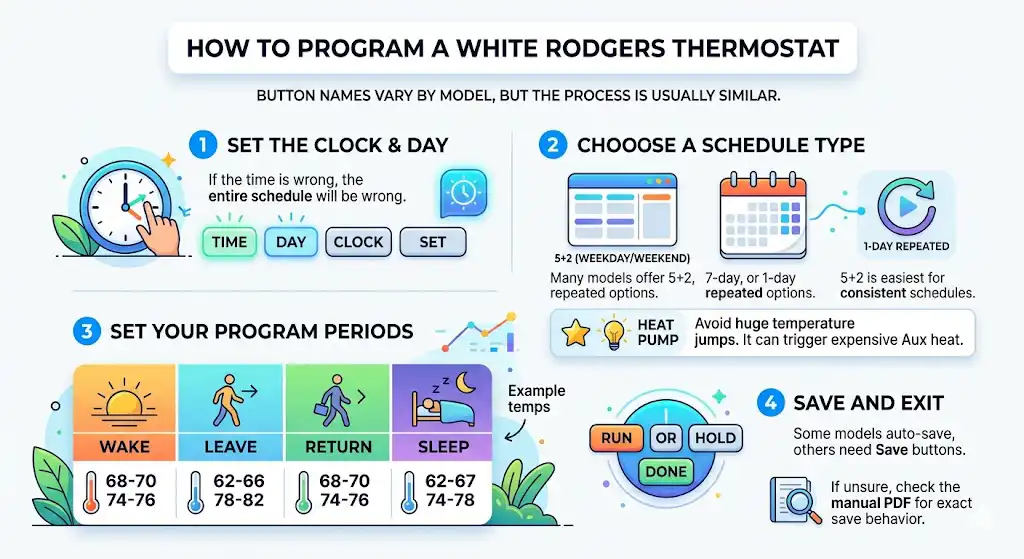
Your exact button names vary by model, but the process is usually similar.
Step 1: Set the clock and day
If the time is wrong, the whole schedule will be wrong.
Look for buttons like
- Time
- Day
- Clock
- Set
Step 2: Choose a schedule type
Many models offer
- 5 2 (weekday weekend)
- 7 day
- 1 day repeated
If you work a consistent schedule, 5 2 is easiest.
Step 3: Set your program periods
Most White Rodgers programmable thermostats use four periods.
- Wake
- Leave
- Return
- Sleep
A practical sample schedule I use in my own recommendations
| Wake | 68 to 70 | 74 to 76 | Morning |
| Leave | 62 to 66 | 78 to 82 | Away |
| Return | 68 to 70 | 74 to 76 | Evening |
| Sleep | 62 to 67 | 74 to 78 | Night |
Tip: If you have a heat pump, don’t set huge jumps. It can trigger Aux heat and cost more.
Step 4: Save and exit
Some models auto-save. Others need Run, Hold, or Done.
If you’re unsure, the manual PDF will show the exact “save” behavior.
Hold, temporary hold, and permanent hold (this confuses almost everyone)
In service calls, this is one of the top reasons people think the thermostat “isn’t working.”
- Temporary Hold changes temperature until the next scheduled period
- Permanent Hold ignores the schedule until you cancel it
- Run or Program returns the thermostat to the schedule.
If your schedule “isn’t following,” check if Hold is active.
Wiring terminals cheat sheet (common White Rodgers labels)
If you’re only downloading the manual because you’re replacing or reinstalling, wiring matters. Always shut power off at the breaker.
Here are the most common terminal letters you’ll see
| R or RH and RC | 24V power | Some systems have a jumper between RH and RC |
| C | Common wire | Needed for many powered thermostats, not always present |
| W or W1 | Heat call | Gas or electric heat depends on system |
| Y or Y1 | Cooling call | Also used for heat pump compressor |
| G | Fan | Controls indoor blower |
| O or B | Heat pump reversing valve | The manual tells you if it’s O or B |
| AUX or E | Auxiliary or emergency heat | Heat pumps only |
| Y2 W2 | Second stage | Multi stage systems |
If you are not 100 percent sure what system you have, don’t guess. I’ve seen guessing blow fuses on the control board.
Download PDF Here For 70 Series
Download PDF Here For 1F78
Common issues and fixes (what I troubleshoot first)
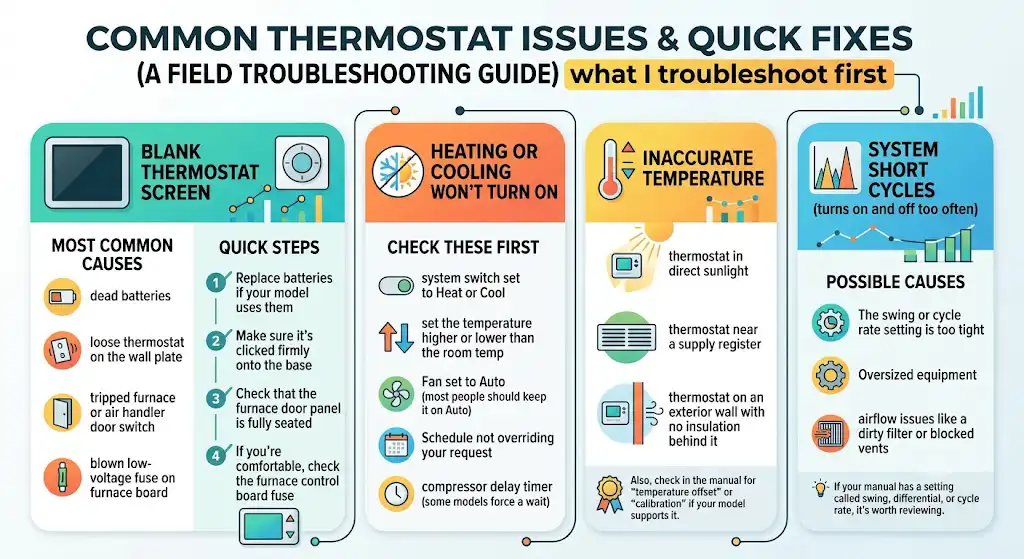
Here’s the same checklist I run through in the field.
The thermostat screen is blank.
Most common causes
- dead batteries
- loose thermostat on the wall plate
- tripped furnace or air handler door switch
- blown low-voltage fuse on furnace board
Quick steps
1 Replace batteries if your model uses them
2 Make sure it’s clicked firmly onto the base
3 Check that the furnace door panel is fully seated
4 If you’re comfortable, check the furnace control board fuse
Heating or cooling won’t turn on
Check these first
- system switch set to Heat or Cool
- set the temperature higher or lower than the room temp
- fan set to Auto (most people should keep it on Auto)
- Schedule not overriding your request
- compressor delay timer (some models force a wait)
The temperature is inaccurate
In my experience, the biggest causes are placement issues.
- thermostat in direct sunlight
- thermostat near a supply register
- thermostat on an exterior wall with no insulation behind it
Also, check in the manual for “temperature offset” or “calibration” if your model supports it.
System short cycles (turns on and off too often)
Possible causes
- The swing or cycle rate setting is too tight
- oversized equipment
- airflow issues like a dirty filter or blocked vents
If your manual has a setting called swing, differential, or cycle rate, it’s worth reviewing.
Maintenance tips that keep your thermostat behaving correctly
A thermostat isn’t maintenance heavy, but these habits prevent the usual problems.
- Replace batteries once a year if your model uses them
- Keep the thermostat level and firmly mounted
- Keep supply vents open and filters clean to reduce short cycling complaints
- Avoid frequent big manual changes if you use a schedule
Safety note from a tech
If you remove the thermostat from the wall to check wiring, shut power off to the HVAC system at the breaker. Low voltage can still short and blow a fuse, and then you’ll have no heat or cool until it’s repaired.
If you’re ever staring at a wire labeled something odd or doubled up wires under one terminal, that’s a good moment to pause and call a pro.
FAQ: White Rodgers thermostat manual PDF
Are White Rodgers thermostats made by Emerson
Yes, White Rodgers thermostats are commonly associated with Emerson. That’s why many official manuals are hosted under Emerson support.
Why do I see multiple PDFs for the same model
Because there are often different revisions or separate documents for operating vs installation. Always match the manual to your exact model and sub model if listed.
Can I use a White Rodgers thermostat with a heat pump
Many models support heat pumps, but not all. The manual will explicitly mention heat pump compatibility and show O or B wiring and Aux heat terminals.
What if I cannot find the model number
Take the thermostat off the wall plate and check the back. If you want, you can also send me a clear photo of the front and the wiring terminals area and I can help identify the family and the likely manual.
My closing advice
Once you download the correct White Rodgers thermostat manual PDF, don’t just skim it. Spend five minutes on these sections.
- system type and wiring diagram
- installer configuration options
- programming schedule steps
- hold and run behavior
- troubleshooting chart
That’s the difference between a thermostat that “kind of works” and one that runs your home comfortably without wasting energy.