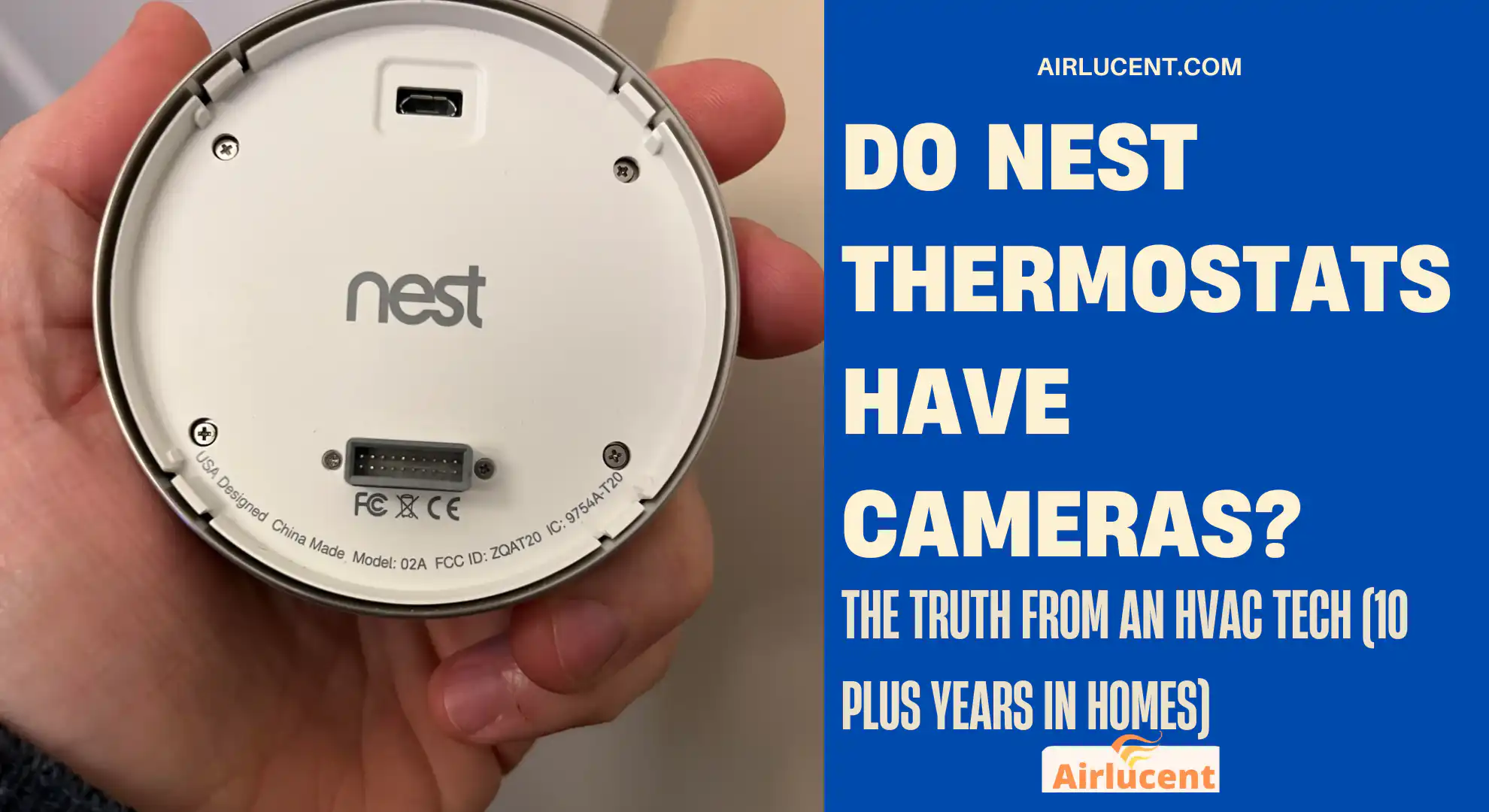
I’m Nathan, and I’ve been an HVAC technician for over 10 years. I’ve installed and serviced a lot of smart thermostats in real homes, not lab setups. And one privacy question comes up constantly, usually right after a homeowner notices the dark little window on the front of a Nest:
Do Nest thermostats have cameras?
Let’s clear it up completely, explain what that sensor actually is, and talk about what Nest does track, what it doesn’t, and how you can lock your privacy down.
- Quick answer
- Why so many people think the Nest thermostat has a camera
- Nest thermostat models: none include cameras
- So what is that “camera looking” sensor on the Nest?
- Sensors inside Nest thermostats (what they actually do)
- How Nest knows you’re away (without a camera)
- What Nest does collect (and what it doesn’t)
- Privacy reality check: why people still worry (and they’re not wrong)
- How to secure your Nest thermostat (the checklist I give homeowners)
- How to confirm your Nest thermostat doesn’t have a camera (2 minute verification)
- Want a Nest device with a camera? These are the actual options
- My HVAC technician take: what Nest is actually good at
- Common questions I hear in homes (FAQ)
- Bottom line
Quick answer
No. Nest thermostats do not have built in cameras.
They use motion and proximity sensing (and sometimes phone location data) to do smart features like Home Away Assist and waking the display. That “camera looking” area is a sensor, not a camera.
If you want a Nest device with an actual camera, you’re looking for Nest Cam or Nest Doorbell, not a thermostat.
Why so many people think the Nest thermostat has a camera
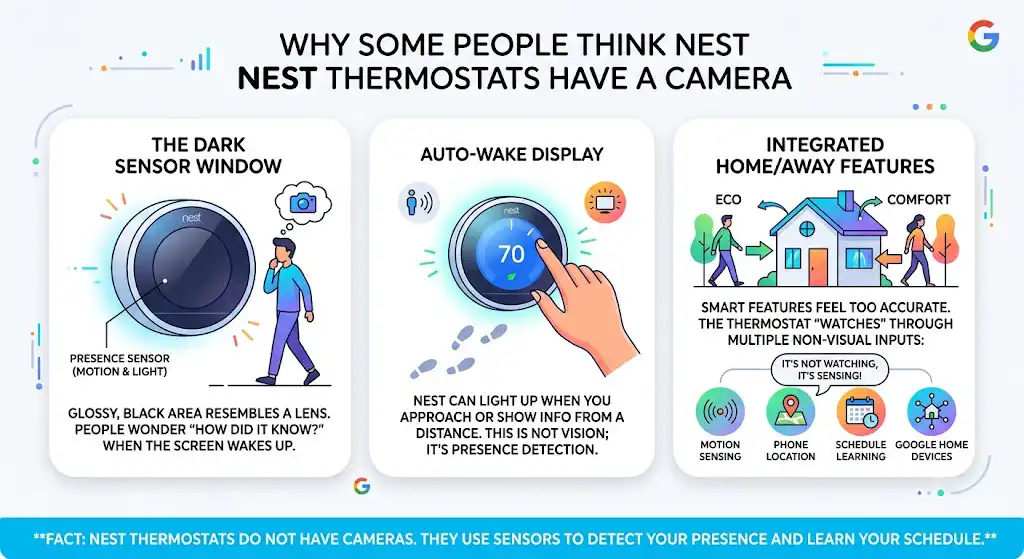
In my experience, the camera rumor usually comes from three things:
1) The dark sensor window looks like a lens
On some models, there’s a glossy, black area near the display that looks like it could hide a camera. Homeowners notice it when the screen wakes up as they walk by and they think, “How did it know I’m here?”
2) The display turns on when you approach
Nest can light up when you get close, and it can show info from across the room (depending on model and settings). That’s not vision. That’s presence detection.
3) Home Away features feel “too accurate”
People see the thermostat switch to Eco when they leave and come back to Comfort when they return. It feels like it’s “watching,” but it’s usually using:
- motion or proximity sensing
- your phone’s location (if you enable it)
- schedule learning
- other Google Home presence settings
Nest thermostat models: none include cameras
Here’s a clean way to confirm it.
Nest thermostat camera check (by model)
| Nest Learning Thermostat | Advanced learning and energy control | Yes | No |
| Nest Thermostat E | Simpler smart control | Yes | No |
| Nest Thermostat (newer mirrored front models) | Smart control with app integration | Yes | No |
If a thermostat had a camera, it would be listed in specs and documentation, and it would be a major advertised feature. It would also raise immediate compliance and privacy disclosure requirements.
So what is that “camera looking” sensor on the Nest?
It’s not a camera module. It’s a combination of sensors used for comfort, automation, and energy savings.
Below is a practical breakdown (the way I explain it to homeowners on service calls).
Sensors inside Nest thermostats (what they actually do)
| Motion sensor (often PIR) | Movement and occupancy patterns | Home Away decisions, Eco mode triggers | Detects heat or movement patterns, not images |
| Proximity sensor | Someone close to the thermostat | Wakes the display when you approach | Measures closeness, not video |
| Temperature sensor | Indoor temperature | Heating and cooling control | Standard thermostat function |
| Humidity sensor (model dependent) | Relative humidity | Comfort control and system behavior | No imaging ability |
| Ambient light sensor | Room brightness | Auto screen brightness | No imaging ability |
| Connectivity (Wi Fi, Bluetooth) | Device connections | App control, pairing, updates | Not a camera and not recording video |
Some newer Nest designs also use advanced presence sensing approaches. The key point stays the same: presence sensing is not video recording.
How Nest knows you’re away (without a camera)
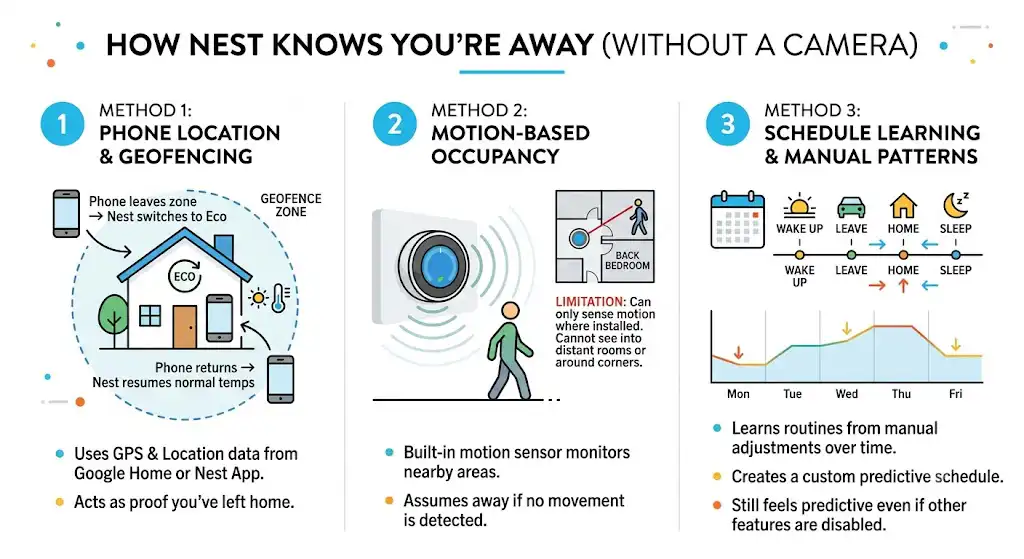
This is the part that convinces people the most that there must be a camera. Here’s what’s really happening.
Method 1: Phone location and geofencing (if you allow it)
If you enable presence features in the Google Home or Nest app, your phone can act like the “proof” that you left home.
A simple way to think about it:
- when your phone leaves the home area, Nest can switch to Eco
- when your phone returns, Nest can resume your normal temps
Method 2: Motion based occupancy
In many homes I work in, people don’t enable phone based location at all. Nest still makes decisions using motion detection near the thermostat.
Important limitation: a thermostat can only sense motion where it is installed. If it’s in a hallway and nobody walks by, it may assume you’re away even if you’re home in the back bedroom.
Method 3: Schedule learning and manual patterns
Nest can learn routines based on adjustments. So even if you disable a lot of “smart” features, it can still feel predictive.
What Nest does collect (and what it doesn’t)
To give you a realistic privacy picture, it helps to separate “camera fear” from the actual data most smart thermostats rely on.
Nest thermostat data you should expect
A smart thermostat typically needs to process things like:
- temperature setpoints and schedules
- run time history (when heating or cooling ran)
- sensor readings (temp, humidity, sometimes motion events)
- device diagnostics (errors, Wi Fi strength, power info)
What Nest thermostats are not doing
- recording video (no camera hardware)
- taking photos
- acting like a hidden security camera
Also, a related question I get: Nest thermostats do not function as voice assistants. They’re not Google Assistant speakers. If you want voice features, that’s usually a Nest Hub or smart speaker.
Privacy reality check: why people still worry (and they’re not wrong)
Even though there’s no camera, smart home privacy concerns are real.
For context, Pew Research Center has reported that a large majority of U.S. adults feel they have little to no control over data collection by companies, and many believe the risks outweigh the benefits. That general concern spills into smart home devices fast, especially anything connected to Wi Fi.
So the best approach isn’t panic. It’s control:
- know what the device can do
- review settings
- secure your account and network
How to secure your Nest thermostat (the checklist I give homeowners)
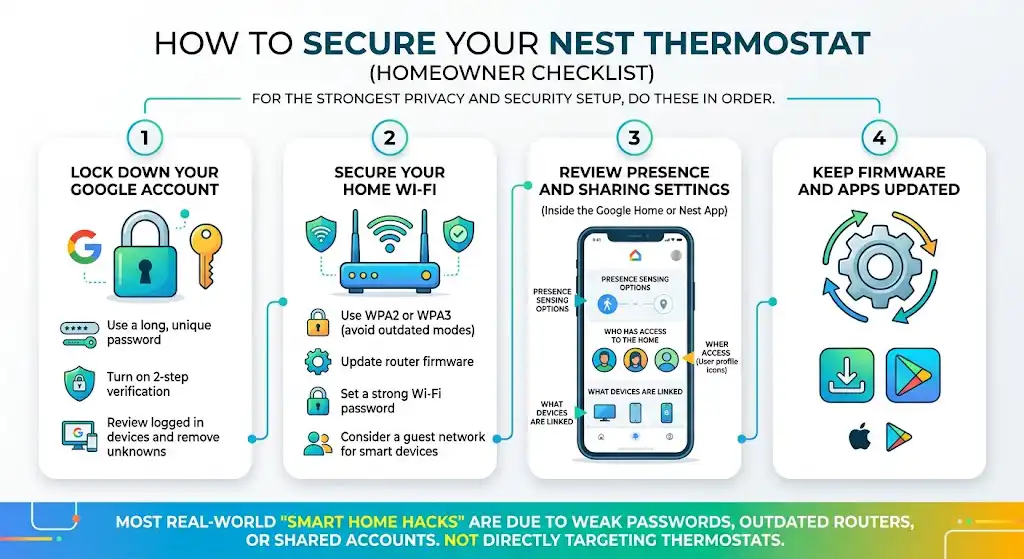
If you want the strongest privacy and security setup, do these in order.
1) Lock down your Google account
- Use a long, unique password
- Turn on 2 step verification
- Review logged in devices and remove anything you don’t recognize
2) Secure your home Wi Fi
- Use WPA2 or WPA3 (avoid outdated router security modes)
- Update router firmware
- Set a strong Wi Fi password
- Consider a guest network for smart devices if your router supports it
3) Review presence and sharing settings
Inside the Google Home app (or Nest app depending on your setup), review:
- presence sensing options
- who has access to the home
- what devices are linked
4) Keep firmware and apps updated
Most real world “smart home hacks” I’ve seen weren’t someone targeting a thermostat. They were weak passwords, outdated routers, or shared accounts.
How to confirm your Nest thermostat doesn’t have a camera (2 minute verification)
If you want to verify this yourself instead of taking anyone’s word for it:
- Identify your exact model (look in the app or on the thermostat settings)
- Open the official tech specs page for that model
- Check the listed sensors and hardware features
- You will see motion or proximity sensors listed, but not a camera
If a device includes a camera, manufacturers typically highlight it because it’s a selling point and a compliance issue.
Want a Nest device with a camera? These are the actual options
Nest does offer cameras, just not in thermostats.
Nest camera products (made for security)
| Nest Cam (indoor or outdoor versions) | General home monitoring | Live view, motion alerts, event history (subscription dependent), night vision | Yes |
| Nest Doorbell | Front door monitoring | Visitor alerts, motion detection, doorbell events, talk and listen | Yes |
If you want to monitor your home, use a purpose built camera. In my professional opinion, mixing a camera into a thermostat would create more privacy controversy than value, and it would increase cost for a feature most homeowners don’t want in that location.
My HVAC technician take: what Nest is actually good at
After a decade in HVAC, here’s where Nest thermostats genuinely help homeowners:
Comfort and convenience
- easy scheduling
- remote adjustments when you’re traveling or at work
- cleaner temperature control than old manual thermostats
Energy awareness
Nest’s reporting and runtime history can help you spot:
- systems that run too long
- big temperature swings
- patterns that might indicate insulation or airflow problems
Nest has also published findings in the past showing average savings for many users, often in the range of around 10 to 12 percent on heating and about 15 percent on cooling (results vary by climate, home, and settings). Real savings depend on your habits and how your system is set up.
The big caution I tell homeowners
Smart thermostats can’t fix:
- an oversized system short cycling
- low refrigerant
- dirty coils
- poor duct design
- weak airflow
If your house has comfort issues, the thermostat is only one piece of the puzzle.
Common questions I hear in homes (FAQ)
Do Nest thermostats have hidden cameras?
No. Nest thermostats do not contain cameras, hidden or otherwise. The camera rumor is almost always confusion with motion or proximity sensors.
What is the black dot or dark window on the front?
On many models it’s part of the motion or proximity sensing system used to wake the display and support Home Away features. It’s not a lens capturing images.
Can Nest “see” me?
No. It can detect presence or motion depending on model and settings, but it is not capturing video.
Does Nest record audio?
Nest thermostats are not designed as microphones or smart speakers. If you’re worried about audio, focus on devices like smart speakers, displays, and cameras, not thermostats.
If I don’t want presence detection, can I turn it off?
Yes. You can typically disable Home Away or presence related features in the app settings, depending on your model and ecosystem setup.
What Nest devices actually have cameras?
Nest Cam and Nest Doorbell are the main Nest products that include cameras.
Bottom line
Nest thermostats do not have cameras. They use sensors like motion and proximity detection plus optional phone based presence to automate heating and cooling.
If you want the benefits of a smart thermostat without the privacy stress, the best move is simple:
- secure your Google account
- secure your Wi Fi
- review presence settings
- keep everything updated